

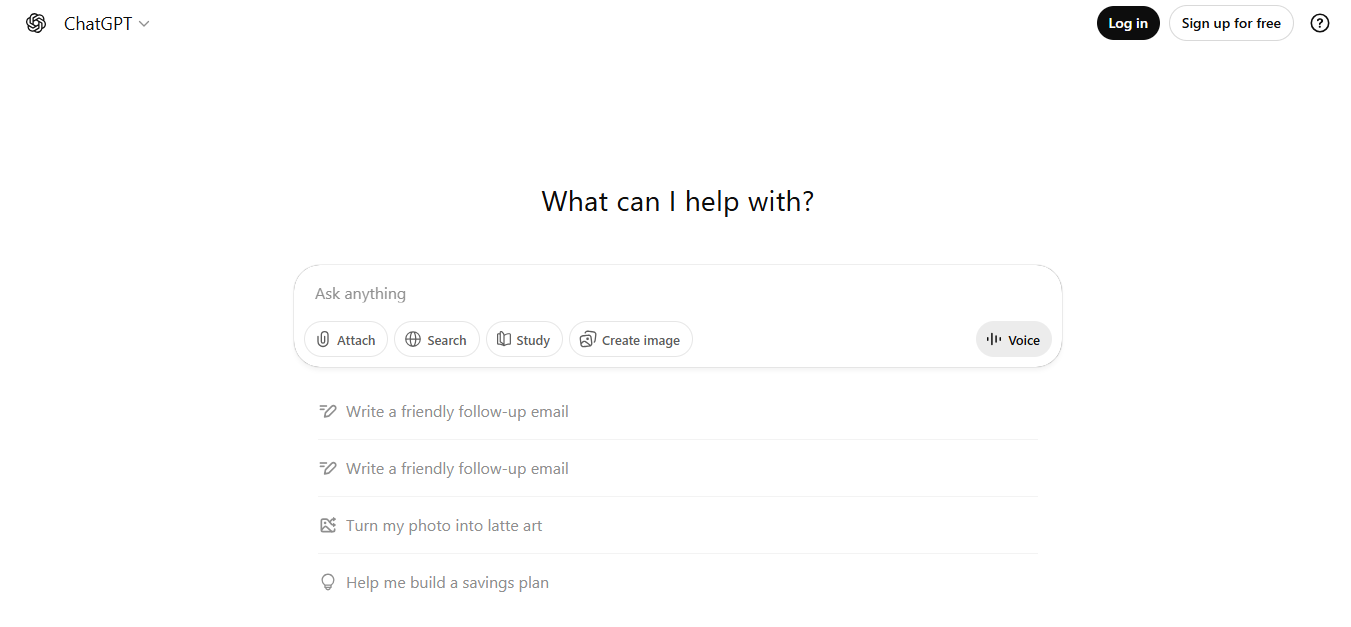
What is ChatGPT?
ChatGPT is an AI language model platform that generates text and answers based on user input. It belongs to the generative AI category and is built on large-scale language models from OpenAI. Users can ask questions, draft content, create code, and get summaries or explanations. It serves in workflows for research, writing assistance, ideation, customer support drafting, and conversational automation. ChatGPT can be accessed via web, API, or integrated into business tools for text-centric tasks.
Key Features of ChatGPT
- GPT-5.5 conversational engine: The current flagship model (since April 23, 2026), with an Instant mode for fast replies and a Thinking mode that shows its reasoning plan before answering.
- Deep Research: An autonomous research agent that cross-references multiple sources into a structured, cited report. Capped at 10 sessions/month on Plus, 50 on Pro $100, and 250 on Pro $200.
- Codex: An agentic coding tool that reads a codebase, writes and runs tests, and can open pull requests on its own. Billed against a shared credit/token allowance on paid tiers, separate from message limits.
- Memory: Automatically retains context across separate conversations (role, recurring projects, preferences). Viewable, editable, and deletable by the user; available on Plus and above.
- Agent Mode: Carries out multi-step tasks autonomously across the web and connected apps, rather than just answering a single question.
- 60+ app connectors: Native integrations including Google Drive, Docs, Sheets, Slack, GitHub, Notion, Salesforce, Outlook, SharePoint, and Teams, so ChatGPT can pull context without manual uploads.
Pricing
| Plan | Price | Best For | Key Inclusions |
| Free | $0/month | Casual or occasional use | GPT-5.3 Instant, 10 messages per 5-hour window, limited web search, image generation, and Deep Research; shows ads to US users |
| Go | $8/month | Budget users who want more than Free without the full feature set | 10x Free’s message, upload, and image limits; GPT-5.5 inside Codex (400K context); still shows ads |
| Plus | $20/month | Individual professionals and daily use | GPT-5.5, Deep Research (10 sessions/month), Canvas, Memory, Agent Mode, Custom GPTs, Advanced Voice, no ads |
| Pro $100 | $100/month | Power users who regularly hit Plus limits | 5x Plus usage, 5x Codex usage, GPT-5.5 Pro access |
| Pro $200 | $200/month | Heaviest individual users and long-document work | 20x Plus usage, 1M-token context window, GPT-5.5 Pro, maximum Deep Research and Agent Mode |
| Business | $20–25/user/month (2-seat minimum) | Small-to-mid teams | SAML SSO, SOC 2 Type 2, no training on business data, shared workspaces, admin console |
| Enterprise | Custom | Large organizations | Extended context, dedicated support, compliance controls, data residency |
API usage is billed separately per token and isn’t included in any subscription plan. Verify current pricing at chatgpt.com/pricing.
How It’s Typically Used
A user opens ChatGPT on web, desktop, or mobile and starts a new conversation, or opens an existing Project where relevant files and context are already grouped together.
They enter a prompt, upload a supporting file (PDF, DOCX, XLSX, image, or audio), or pull context directly from a connected app like Google Drive, Slack, or GitHub.
Depending on the task, they pick a mode: standard chat for quick drafting, Deep Research for a multi-source report, Canvas for a side-by-side document or code edit, Codex for autonomous coding work, or Agent Mode for a multi-step task across connected apps.
ChatGPT returns a text draft, code change, research report, image, or structured document, while Memory carries the user’s role and recurring project details into the next session automatically.
The output is then used downstream: pasted into a document or CMS, exported as a file, opened as a pull request through Codex, or acted on directly through a connected app via Agent Mode.
Pros and Cons
Pros
- Access to 3M+ Custom GPTs in the GPT Store means pre-built configurations exist for most professional workflows
- Covers writing, coding, image generation, voice, and research in a single subscription
- Deep Research and Agent Mode handle multi-step tasks other chatbots still can’t automate
- TrustRadius reviewers rate it 9.1/10 across 580 verified reviews
- Free tier includes web search, file uploads, and image generation, not just basic chat
Cons
- Confidently produces incorrect answers, so any business-critical output needs manual fact-checking
- Free-tier and Plus support tickets can take 24–48 hours to get a human response
- Deep Research is capped at 10 sessions/month on Plus, which heavy researchers exhaust quickly
- Trustpilot users report a starkly different experience than G2 (1.6/5 vs. 4.7/5), driven mostly by billing and support disputes
- Not built for regulated or high-compliance workflows without add-on enterprise controls
Who It’s For
Best fit: Content marketers, developers, and analysts who need writing, coding, and autonomous research under one subscription.
Limited fit: Heavy researchers who exhaust the 10 Deep Research sessions on Plus each month.
Should avoid: Regulated teams that need guaranteed factual accuracy without a human review step.
Is It Worth It?
ChatGPT Plus is worth it for most professionals; it’s overkill if sourced research is your only use case.
If you’re a content marketer, developer, or generalist knowledge worker who drafts, codes, and researches daily, Plus at $20/month typically pays for itself within the first week through time saved on first drafts and debugging.
If your primary need is citation-verified research output with minimal manual checking, a dedicated cited-search tool is a better fit than paying for ChatGPT and still fact-checking every answer yourself.
Alternatives
Users comparing ChatGPT most often weigh it against Claude for writing and coding quality, Google Gemini for Workspace integration and context size, Perplexity for citation-backed research, and Microsoft 365 Copilot for native Office and Outlook workflows.
| Tool | Core Strength | Best Use Case | Starting Price | Key Limitation |
| ChatGPT | Broadest single-app toolset (chat, code, image, voice, research) | Generalist daily driver across tasks | Free (paid from $8/mo) | Accuracy still needs manual verification |
| Claude (Anthropic) | Long-form writing quality and code reasoning | Writing-heavy and coding-heavy workflows | $20/month (Pro) | Narrower multimodal feature set (no video generation) |
| Google Gemini (Google AI Pro) | 1M-token context window, deep Google Workspace integration | Teams already living in Gmail/Docs/Drive | $19.99/month | Agent and coding tooling less mature than ChatGPT/Claude |
| Perplexity Pro | Citation-backed, sourced answers | Fact-checking and research-first workflows | $20/month | Deep Research capped at ~20 reports/month |
| Microsoft 365 Copilot | Native Office and Outlook integration | Teams standardized on Microsoft 365 | $19.99/month (bundled into M365 Personal) | Weaker standalone reasoning vs. dedicated AI assistants |
FAQs
Is ChatGPT free to use?
Yes, a free tier is available with no cost. It caps out at 10 messages per 5-hour window before switching to a lighter model.
Does a ChatGPT Plus subscription include API access?
No, API usage is billed separately per token. Paying for Plus, Pro, or Business does not include or discount API credits.
Is ChatGPT Business cheaper than Claude for a small team?
ChatGPT Business starts at $25/user/month (about $20/user/month billed annually, 2-seat minimum), close to Claude’s $20/month individual Pro plan. Claude currently has no dedicated small-team tier priced separately from its individual plan.
How many people use ChatGPT each week?
ChatGPT had roughly 900 million weekly active users as of February 2026. That scale makes it the most-used AI chatbot by a wide margin.
Does ChatGPT Plus include unlimited Deep Research?
No, Plus is capped at 10 Deep Research sessions per month. Users who exceed that regularly need the Pro tier.