
What is Fotor?
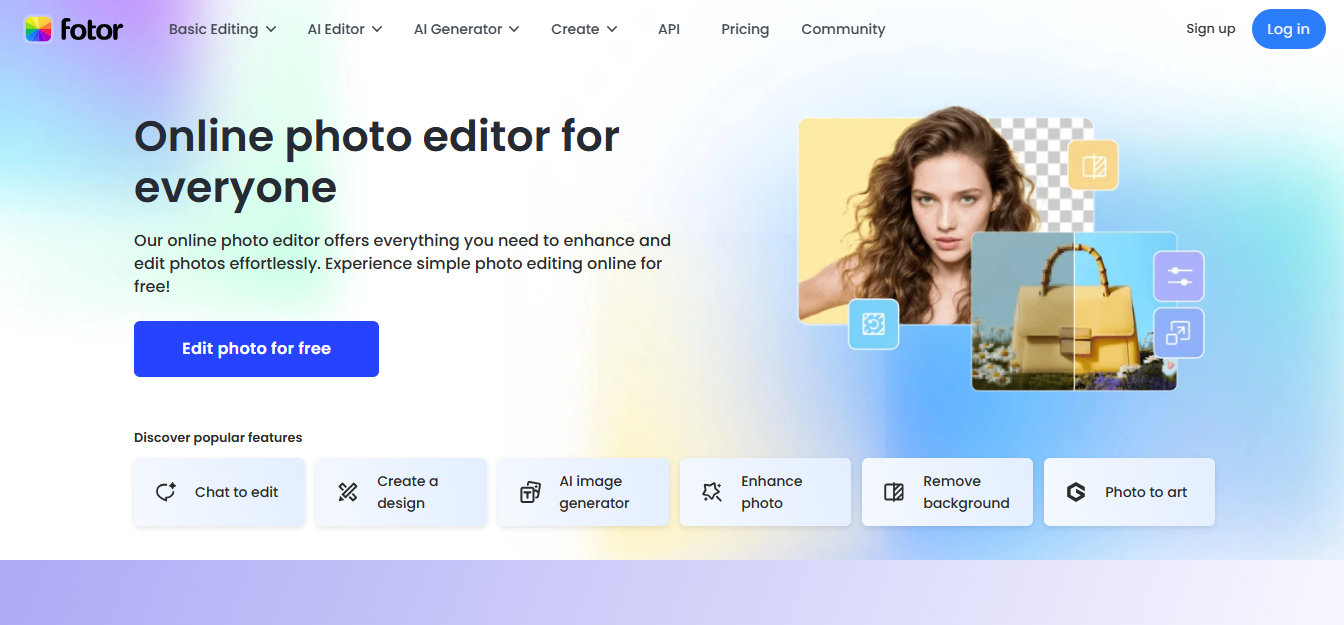
Fotor is an online photo editing and graphic design tool that combines traditional editing features with AI-powered enhancements. It allows users to edit images, generate visuals, and create design assets such as social media posts, posters, and marketing creatives.
It is typically used by individuals and small teams who need fast visual outputs without using complex tools like Photoshop. The platform focuses on speed and accessibility, offering browser-based editing along with mobile apps. Its AI features—such as background removal, image enhancement, and AI art generation—reduce manual editing effort, especially for non-designers.
Key Features
- AI-powered photo enhancement (auto-adjust lighting, color, clarity)
- Background remover and object removal tools
- AI image generator for creating visuals from prompts
- Template-based design editor for social media and marketing assets
- Batch photo editing for multiple images
- Collage maker and layout presets
- Cloud-based editing with cross-device access
Pricing
Fotor follows a freemium + credit-based model. A free plan is available, while paid plans unlock higher AI usage, premium assets, and watermark-free exports.
Subscription Plans
- Fotor Basic: $0 (free forever)
- Fotor Pro: $8.99/month (billed annually)
- Fotor Pro+: $19.99/month (billed annually)
- Fotor Max: ~$19.99–$29.99/month equivalent (varies by credits & region)
These plans primarily differ in:
- monthly AI credit limits
- batch processing capabilities
- storage (from ~512MB to up to ~500GB)
- access to premium templates, effects, and AI models
How It’s Typically Used
Fotor is commonly used by content creators, marketers, and small business owners who need quick visual assets. A user typically uploads an image or starts with a template, applies AI tools (such as background removal or enhancement), and exports a ready-to-use image.
For example, an eCommerce seller may remove product backgrounds and adjust lighting before listing items. Social media managers often use templates to create posts without designing from scratch. The workflow is lightweight: minimal setup, no software installation, and fast output generation, making it suitable for repetitive, low-complexity design tasks.
Pros & Cons
Pros
- Easy to use with minimal learning curve
- Strong AI tools for quick edits (background removal, enhancement)
- Works directly in browser and mobile apps
- Template library speeds up content creation
- Batch editing helps with repetitive tasks
Cons
- Limited control compared to advanced tools like Photoshop
- AI outputs (especially generated images) can lack consistency
- Credit-based system restricts heavy AI usage
- Some features locked behind paid plans
- Not suitable for detailed or precision design work
- Occasional performance lag with large files
Who It’s For
Fotor is best suited for beginners, content creators, social media managers, and small business owners who need fast and simple image editing. It works well for users who prioritize speed over precision and do not require advanced design control.
It may not be ideal for professional designers, photographers, or teams working on complex visual projects where detailed editing, layer control, or high-end retouching is required.
Is It Worth It?
Fotor delivers value when speed and ease of use matter more than advanced control. It works well for quick edits, social media content, and basic design needs. The AI tools reduce manual effort, especially for non-designers.
However, the value decreases for users who need detailed editing or consistent AI-generated outputs. The credit-based system can also limit scalability for heavy users.
Overall, it is worth using for lightweight, everyday design tasks, but not as a replacement for professional design software.
Alternatives
- Canva: Better for structured design workflows and team collaboration
- Adobe Photoshop: Advanced editing with full control and precision
- Pixlr: Similar browser-based editing with more manual control
- Remove.bg: More accurate background removal specifically
- PhotoRoom: Stronger for product photos and eCommerce visuals
Here is a clear, decision-focused comparison table showing where Fotor is better than its alternatives:
Where Fotor Is Better (Comparison Table)
| Area | Fotor | Canva | Adobe Photoshop | Pixlr |
| Ease of Use (for editing) | Very simple, minimal learning curve | Easy but more design-focused | Complex, requires training | Easy but slightly less guided |
| AI Photo Enhancement | Strong one-click AI editing (fast results) | Limited AI editing depth | Advanced but manual-heavy | Basic AI tools |
| Speed of Workflow | Faster for quick edits and outputs | Slower for custom designs | Slow for beginners | Moderate |
| Pricing Value | Balanced AI + editing (~$8.99/month) | Higher for full features (~$12.99/month) | Expensive ($22.99/month) | Cheapest option ($2.49/month) |
| Free Plan Availability | Yes (limited credits) | Yes (strong design features) | Trial only | Yes (ad-supported) |
| No Installation Needed | Fully browser-based + mobile apps | Browser-based | Requires installation (main version) | Browser-based |
| Batch Editing | Available and useful for repetitive tasks | Limited for images | Advanced but complex setup | Limited |
| AI Image Generation + Editing (combined) | Both in one platform | More design-focused than editing | Separate workflows | Limited integration |
FAQs
1. Is Fotor free to use?
Yes, a free version is available with limited features and some restrictions.
2. Does Fotor use AI for editing?
Yes, it includes AI tools like background removal, enhancement, and image generation.
3. Can Fotor replace Photoshop?
No, it lacks advanced editing capabilities and precision tools.
4. Is Fotor good for beginners?
Yes, it is designed for users with little to no design experience.
5. Does Fotor work offline?
No, it is primarily a cloud-based tool requiring an internet connection.