

You typed someone’s username into a story viewer, and a quiet worry showed up right after: did that just put me at risk somehow?
Here’s the direct answer. InstaNavigation is an anonymous Instagram story viewer that lets you watch public stories, highlights, and posts – and download them – without logging in and without showing up in the viewer list. It won’t touch your Instagram password or install anything on your device. The real risks are different ones: ad tracking, copycat websites, and a private-account promise the site itself advertises but does not actually deliver.
That last part is where most articles either get it wrong or stay conveniently vague. This one won’t. By the end, you’ll know exactly what the tool does, what it can’t do, and how to use it without walking into the traps around it.
What it is and how it works
InstaNavigation is a browser-based tool. You open the site, type in a public username, and it pulls that account’s current stories, highlights, and recent posts for you to watch or save. No app to download. No sign-up. No payment screen.
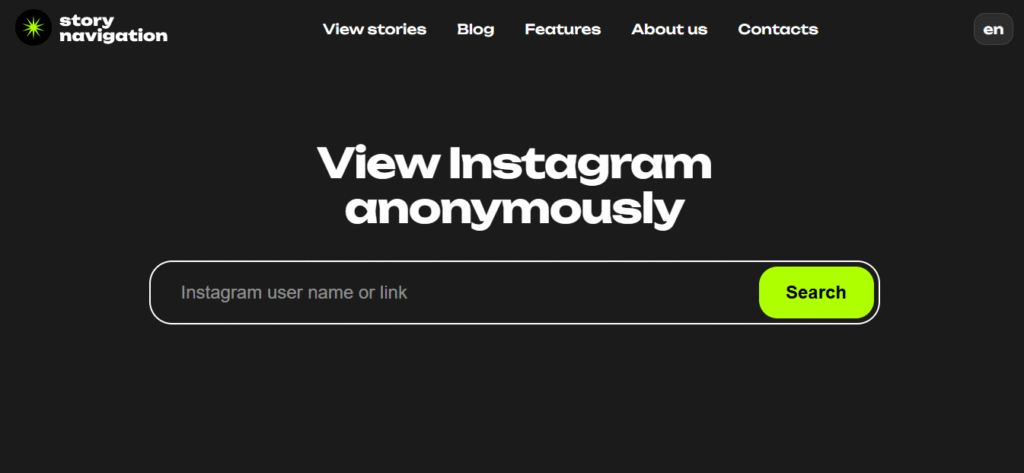
One thing to know up front: the tool has migrated. It originally lived at instanavigation.com and now operates primarily at storynavigation.com – same service, newer home. The old domain is no longer reliably reachable, which is part of why the name feels scattered across the web.
The mechanism is simple. When you ask to see a story, InstaNavigation’s servers fetch it for you; your phone and your Instagram account are never involved. Instagram only sees a visit from the tool, so your name never lands in the viewer list. It’s the same approach behind nearly every anonymous story viewer on the market.
Three things follow from that design, and they matter:
- It only reaches public profiles. If a request can’t see the content normally, the proxy can’t either.
- It pulls stories, highlights, and posts, and lets you download them (videos save as MP4, images as JFIF).
- Your Instagram login is never involved, which is genuinely the safest part of the whole setup.
So if the mechanics are clean, why does the tool have a reputation problem? Because of two things the marketing rarely mentions, a private-account promise that doesn’t work, and a crowd of copycat sites riding the same name. Both are covered below.
The private-account myth
Let’s kill the biggest misconception directly. No anonymous viewer, including InstaNavigation, can show you a private Instagram account you don’t already follow. A 2026 hands-on review of these tools put it plainly: any service claiming to “unlock” private profiles is either trying to harvest your Instagram login, quietly requiring you to follow the account first, or simply not working at all.
Here’s the part worth flagging: InstaNavigation’s own site lists private viewing as a feature, but independent testing in 2026 confirms it doesn’t actually work. It’s framed as a “coming soon” promise, not a working function. So even on the official tool, the private-account capability is marketing, not reality.
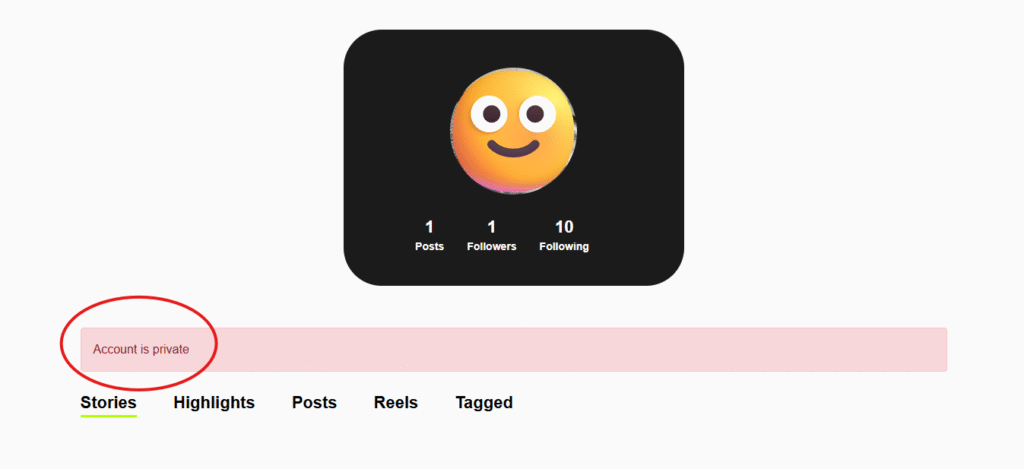
What you actually see if you try is the same thing Instagram itself shows on a private profile: the account’s photo, follower count, and following count. That’s it. The stories, highlights, posts, reels, and tagged content all stay locked, exactly as Instagram designed it. On public accounts, the tool unlocks everything: stories, highlights, posts, reels, and tagged content, all viewable and downloadable.
This matters because some pages ranking for “instanavigation private account” flatly state private viewing is possible. It isn’t. Instagram’s privacy wall is server-side, the content is never sent to anyone outside the approved follower list, so there’s nothing for a proxy to intercept.
If you came here hoping to see a locked account, here’s the honest redirect: your only legitimate route is to send a follow request. Everything else marketed as a “private viewer” is a risk, not a feature.
But what about the sites that look identical to the one you used last week? That’s the second trap.
Why there are so many InstaNavigation websites
Search the name and you’ll hit a small crowd: instanavigation.com, storynavigation.com, plus lookalikes on .uk, .it.com, and reworded clones like navigationinsta. They share branding but not the same behavior, and that’s the problem.
The official tool supports downloads, for example, while at least one clone (instanavigation.it.com) explicitly says downloading isn’t available. They can’t both be the tool you think you’re using. This fragmentation is exactly how low-quality clones ride a popular name’s traffic.
So how do you protect yourself when the brand itself is scattered?
- Check the address bar before typing a username. The official tool now lives at storynavigation.com – bookmark it instead of re-searching each time.
- Never enter your Instagram password. A legitimate anonymous viewer has zero reason to ask. If a “login for private access” box appears, close the tab.
- Run an ad blocker, or use a browser like Brave that blocks ads by default. Free tools in this space rely on ads, and a few clones push aggressive redirects toward sketchy sites.
- Treat “view private profiles” buttons as a red flag, not a feature, even on the official site, where it’s an unfulfilled promise.
Get those four right and the experience is genuinely low-risk. Which brings us to the question everyone actually opens these articles to ask.
Is InstaNavigation safe?
For your device and your account: yes, with normal caution. It never asks for credentials, runs entirely in the browser, and keeps your Instagram login out of the loop entirely. So your account can’t be compromised through it.
The softer risks are about data and attention, not hacking:
- Ad tracking. Free tools earn through ads, which may log your browsing activity.
- IP visibility. The site can see your IP address. A VPN or a privacy-first browser like Brave adds a layer of cover if that concerns you.
- Terms of Service. Using third-party viewers technically breaks Instagram’s ToS, but enforcement focuses on the tool operators, not casual users.
None of that means “don’t use it.” It just means: use Brave or an ad blocker, never log in, and don’t assume the tool itself can’t see you; only the story owner can’t.
Now, how does it stack up against the alternatives people search alongside it?
InstaNavigation vs MollyGram, StoriesIG, and the rest
These tools are close cousins. The differences come down to ads, speed, and reliability – not some secret capability one has and the others don’t.
| Tool | Anonymous viewing | Login needed | Downloads | Notable trait |
| InstaNavigation | Yes (public only) | No | Yes | Now at storynavigation.com; clean interface, light ads |
| MollyGram | Yes (public only) | No | Yes | Modern interface |
| StoriesIG | Yes (public only) | No | Yes (no bulk) | Fast, reliable for highlights |
| AnonIG | Yes (public only) | No | Yes | Lightweight, low-ad |
The honest takeaway: all of these do the same core job – public stories only, so pick on interface, ad load, and reliability. Several 2026 testers rate StoriesIG slightly faster and more reliable, while InstaNavigation is noted for a clean interface and a lighter ad load than most. If one is down or feels off, any of the others is a fair substitute.
So who is this genuinely useful for, and who should skip it?
When it’s the right tool and when it isn’t
A good fit: a marketer checking a competitor’s story strategy without tipping them off, a journalist reviewing a public figure’s posts without a follow trail, or anyone who just wants to glance at a public story without showing up in the viewers list.
A poor fit: anyone trying to see a private account (it doesn’t work, despite the on-site promise), or anyone uncomfortable with ad-based tools touching their browsing data.
Picture a small-business owner studying three competitor accounts each week. InstaNavigation lets them watch and save those public stories quietly – useful. The moment one competitor switches to private, though, the tool goes dark for that account, and no clone site or “coming soon” feature will change that.
That clear-eyed view is the whole point: know what it does, ignore what it claims it will do someday, and you’ll use it well.
The bottom line
InstaNavigation is a real, free way to view and download public Instagram stories anonymously and a safe one for your account, as long as you keep your login out of it and use the official storynavigation.com domain. The genuine risks aren’t dramatic hacks; they’re ad tracking, copycat domains, and a private-account promise that, even on the official site, doesn’t actually work.
Treat it as a simple utility, not a surveillance superpower, and it does its one job well.
Your next move: bookmark storynavigation.com, switch on an ad blocker, and never type your Instagram password into any viewer. If you want to go deeper on staying private across social platforms, browse more anonymous tool breakdowns on TheDiscoverAI.
FAQs
Is InstaNavigation safe to use?
Yes, InstaNavigation is safe for your device and Instagram account because it never asks for your password or installs software. The risks are about your data, not your account: as a free, ad-supported tool, it may log your IP address and browsing activity. Use an ad blocker (or a browser like Brave) and avoid any version that asks you to log in.
Can InstaNavigation view private accounts?
No. InstaNavigation cannot view private Instagram accounts, even though its own site lists this as a feature. Independent 2026 testing confirms the function doesn’t work; it’s a promised future capability, not a working one. Private content is never sent outside Instagram’s approved follower list, so no proxy tool can fetch it.
Is InstaNavigation free?
Yes, InstaNavigation is free to use with no subscription required. It’s monetized through ads instead of fees, which is why ad intensity varies across its different domains and why an ad blocker improves the experience considerably.
Is using InstaNavigation legal?
Viewing public content through InstaNavigation sits in a gray zone rather than clear illegality. Third-party scraping technically violates Instagram’s Terms of Service, but enforcement focuses on tool operators, not individual viewers. Using downloaded content commercially without permission is the bigger legal risk.
InstaNavigation vs MollyGram – which is better?
MollyGram offers a clean, modern interface, while InstaNavigation is more widely known and now runs at storynavigation.com. Both do the identical core job, anonymous viewing and downloading of public stories only, so choose based on ad load and interface, not capability.
Why are there so many InstaNavigation websites?
There are multiple InstaNavigation-style sites because the popular name attracts copycat domains hoping to capture its search traffic. The official tool moved from instanavigation.com to storynavigation.com, and clones on .uk and .it.com make different and sometimes contradictory feature claims, so confirm the exact URL before entering any username.