
You probably found Wava AI the same way most people do. A faceless video slid across your feed, smooth narration, clean captions, a story that held you for fifteen seconds, and somewhere a quiet question formed: how does one person make this much content without burning out?
Wava AI is a web-based tool that turns a script or topic into a finished short-form video, visuals, AI voiceover, and captions included, without making you live in an editing timeline. It’s built for faceless creators, social media marketers, and small business owners who need volume more than cinematic polish.
That’s the honest one-line version. The rest of this page covers what it does well, where it quietly falls short, what each plan costs, and one thing almost every other review skips: why the “Wava AI mod apk” results you’ll run into are not what they claim to be.
What Wava AI actually does
Strip away the marketing and Wava AI does one job: it does the editing for you by default.
You bring the idea. It assembles the clip. The platform handles the parts that usually eat your evening, pulling visuals, generating an AI voiceover, syncing captions, and exporting something you can post.
It is not a creative partner. It won’t invent a good idea or save a weak script. Creators who’ve used it heavily describe it bluntly: it speeds up execution, not thinking. If your bottleneck is energy and time rather than ideas, that distinction is the whole pitch.
So who is this really for? Faceless creators building channels without showing their face. Marketers who need a steady stream of viral-style clips. Small business owners who can’t justify a videographer.
How Wava AI works
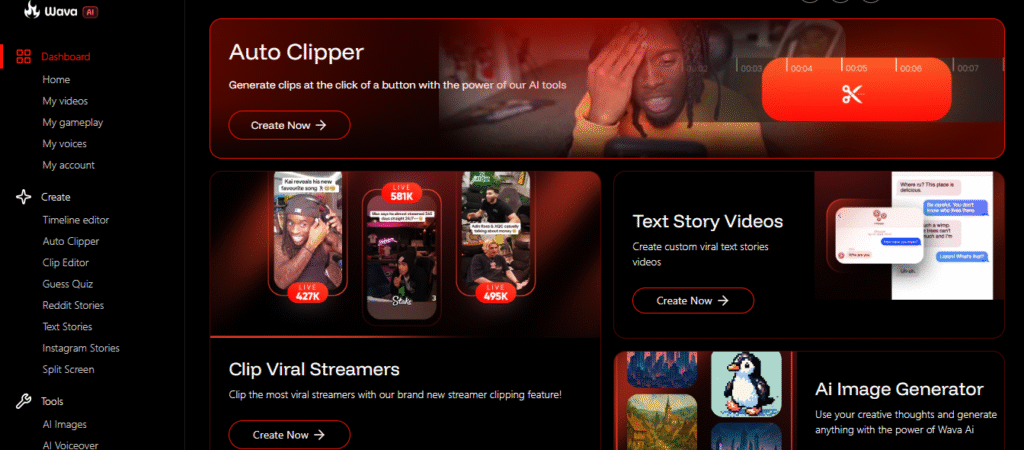
Wava opens to a dashboard, not a blank editor. Rather than one universal “make a video” button, it gives you a set of purpose-built creators, and you pick the one that matches the format you’re after:
- Reddit Stories / Text Stories: Paste or generate a story and it becomes a narrated text-story video.
- Split Screen: Pairs your narration with background footage you’ve saved under “My gameplay.”
- Auto Clipper / Clip Viral Streamers: Auto-cuts short clips out of longer streamer footage, instead of generating from a script.
- AI Images / AI Voiceover: Standalone tools for making a single visual or voice track on its own.
Each creator runs its own short flow, then drops the finished clip into “My videos” to export. There’s also a Timeline editor and Clip Editor if you want to refine, but most formats don’t need them.
The features that matter
The core creative features are shared across all paid plans. The tiers differ mainly on volume (minutes and credits), not capability. A few are worth singling out:
- ElevenLabs-grade voiceover: The difference between narration that disappears and narration that makes people scroll. For a faceless channel, this is the make-or-break feature, not a nice-to-have.
- Custom voice import: Import and reuse one consistent voice across every video, so your channel sounds recognizable instead of stock.
- Auto Clipper: Pulls short, postable moments out of long streamer footage automatically.
- Auto captions and a built-in image generator: Round out the kit so you’re not bouncing between three tools to finish one clip.
Usage runs on AI credits, with a set amount of monthly generation time per plan. None of it is groundbreaking in isolation; the value is the bundle: one place to take a clip from idea to export.
What Wava AI costs
Wava AI runs on three monthly tiers, and this is current (as of June 2026):
| Plan | Price/mo | Video generation | AI credits | Per-video cost |
| Wava Basic | $19 | 30 mins | 30 credits | ~$0.63 |
| Wava Pro | $29 | 60 mins | 60 credits | ~$0.48 |
| Wava Elite | $69 | 150 mins | 150 credits | ~$0.46 |
Every tier includes the same core creative tools: free background clips, ElevenLabs voiceover, custom voice import, image generator, and auto captions. The plans scale on output rather than capability, with Elite adding 24/7 priority support. Annual billing is offered and lowers the effective per-video cost. You can confirm the live numbers on the Wava AI pricing page before you commit.
A practical read: most solo creators should start on Basic or Pro and only move up once their posting volume genuinely outgrows the cap. But what if you’d rather test it before paying anything? That’s the next question almost everyone asks.
Is Wava AI free, and how do you use it for free?
Wava AI is not permanently free, but there is a legitimate way to use it for free first: a 7-day free trial of the Pro plan. After the trial, it bills at $29/month, which works out to about $0.48 per video.
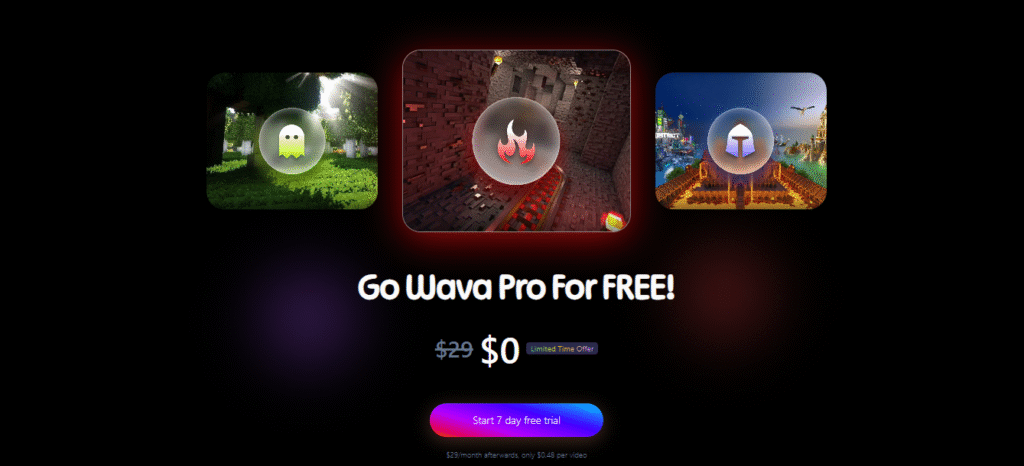
You start that through the official Wava AI free trial page, and you create an account on the register page.
What about a Wava AI promo code? There’s no public, verified promo code at the time of writing. The free trial and annual billing are the real discounts. Anything else floating around coupon sites is unverified, and “free Wava Pro forever” offers are a red flag, not a deal.
That brings us to the part of the search results you should be most careful with.
The “Wava AI mod apk” problem
Read this before you download anything.
Search “wava ai apk” or “wava ai mod apk latest version” and you’ll get download pages promising a free, unlocked Android version. Here’s the part those pages won’t admit: Wava AI has no official app at all.
It’s a browser tool. Directory trackers list it with zero iOS, zero Android, and zero Chrome apps. There is no wava ai app in any store, which means there is nothing legitimate for a wava ai app download to point to.
So what are those APK files? Two things, neither good. Some are entirely different products that happen to share a similar name, photo editors and browsers called “Wave AI” or “Wavesome” that have nothing to do with this tool. The rest are repackaged files riding the search term. A “mod apk” claiming to unlock a paid, server-side subscription tool is a contradiction: the actual generation happens on Wava’s servers behind a login, so a cracked local file can’t unlock it. It can only ask for permissions it shouldn’t need.
This is the same pattern that follows other tools that get apk’d: download-intent keywords attract repackaged installers, and the person looking for free access ends up installing the risk instead.
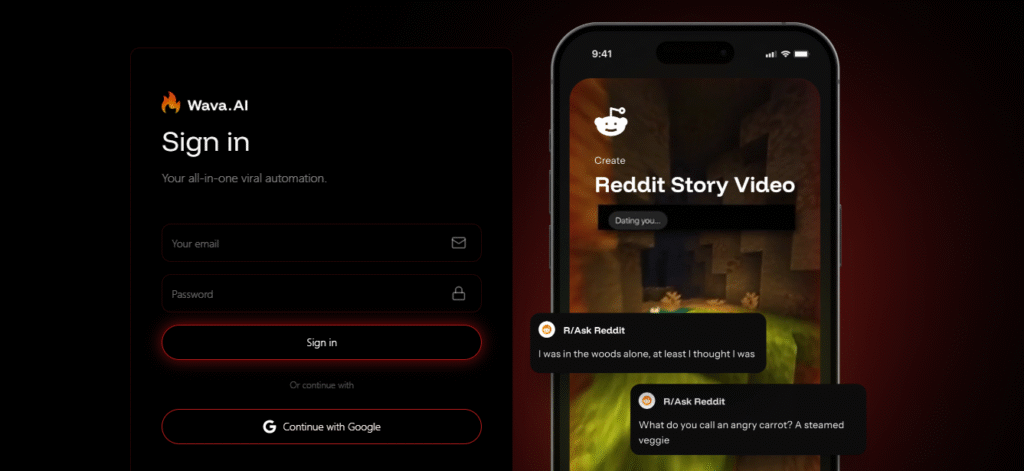
The safe path is boring and it works. Go to the official Wava AI sign-in page in your browser to wava ai login, or start the free trial. No sideloading, no APK, no “latest version” from a forum. If you want it on your phone, just open the site in your mobile browser, and that’s the only mobile access that exists.
With the safety question settled, the real decision is whether the tool earns a place in your workflow.
Where Wava AI fits, and where it doesn’t
The main benefit isn’t better videos, it’s that you actually finish them. Wava AI helps you post on the days you’d normally give up and skip it.
Once the editing is gone, the biggest reason to put off posting goes with it. Regular users find they post more often, even when they don’t feel like it. One bonus: with no fancy cuts or music to fall back on, a weak script shows right away, so you start writing better just to make the video work.
Still, there are limits worth knowing before you pay:
- Basic editing only: There’s a timeline and clip editor, but they’re light. If you want frame-level control over pacing and cuts, you’ll feel boxed in.
- Things get repetitive: On default settings, your videos start to look the same. Fixing that means changing your hooks and tone yourself.
- It won’t think for you: It can’t tell you if an idea is weak or who your audience is. That part is still your job.
And it won’t handle a polished brand campaign, that’s not what it’s for. Wava is built for posting a lot of short videos quickly, not for making them look cinematic.
Two quick scenarios
A creator launching a faceless true-crime Shorts channel uses Wava AI to produce a daily text story video with narration and split-screen footage. Over a few months they build a steady posting habit, and they never have to record their own voice or show their face. Wava handles the work of putting each video together; the ideas and writing are still down to them.
A local restaurant owner with no budget for a videographer generates short weekly clips highlighting menu items and customer stories. The videos keep the page active and drive foot traffic. The owner isn’t chasing virality; they just needed consistency they could sustain, and that’s exactly the gap Wava fills.
Is Wava AI worth it?
For faceless creators, short-form marketers, and small businesses, Wava AI is worth a trial, provided you go in clear-eyed. It’s an execution shortcut, not a creativity engine, and the hours it saves on every clip are the actual product.
If you obsess over visual control or need brand-level uniqueness on every frame, it’ll frustrate you more than it helps. And whatever you do, skip the apk hunt entirely. The legitimate browser tool is the only real version of Wava AI there is.
Tried it yourself, or weighing it against another video tool? Tell us how it went in the comments, and browse more hands-on breakdowns of AI video tools on TheDiscoverAI before you pick one.
FAQs
Is Wava AI free?
Wava AI isn’t permanently free, but it offers a 7-day free trial of its Pro plan before any charge. When the trial ends, Pro continues at $29/month. There’s no permanent free tier.
Does Wava AI have an app or APK?
No. Wava AI has no official mobile app or APK and runs entirely in your browser. Directory trackers list it with zero iOS and zero Android apps, so any “Wava AI mod apk” is either an unrelated product or a repackaged file. For phone use, open the site in your mobile browser.
Wava AI vs traditional video editing, which should creators use?
Use Wava AI for high-volume short-form content and traditional editing for polished, one-off productions. Editors like Premiere offer unlimited control but cost hours per video; Wava trades that control for speed, producing finished clips in minutes. Pick based on whether your goal is consistency or cinematic precision.
How much does Wava AI cost?
Wava AI costs $19/month (Basic), $29/month (Pro), or $69/month (Elite), billed monthly with an annual option that lowers the per-video rate. The tiers differ by video generation minutes and AI credits: 30, 60, and 150 respectively, while sharing the same feature set.
Is Wava AI safe to use?
The official Wava AI web app is safe to use; the risk comes entirely from fake “apk” downloads that impersonate it. Because the tool is browser-based with no real app, sideloaded files claiming to be Wava AI should be avoided. Stick to the official site to sign in or start the trial.
How do you use Wava AI for free?
You use Wava AI for free by starting the official 7-day Pro trial on its claim-trial page, not through any cracked or mod version. Create an account, test the full workflow during the 7 days, then pick a plan if it fits. No promo code is publicly verified at this time.