
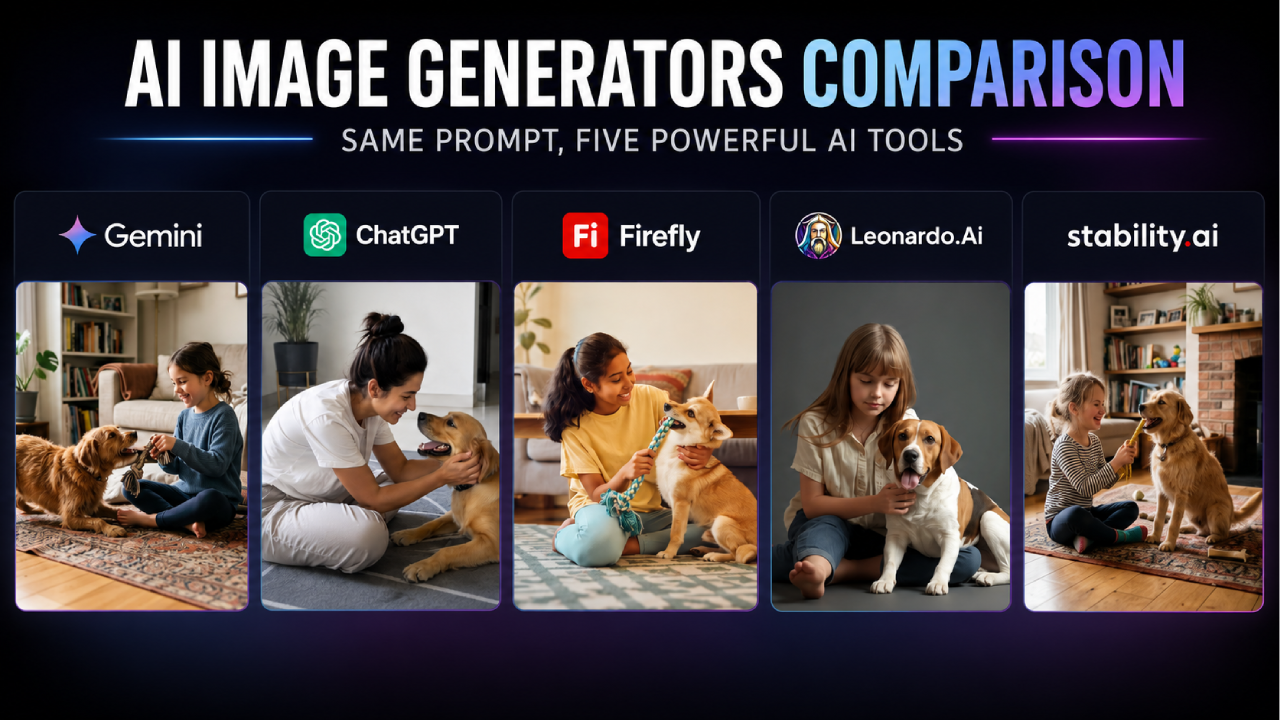
Most comparisons of AI image generators are really just a rundown of what each company says about itself. Nobody actually types the same sentence into several different tools and shows you what comes out the other side. So that’s what we did.
A free AI image generator lets you create images from text without payment, though every tool trades something for that, a watermark, a daily usage cap, or restricted commercial rights. Which tradeoff you can live with matters more than which tool ranks “best” on a features list.
One clarification before the results: Stable Diffusion is the AI image model, Stability AI is the company that built it. You’ll see both names below, Stable Diffusion when the sentence is about the actual image generation, Stability AI when it’s about the company.
The test prompt, used identically across all five tools:
“Create a realistic image of a girl who is sitting on the floor and playing with her pet dog.”
No follow-up edits, no re-rolling until something looked better, no cherry-picking the best of several attempts, just this one prompt, one result per tool.tter, no cherry-picking the best of several attempts, just this one prompt, one result per tool.
Which free AI image generator handles the same prompt best?
The interesting part isn’t which image looked “best,” since that’s subjective. The interesting part is how differently each tool handled the exact same instruction, some gave one image immediately, one gave four without being asked, one asked for a model choice first, and one came back with a noticeably different tone than the rest despite reading the same sentence.
Free AI image generator comparison
| Tool | Free tier | Watermark | Signup required | Paid plans if you outgrow it |
| Google Gemini (Nano Banana 2) | Free, usage-limited | Yes | Yes | AI Plus $4.99/mo, AI Pro $19.99/mo, AI Ultra $99.99 or $199.99/mo |
| ChatGPT (GPT Image 2) | Free, tied to chat message cap, shows ads | No visible watermark | Yes | Go $8/mo, Plus $20/mo, Pro $100 or $200/mo |
| Adobe Firefly | Free, 25 credits/month, no premium models | Yes | Yes | Standard $9.99/mo (2,000 credits), Pro $19.99/mo (4,000 credits), Premium $199.99/mo (50,000 credits) |
| Leonardo AI | Free, 150 fast tokens/day | Depends on plan | Yes | Essential $12/mo (8,500 tokens), Premium $30/mo (25,000 tokens), Ultimate $60/mo (60,000 tokens) |
| Stable Diffusion (Stability AI, Brand Studio) | Free trial of Core (time-limited) | No | Yes | Core $50/month, Enterprise custom |
So what happens once someone actually hits one of these limits? Mostly one of two things: they switch tools mid-project, or they finally check the pricing page they’d been avoiding.
Google Gemini: the cleanest single result, no setup required
Gemini’s image generation, powered by Nano Banana 2, lives inside the same assistant shown above rather than a separate standalone tool. The interface doesn’t ask you to choose a model, a style, or an aspect ratio before you generate, you type into the same box you’d use to ask a question.

Gemini returned a bright, naturally lit living room scene, a girl in a blue sweater sitting cross-legged on a patterned rug, both hands on a rope toy while a fluffy golden retriever tugged back from the other end. The background had large indoor plants, a full bookshelf, and a grey sofa with a throw blanket. The image feels wide and editorial, like something from a lifestyle magazine rather than a casual snapshot. That simplicity is the whole product experience: fewer decisions before you get a result, at the cost of less control over exactly how that result turns out.
In brief: free, one-click image generation with a visible watermark. If you outgrow the free usage limit, Google’s paid tiers this year are AI Plus at $4.99 a month, AI Pro at $19.99 a month, and AI Ultra at $99.99 or $199.99 a month, each unlocking a higher usage ceiling rather than a flat daily number.
Best for: fast, high-volume drafts where a watermark doesn’t matter.
Not for: a final image you need to hand off clean.
ChatGPT: fastest to a usable result, zero configuration
Image generation in ChatGPT sits inside the same chat interface shown above, there’s no separate tool to navigate to. I entered the identical prompt directly into the chat box, and ChatGPT returned a single result with no model picker or settings screen in between.

What came back was a quietly intimate scene, a woman in a white t-shirt sitting cross-legged on a grey geometric rug, both hands gently holding a golden retriever’s face while the dog looked up at her with its mouth open. The background was a clean, modern room with a dark cabinet and a tall potted plant. No rope toy, no active play, just a calm moment between person and dog. Of the five results, this one felt the most natural and the least constructed, closer to a photograph someone actually took than an image built from a text description.
In brief: free tier now shows ads and shares your daily message allowance with image generation. If you outgrow it, Go at $8 a month raises your limits, and Plus at $20 a month is where ChatGPT becomes a genuinely capable tool for both chat and images.
Best for: first-time users who want to edit an image by describing changes.
Not for: high-volume batch generation.
Adobe Firefly: the only tool that made you choose a model first
Firefly’s homepage above leads directly into its generation tool. Unlike the two tools above, Firefly made me choose a model (Firefly Image 5), an aspect ratio, and a resolution before I could even enter the prompt.

What came back was a warm, sunlit living room scene, a girl in a yellow t-shirt and light blue jeans sitting cross-legged on a patterned rug, holding one end of a rope toy while a Shiba Inu dog gripped the other. The lighting had a golden late-afternoon quality, the furniture was warm wood tones, and a trailing plant sat in the background beside a grey sofa. Of the five results, Firefly’s felt the most deliberate in terms of colour and light, which makes sense given it’s built around commercially usable output.
In brief: free plan gives 25 credits a month with a watermark and no premium models. Standard at $9.99 a month unlocks 2,000 credits with no watermark, Pro at $19.99 a month gives 4,000 credits plus Photoshop and Express access, and Premium at $199.99 a month gives 50,000 credits. Adobe is running a promotional discount on higher tiers through August 26, 2026.
Best for: commercially safe output for a business page or client project.
Not for: anyone who wants a result without picking a model first.
Leonardo AI: the only tool that showed a visible token balance mid-generation
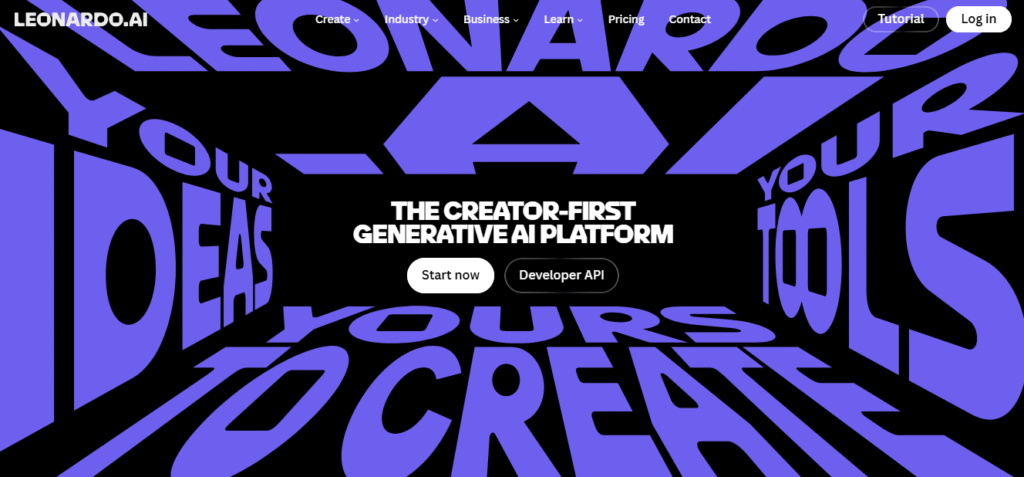
Leonardo’s homepage above is also its entry point into the generation tool itself. Before I entered the prompt, the interface showed a live token count, visible at 142 in the top corner, alongside a model selector set to “Auto” and a style setting labeled “Dynamic.”

Without changing either default, Leonardo returned something noticeably different from every other tool in this test. The background wasn’t a living room at all, it was a plain grey studio floor, clean and minimal, with no furniture, no plants, no props. A girl with straight brown hair and a linen shirt sat barefoot beside a brown and white beagle-type dog, her gaze downward, the dog looking outward with its tongue out. It reads like a studio portrait rather than a home scene, which is a significant departure from the same prompt that produced cosy living rooms on every other platform. That gap is almost entirely down to Leonardo’s “Dynamic” default style setting, which tilts output toward a polished, controlled look rather than an ambient, natural one.
In brief: the Free plan gives 150 fast tokens a day, generations are public by default. If you outgrow that, Essential at $12 a month gives 8,500 fast tokens, Premium at $30 a month gives 25,000, and Ultimate at $60 a month gives 60,000, with private generations on every paid tier.
Best for: a distinct, controlled visual style and users willing to learn the token system.
Not for: anyone who wants a flat, predictable daily image count or a warm, ambient result by default.
Stable Diffusion: the one tool that generated four images without being asked twice
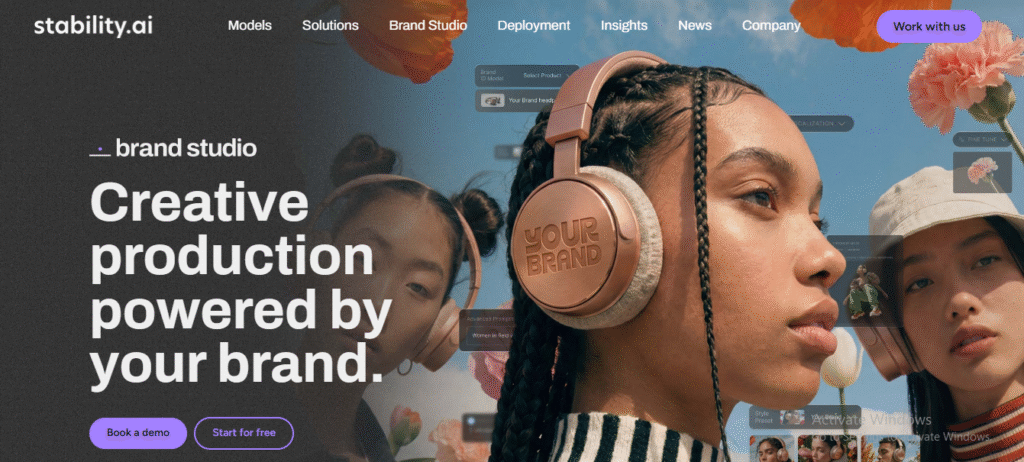
One clarification before this section since the names get mixed up constantly: Stable Diffusion is the AI image model, Stability AI is the company that built it. What was tested here is Brand Studio, Stability AI’s hosted platform, not a self-hosted setup.

This result landed closest to what most people picture when they read the prompt. A young girl in a navy striped top and colourful socks sat cross-legged on a patterned rug, laughing as she held a yellow rope toy out toward a fluffy golden dog sitting upright in front of her. Behind them, a brick fireplace, a shelf full of books and toys, framed photos on wooden shelves, and daylight coming through a window on the left. The scene had the most specific, lived-in background detail of all five results, the kind of environmental depth that makes an image feel like it was taken somewhere real rather than assembled from a prompt.
In brief: what showed up in this test was a free trial of Brand Studio’s Core plan, not a permanent free tier. It converts to a paid subscription once the trial ends. Core costs $50 a month for creative professionals who want full AI capabilities and precise control, and Enterprise is custom-priced for teams needing deeper brand customization at scale. If you’d rather avoid a subscription entirely, Stable Diffusion’s open-source models remain free indefinitely if you’re willing to self-host them yourself.
Best for: getting a richly detailed, environment-heavy result from a short prompt.
Not for: anyone expecting a permanent free tier rather than a trial window.
Where this test falls short of a full picture
One prompt and one generation per tool tells you about defaults, not ceilings. Leonardo’s different tone might reflect its default style setting more than any real limitation. Treat this as a snapshot of first-attempt behavior, not a verdict on overall capability.
So which free AI image generator should you actually pick?
Line the five experiences up and a pattern shows up: tools built around simplicity (Gemini, ChatGPT) hide their settings and give you speed. Tools built around control (Firefly, Leonardo, Stable Diffusion) show you a settings panel, a token count, or a batch size before you generate. What differs is which tool made a creative decision for you automatically, and whether that choice matches what you’d have picked yourself.
Matching the result to what you actually need
- Want one clean result fast with zero decisions to make first: Gemini or ChatGPT.
- Need a polished, commercially safe image and don’t mind picking a model first: Adobe Firefly.
- Want a distinct visual mood and don’t mind tracking a token balance: Leonardo AI.
- Want multiple framing options from one prompt without regenerating manually: Stable Diffusion, or self-host it for free with no limits at all.
If you’re deciding between any of these and a paid option, our Midjourney listing covers what its paid tiers add.
FAQs
Which free AI image generator gives the most realistic results?
Based on identical prompt testing, ChatGPT and Gemini produced the most candid, photo-like results, while Adobe Firefly’s output looked noticeably more staged and polished. Realism also depends heavily on the specific prompt and subject.
Is Stable Diffusion the same as Stability AI?
No. Stable Diffusion is the AI image model itself. Stability AI is the company that built it and runs Brand Studio, the hosted platform where you can use the model without self-hosting it.
Does Stable Diffusion generate multiple images at once?
Yes, when the generation count in the prompt panel is set above 1. In direct testing, Stability AI’s Brand Studio interface returned four image variations from a single identical prompt with the count set to 4.
Do I need to choose a model before generating an image in Adobe Firefly?
Yes. Firefly’s generation screen requires selecting a model, an aspect ratio, and a resolution before the image generates, unlike Gemini or ChatGPT which skip that step entirely.
How much do free AI image generators cost once you need more than the free tier?
Prices range widely. Gemini’s AI Plus starts at $4.99 a month, ChatGPT Go starts at $8 a month, Adobe Firefly Standard starts at $9.99 a month, Leonardo’s Essential plan starts at $12 a month, and Stable Diffusion’s Brand Studio Core plan is $50 a month, each unlocking a higher usage limit, private generations, or watermark-free output.