

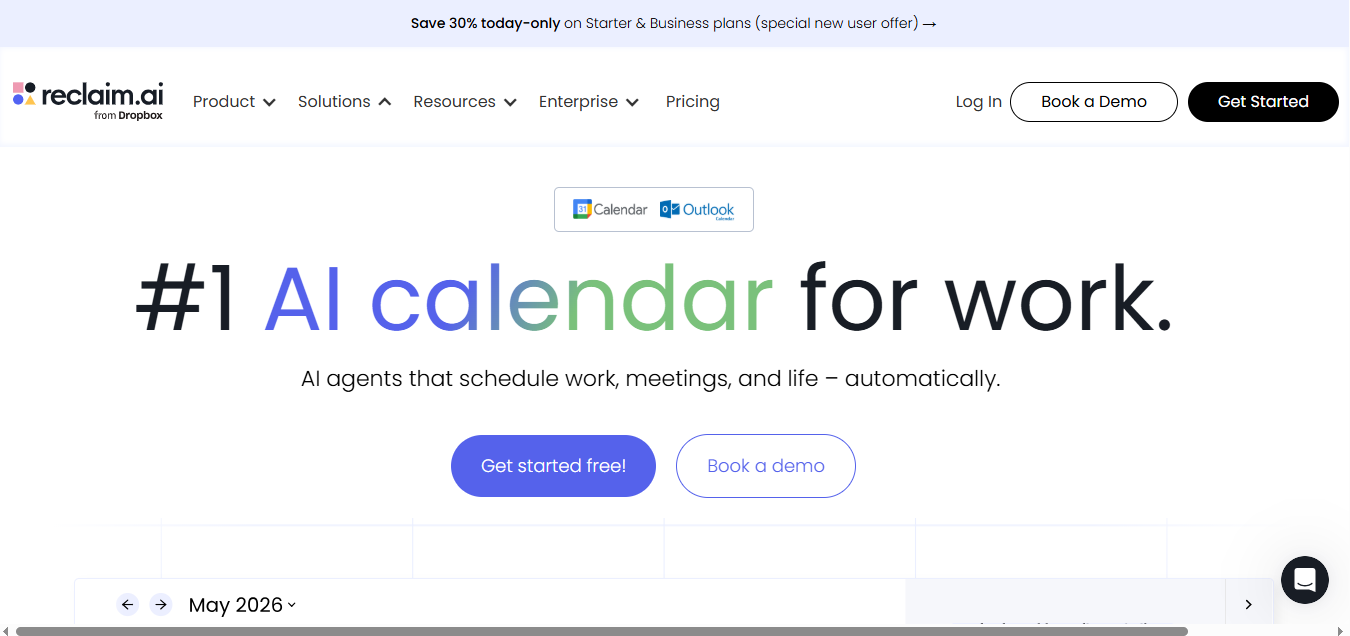
What is Reclaim.ai?
Reclaim.ai is an AI calendar app that automatically schedules tasks, habits, meetings, and focus time around your existing commitments on Google Calendar or Outlook. It solves the problem of meeting-crowded calendars squeezing out deep work by defending time blocks and rescheduling them when conflicts arise. You can sync task tools like Asana or Todoist directly onto your calendar.
Key Features
- Tasks: Auto-schedules to-dos directly onto your calendar based on priority and deadline, then re-slots them into open time as your day shifts around meetings
- Calendar Sync: Syncs and blocks availability across multiple Google and Outlook calendars, with the scheduling range extending from 1 week on the free plan up to 12 weeks on Business and Enterprise
- Focus Time: Defends a weekly focus-time goal by carving out protected blocks around your existing meetings, and automatically re-defends that time if new events get booked over it
- Habits: Auto-schedules recurring routines (workouts, planning sessions, breaks) by finding the best available window each week rather than locking them to a fixed slot
- Smart Meetings: Converts recurring meetings into auto-monitored events that resolve conflicts on their own, a one-click setup from the calendar view
- AI Assistant / Planner: A conversational AI chat that analyzes your schedule, flags conflicts, and can act on its own recommendations, with Business-tier seats getting up to 100 AI Agent actions versus 10 on Starter
Pricing
| Plan | Price | Key Limit / Feature |
| Lite (Free) | $0 | 1 user, 1 calendar sync, 1-week scheduling range |
| Starter | $10/seat/mo (annual) or $12/seat/mo (monthly) | 10 AI Agent actions/seat |
| Business | $15/seat/mo (annual) or $18/seat/mo (monthly) | 100 AI Agent actions/seat, 12-week scheduling range |
| Enterprise | $22/seat/mo (annual); custom for monthly | Unlimited AI Agent actions, SSO/SCIM, workforce analytics |
Pricing scales by seat count and AI Agent allowance. Verify current rates at reclaim.ai/pricing, since some third-party sites still list older figures.
How It’s Typically Used
Step 1. Connect your calendar: You start by linking Google Calendar or Outlook, free and with no credit card required.
Step 2. Add your inputs: You drop in tasks by hand or sync them straight from Asana, Todoist, ClickUp, Jira, or Linear, then set your Habits and a weekly Focus Time goal.
Step 3. Let the AI place everything: Reclaim auto-slots tasks, habits, and focus time into your open calendar gaps by priority and deadline, boxing in buffer and travel time around meetings.
Step 4. See it on your real calendar: The output isn’t a separate to-do list, it’s actual events written onto the Google or Outlook calendar you already use, visible to anyone who can see it.
Step 5. Automatic reshuffling as things change: When a new meeting or conflict comes up, Reclaim quietly moves lower-priority tasks and habits to the next open slot, without asking you to redo anything, while keeping your hard deadlines intact.
Pros & Cons
Pros
- Seamless calendar consolidation makes setup low-friction, per multiple G2 reviews
- Automated rescheduling saves time by re-planning your day without manual work
- Handles priority conflicts intelligently when meetings shift or get added
- Free Lite plan lets solo users test core scheduling at no cost
- Integrates with Jira, Asana, ClickUp, Todoist, and Linear for task syncing
Cons
- No native mobile app exists, the most-cited gap across 2026 reviews
- Users report calendar duplication and sync issues between personal and work calendars
- Free tier has tightened over time, now capped at one calendar sync
- Mobile-first users who manage their day from a phone should avoid this tool
- Third-party pricing listings are inconsistent, so confirm current cost on the official page
Who It’s For
Best fit: Google or Outlook-based knowledge workers who want AI to auto-protect focus time.
Limited fit: Users needing task dependencies, subtasks, or non-Google/Outlook calendars like iCloud find it constrained.
Should avoid: Mobile-first users who manage their day from a phone, since Reclaim has no native app.
Is It Worth It?
Reclaim.ai is worth it if you’re a Google Calendar or Outlook-based professional, or lead a small team of up to 100 seats, whose calendar is fragmented by meetings. You get deep work and habits protected automatically without manually replanning your day.
It’s not worth it if you manage your schedule primarily from your phone and need a dedicated app, or if your team runs on a calendar system outside Google or Outlook, such as iCloud.
Alternatives
If Reclaim.ai doesn’t fit your workflow, Motion, Calendly, and Morgen are the most compared alternatives, covering everything from full project management to external meeting booking.
| Tool | Core Strength | Best Use Case | Starting Price | Key Limitation |
| Reclaim.ai | AI auto-schedules tasks, habits, and focus time around meetings | Google/Outlook knowledge workers wanting protected deep work | $10/seat/mo (annual) | No native mobile app |
| Motion | Fully automated task-and-project scheduling bundled with PM | Teams wanting one tool for PM, docs, and calendar automation | $19/seat/mo (annual, ~$12.73/mo effective) | No free tier; more aggressive rescheduling |
| Calendly | Purpose-built external booking links at scale | Sales/recruiting teams focused on external meeting booking | Free tier; Standard $10/seat/mo (annual) | No AI task/habit/focus-time scheduling |
| Morgen | Planning copilot that suggests but doesn’t auto-place | Users who want AI help without automated calendar rewrites | ~$15/mo | Fewer deep task-tool integrations |
FAQs
Is Reclaim.ai actually free?
Yes, the Lite plan is free forever for one user with core scheduling features. Scheduling range and integrations are capped compared to paid tiers.
Does Reclaim.ai work with Outlook, or only Google Calendar?
It supports both Google Calendar and Outlook Calendar. Multiple reviewers describe the Outlook experience as less mature than the Google integration.
Is there a Reclaim.ai mobile app?
No native iOS or Android app exists as of this writing. Reclaim’s help center recommends adding the web app to your phone’s home screen instead.
How does Reclaim.ai compare to Motion on cost for a growing team?
Reclaim starts at $10/seat/month with a genuine free tier, while Motion starts near double that with no free plan. For a team scaling past a few seats, Reclaim keeps per-seat costs lower.
Who owns Reclaim.ai?
Reclaim.ai has been acquired by Dropbox, and its site is now branded “Reclaim.ai from Dropbox.”