

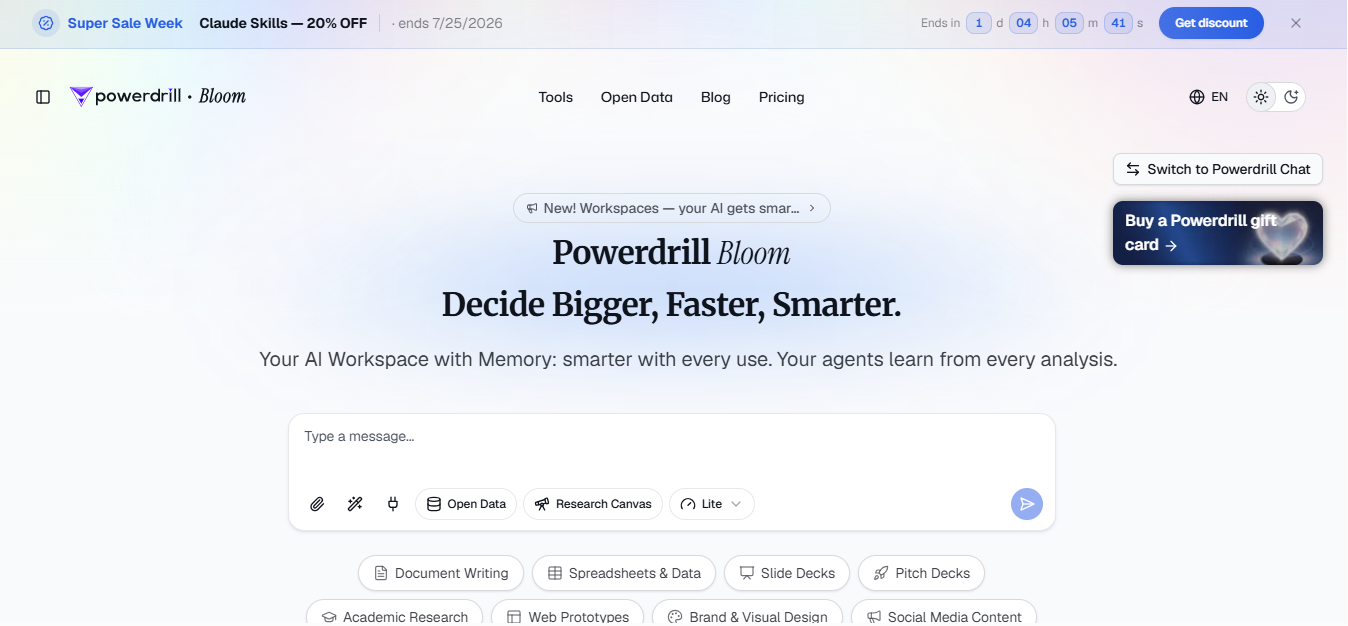
What is Powerdrill Bloom?
Powerdrill Bloom is an AI data analysis workspace that uses a team of specialized agents to clean, analyze, and visualize uploaded spreadsheet and PDF files, then export findings directly to PowerPoint slides. It targets non-technical business users who need to go from raw data to a stakeholder-ready presentation without writing code or formulas. You upload a file, select an exploration path, and the agents generate charts, insights, and a slide deck in one workflow.
Key Features
- Multi-Agent AI Canvas: specialized agents collaborate to clean data and propose three exploration paths on upload
- One-Click PowerPoint Export: canvas findings convert directly into a structured slide deck with multiple themes
- Open Data Toolkit: free access to 12 pre-connected public sources including 40M+ academic papers, 3M+ SEC filings, and 10M+ USPTO patents
- Data Verifier Agent: automatically cross-checks entries against web sources and flags inconsistencies
- 40+ Specialized AI Tools: pre-built output generators including proposal, financial analysis, competitor analysis, and board report generators
Pricing
Bloom offers a free plan and four paid tiers. Annual billing includes 2 months free plus 20% off. Verify current pricing at powerdrill.ai/pricing.
| Plan | Monthly Billing | Annual Billing | Monthly Credits | Notes |
| Free | $0/month | $0/month | 1,000/day (refreshed daily) | Basic agent skills and output types only |
| Pro | $19.90/month | $13.27/month (billed at $159.20/year) | +5,000/month | Advanced agent capabilities; Claude Skills unlocked |
| Plus | $39.90/month | $26.60/month (billed at $319.20/year) | +11,000/month | Higher credit pool for heavier analysis workloads |
| Premium | $199.90/month | $132.67/month (billed at $1,592/year) | +60,000/month | High-volume individual use |
| Team Pro | $19.90/seat/month | $13.27/seat/month (billed at $159.20/seat/year) | Shared team credits | Per-seat pricing; credits pooled across members |
One-time credit packages are available as top-ups on any plan, valid for 12 months, with no subscription required.
How It’s Typically Used
Who this is for: A marketing analyst or product manager who gets weekly CRM or ops data dumps in Excel and needs a slide deck ready before the next stakeholder meeting. No data team involved.
- Start: Open a new Bloom canvas at powerdrill.ai. No dashboard setup, no data model to configure
- Input: Drop in the Excel export from your CRM, ops tool, or finance system. Bloom reads it as-is, no column renaming or formula cleanup needed
- Action: Agents scan the file structure, surface three analysis angles (e.g. trend over time, segment comparison, anomaly detection). You pick one or ask your own question in plain English
- Output: A live canvas populated with charts, metric callouts, and plain-language insight cards tied to your specific dataset
- Downstream use: Hit export. Bloom builds a PowerPoint deck from the canvas, pre-structured with charts and findings; you download it and walk into your meeting
Pros & Cons
Pros
- No coding or SQL knowledge required. File upload triggers full analysis automatically
- Goes from raw spreadsheet to shareable slide deck inside a single workflow
- Handles large datasets without performance issues, per enterprise G2 reviewers
- Open Data Toolkit adds 12 pre-connected public sources at no extra cost
- GDPR, ISO 27001, ISO 20000, and SOC 2 Type 2 certified with a public Trust Center
Cons
- Chart type variety is limited compared to Tableau or Power BI, confirmed by multiple G2 reviewers
- No live database connectors. Postgres, BigQuery, Snowflake require CSV export first
- AI-generated insights need manual verification before use in critical decisions
- Only 5 G2 reviews available; overall sentiment is positive but statistically thin
- Data science teams requiring SQL transparency or reproducible code pipelines should not use this tool
Who It’s For
Best fit: Non-technical business analyst needing fast, presentation-ready data insights
Limited fit: Data scientists who need SQL or Python control. Bloom does not expose analysis logic or allow code-level verification
Should avoid: Enterprise BI teams needing live database connections, DAX modeling, or audit-grade governance
Is It Worth It?
If you regularly receive data exports in Excel or CSV and need to produce executive-ready slides without touching SQL or BI software, Bloom earns its cost. The free plan is enough to test the workflow, and Pro at $13.27/month (annual billing) is lower than any comparable BI platform for individual use
If your team runs recurring queries on live databases, needs to verify the SQL logic behind AI-generated answers, or requires persistent dashboards with scheduled refresh, Bloom’s file-upload-only model will block you before you get started. Julius AI, Power BI, or Deepnote are the right options in that case.
Alternatives
Powerdrill Bloom is built for file-upload-to-slides speed; Julius AI, Microsoft Power BI, Deepnote, and Tableau each serve teams that need live data connections, deeper chart control, or reproducible code-based pipelines instead.
| Tool | Core Strength | Best Use Case | Starting Price | Key Limitation |
| Powerdrill Bloom | Multi-agent canvas converts uploaded files to slides in one workflow | Non-technical users going from CSV/Excel to stakeholder presentations | $13.27/mo (annual) | No live database connectors; limited chart customization |
| Julius AI | Learns database schema over time; native connectors to Snowflake, BigQuery, and Postgres on Business plan only | Teams running recurring analysis on the same live data sources | $16/mo (annual, Plus) | No built-in one-click PowerPoint export; costs more for equivalent individual use |
| Microsoft Power BI | Drag-and-drop dashboards with live data refresh and deep Microsoft 365 integration | Enterprise teams needing shared, always-on dashboards with row-level security | $14/user/mo (annual) | Steep learning curve (DAX, Power Query); per-user licensing required for viewers |
| Deepnote | Real-time collaborative Python/SQL notebooks with version control | Data science teams producing reproducible, scheduled analysis pipelines | $39/editor/mo (annual) | Requires coding ability; not designed for non-technical users |
| Tableau | Deepest chart library with spatial analysis and enterprise governance | Organizations with dedicated BI analysts needing complex, customized dashboards | $75/user/mo (annual) | Very expensive; no AI-native file-upload workflow; steep learning curve |
FAQs
Is Powerdrill Bloom free to use?
Yes. Bloom has a free plan that includes 1,000 daily refreshed credits, file uploads (Excel, CSV, PDF), and access to built-in open data sources. Paid plans start at $13.27/month billed annually (currently) or $19.90/month on monthly billing and unlock larger monthly credit pools and advanced agent capabilities.
What file types does Powerdrill Bloom support?
Bloom accepts Excel (.xlsx), CSV, TSV, and PDF files. It does not connect directly to live databases such as Postgres, MySQL, or BigQuery. Those require exporting to CSV first before uploading.
How does Powerdrill Bloom differ from Powerdrill Chat?
They are two separate products built for different workflows: Bloom uses a multi-agent canvas to automate full analysis and export to PowerPoint, while Chat is a Q&A interface for quick questions about uploaded files. Chat starts at $3.90/month; Bloom’s paid plans start at $13.27/month billed annually or $19.90/month on monthly billing.
Does Powerdrill Bloom work for teams, or just individuals?
Both, but with limits. Shared canvas links let team members view insights and slides without accessing the original dataset. Team Pro at $13.27/seat/month (annual) enables shared credits across members who each hold a seat.
How accurate are Bloom’s AI-generated insights?
Bloom includes a Data Verifier Agent that cross-checks data entries against web sources and flags inconsistencies, but multiple reviewers on G2 and booststash note that AI outputs should still be manually verified before use in high-stakes or critical decisions.