

What is Looka?
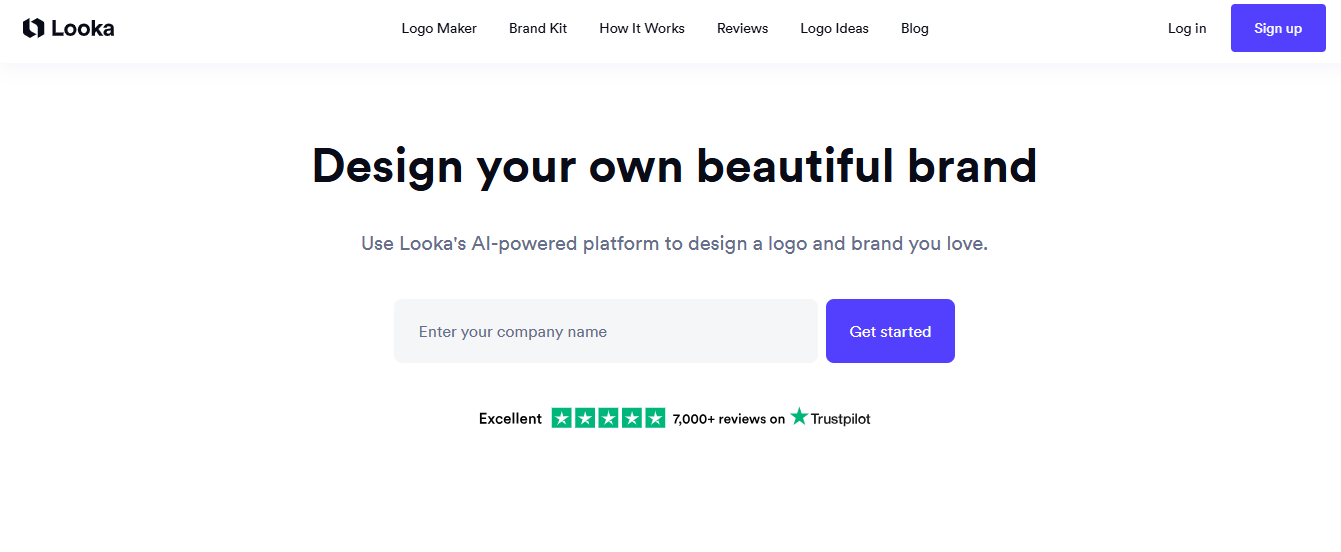
Looka is an AI-powered logo maker and brand identity platform that generates custom logos based on your style preferences, colors, and industry, then extends those choices into a full set of branded assets. Founded in 2016 as Logojoy, it targets entrepreneurs and small business owners who need a professional-looking brand identity without hiring a designer. You can generate and preview unlimited logo concepts for free, then purchase only when you’re ready to download.
Key Features
- AI Logo Generator: produces multiple logo concepts from style, color, and symbol inputs in under five minutes.
- Brand Kit (300+ templates): auto-generates business cards, social media profiles, email signatures, and letterheads matched to your chosen logo.
- Multiple File Formats: Premium plan includes PNG, SVG, EPS, and PDF exports with transparent backgrounds for print and digital use.
- Website Builder: drag-and-drop site builder with hosting included in the Brand Kit Web Subscription ($129/year).
- Unlimited Post-Purchase Edits: after buying a logo package, fonts, colors, and icons can be revised as many times as needed at no extra cost.
Pricing
The advertised $20 entry price is misleading for anyone who needs a working logo. That plan delivers a single PNG with a colored background, no transparent version, no vector files, which rules it out for business cards, print, merchandise, or any scalable application. The $65 Premium plan is the true starting point for professional use.
| Plan | Price | Type | What You Get | Best For |
| Basic Logo | $20 | One-time | 1 PNG file, colored background, no transparency | Design testing only, not print-ready |
| Premium Logo | $65 | One-time | PNG, SVG, EPS, PDF · transparent background · color variations · unlimited post-purchase edits | Minimum viable plan for professional use |
| Brand Kit | $96/year | Annual subscription | Everything in Premium + 300+ branded templates covering social posts, business cards, email signatures, invoices, letterheads + $3,000+ in partner offers | Founders needing a full brand identity |
| Brand Kit + Web | $129/year | Annual subscription | Everything in Brand Kit + drag-and-drop website builder + hosting | Businesses needing logo, brand assets, and a basic website in one place |
Design and preview are always free. Payment is only required when you’re ready to download, so you can fully evaluate quality before committing to anything.
Three things to confirm before you pay:
- Your company name is permanent. It cannot be changed after purchase under any circumstances. If you rebrand, you buy again.
- A custom domain is not included on any plan. Expect an additional $10–20/year if you use the Brand Kit + Web tier.
- Brand Kit subscriptions auto-renew annually. To avoid the next charge, cancel at least 10 business days before your renewal date.
Looka accepts Visa, Mastercard, Amex, and PayPal. PayPal works only for the one-time logo packages not for subscriptions. Discover cards and prepaid cards are not accepted on any plan.
Verify current pricing at looka.com/pricing/.
How It’s Typically Used
Step 1: A startup founder visits looka.com, enters their business name, industry, and optional tagline.
Step 2: They select preferred styles (modern, playful, vintage), color palettes, and icon categories that match their brand direction.
Step 3: Looka’s AI generates a grid of logo options; the founder customizes fonts, layout, and colors using the on-screen editor.
Step 4: After purchasing the $65 Premium package, they download PNG, SVG, EPS, and PDF files with a transparent background and full commercial rights.
Step 5: Files go directly into a print shop for business cards; the Brand Kit auto-populates social media headers and email signature templates.
Pros & Cons
Pros
- Design preview is completely free with unlimited revisions before any purchase commitment.
- Over 20 million businesses have used Looka’s logo maker, making it one of the most established platforms in the AI logo space.
- The Brand Kit includes 300+ branded asset templates and offers good value for founders on a bootstrap budget.
- Trustpilot reviewers frequently name individual support agents for resolving billing and technical issues quickly.
- Flat-rate pricing with no credits, no per-action charges, and renewal prices that match the original price paid.
Cons
- The $20 Basic plan delivers only a colored-background PNG, no transparency, no vector files, making it unusable for print, merchandise, or embroidery.
- Designs draw from a shared icon and font library, meaning your logo could closely resemble other businesses that also used Looka.
- On any paid plan, the company name in a purchased logo cannot be changed, no warning is shown before checkout.
- Looka has no vector editing tools; you cannot modify individual paths, nodes, or layers as you could in Illustrator or Affinity Designer.
- Subscriptions are annual-only with no monthly billing option. There is no team plan or volume discount for anyone managing multiple brands.
Who It’s For
Freelancers and early-stage founders: launching a first business who need a complete logo, social media kit, and basic brand guidelines within one afternoon and under $100.
Users who will find it limited: B2B companies where visual differentiation signals credibility. The shared icon library means your logo may look recognizably similar to competitors who also use Looka.
Who should avoid it entirely: Designers or brand managers who need blank-canvas vector control, or anyone managing multiple brand identities, Looka has no team plan, no multi-seat pricing, and no discount for volume.
Is It Worth It?
It is worth it for a solo entrepreneur or small retail business that needs a complete brand package, logo files, social templates, business card designs, and a simple website, without paying an agency or designer. The Brand Kit can offer good value compared with piecing together separate branding tools.
It is not worth it if your business is in a visually competitive industry (creative services, premium consumer goods, funded startups) where brand distinction is a strategic asset. In those cases, the shared icon library will produce a logo that looks recognizably AI-generated to anyone familiar with the platform.
If you’re exploring more AI-powered tools for creating images and designs, check out our AI Image Generators & Design Tools category.
Alternatives
Looka’s main competitors each pull in a different direction: Canva if you want design flexibility beyond just logos, Tailor Brands if you’re bundling branding with LLC formation, and Wix Logo Maker if your website already lives on Wix.
| Tool | Core Strength | Best Use Case | Starting Price | Key Limitation |
| Looka | Wizard-based logo generation + 300-template brand kit | Startup founders needing logo + brand kit in one session | $65 one-time (usable logo) | Shared icon library; no vector editing |
| Canva | Vast template library across all design types, not just logos | Businesses that need ongoing design work beyond branding | Free; Pro at $180/year | Logo creation is one of hundreds of features not a focused tool |
| Tailor Brands | Bundles branding with LLC formation and business tools | Founders forming an LLC and needing a brand identity simultaneously | $0 (Basic, +state fees) or $199/yr (Essential) | No monthly billing option; recurring complaints about unexpected charges and refund denials |
| Wix Logo Maker | Deep integration with Wix website builder | Businesses building their entire web presence on Wix | Free to create; Light plan at $17/mo | Logo isn’t sold standalone, you’re buying into a full website subscription, not just a file |
FAQs
Is Looka free to use?
You can generate and preview unlimited logos on Looka at no cost, but downloading any file requires a paid purchase. The free experience is a genuine design sandbox, not a time-limited trial, so you can fully evaluate quality before spending anything.
Does Looka include commercial usage rights, can I trademark my logo?
Yes. All paid plans include full commercial ownership with no geographic or time restrictions. You can use your logo on products, print, digital platforms, and client work, and you can apply to trademark the composition. One nuance worth knowing: the individual icons and fonts come from Looka’s shared library, so other users may use the same elements in different arrangements. Your specific composition, or finished logo, is exclusively yours.
What happens to my files if I cancel my subscription?
Files you’ve already downloaded remain yours permanently. Canceling stops future billing but does not revoke ownership of anything already in your possession. Access to the 300+ Brand Kit templates ends when your paid period expires, so download anything you want to keep before canceling.
Is Looka worth it for a one-person business with a $100 budget?
For a solo founder needing usable vector files, the $65 Premium Logo package covers most launch requirements and is the stronger value. Step up to the $96/year Brand Kit only if you’ll actively use the social media templates and business card designs on an ongoing basis; otherwise, the one-time package is sufficient.
How does Looka compare to Canva for small businesses that need more than just a logo?
Looka and Canva serve different primary jobs. Looka is a focused logo-first tool that auto-generates a cohesive brand kit from your logo in one guided workflow. Canva allows more customization, supports image uploads (which Looka does not), and its free plan makes it more accessible for ongoing diverse design needs. Looka wins for brand identity setup; Canva wins if you’ll be creating varied content types week to week.
What do real users say about Looka?
Looka holds 4.4 stars across over 14,000+ Trustpilot reviews, a strong signal at this price point. The consistent pattern: users are satisfied with the speed and output for a first logo, and the Brand Kit gets called out as good value. The most repeated complaints are about customization limits after purchase, the inability to change the company name, and the annual-only subscription model. G2 scores it lower at 3.5/5 across a smaller review set, where subscription clarity and editing restrictions draw the most criticism.