
I fed Jungle AI a six-page section of dense study material and had 11 practice questions ready before my coffee cooled. That is the whole pitch, and after running the tool through a full test this week, it mostly holds up. Jungle AI turns your own notes, slides, PDFs, and YouTube videos into flashcards and quizzes. This guide covers what it is, what the free plan actually gets you, current pricing pulled straight from the site, and a step-by-step walkthrough with screenshots from my own run. If you are a parent checking whether it is safe, there is a section for you at the end.
What is Jungle AI?
Jungle AI is a study app that converts your material into practice questions and flashcards in seconds. You upload a PDF, a slide deck, a Word doc, or paste a YouTube link, and it generates multiple choice and free-response questions built from that exact content.
It was previously called Wisdolia. That rebrand matters more than most pages admit. If you used the Wisdolia browser extension or built Anki decks with it, that history and workflow carry over under the Jungle name. Older reviews and tutorials that mention Wisdolia are describing the same core tool, so do not treat them as a different product.
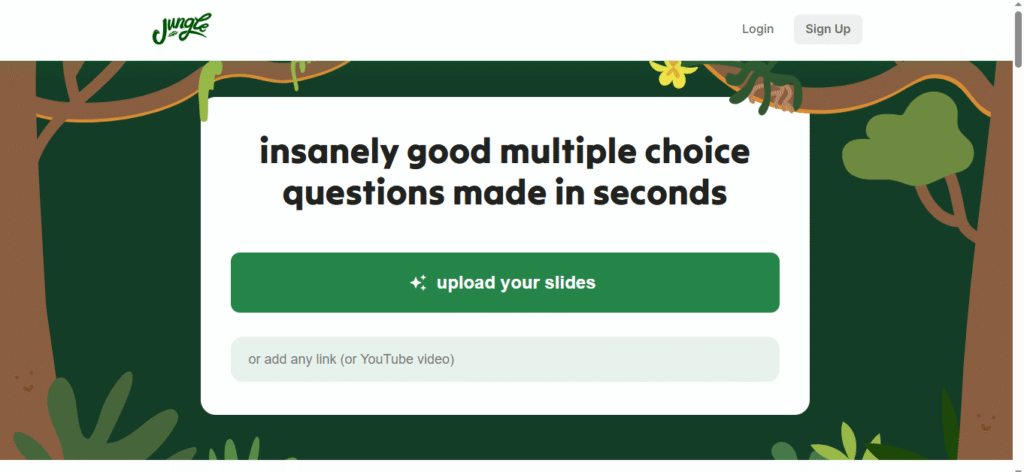
The app is made by Mindflow Inc and runs on the web, iOS, Android, and Mac. The homepage keeps it blunt, leading with the line “insanely good multiple choice questions made in seconds” and a single upload button, plus a field to drop in any link or YouTube video. There is no long onboarding or feature tour, which is a fair signal of who this is built for: students who want questions now, not a manual.
Is Jungle AI free?
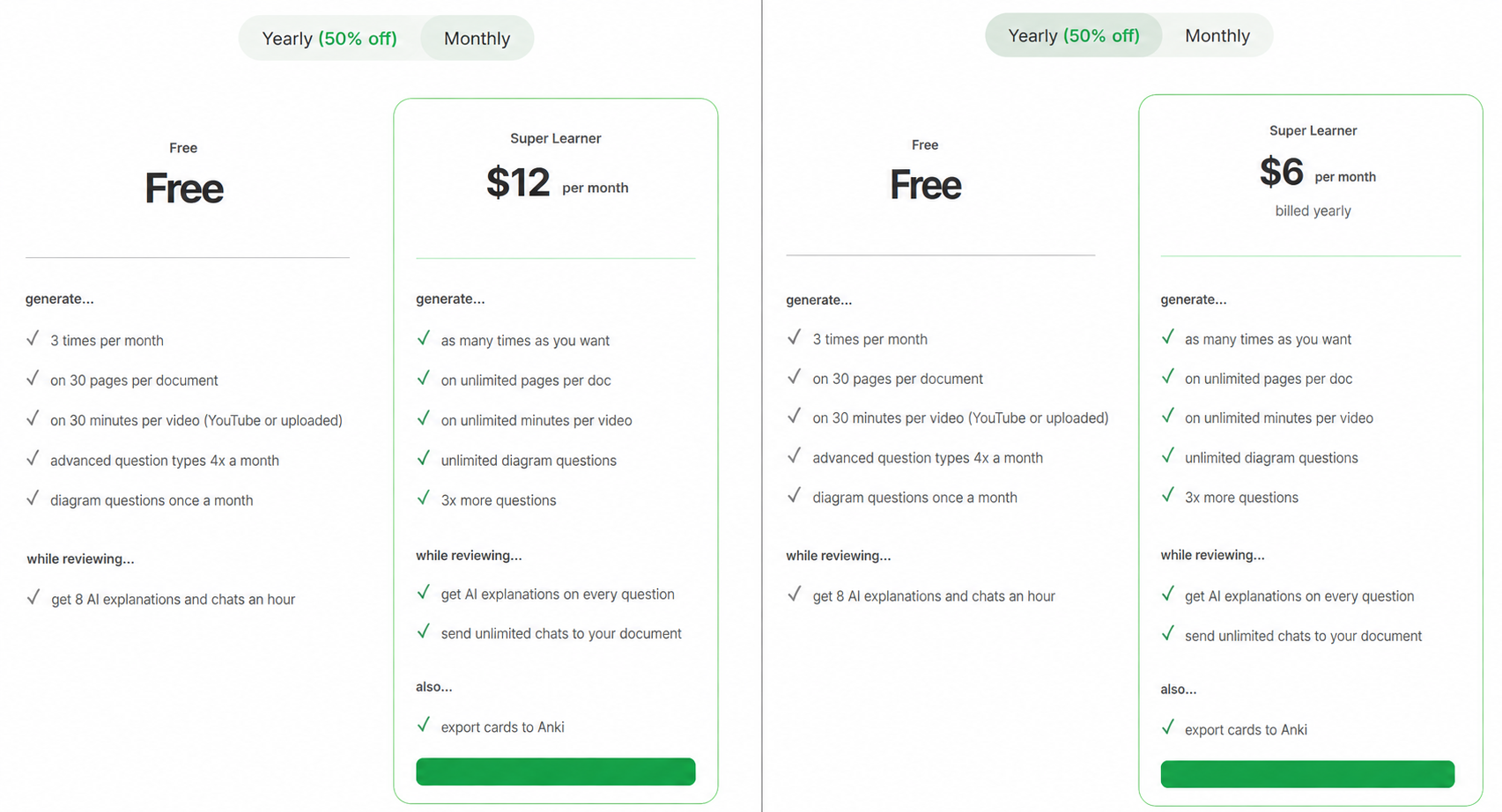
Yes, Jungle AI has a genuinely usable free plan at $0, and I ran my entire test on it without paying. The free tier caps you at 3 generations per month, 30 pages per document, and 30 minutes per video, which is enough to judge the tool properly but tight for a heavy study week.
The paid tier is called Super Learner. It runs $12 per month, or $6 per month billed yearly, which comes to $72 for the year and is marketed as 50% off. I checked both toggle states on the live pricing page and captured each, because several other sites still list old plan names and higher prices that no longer exist.
For a deeper breakdown of features and our verdict on whether it is worth upgrading, see our Jungle AI review.
How to use Jungle AI, step by step
Here is the full flow from my own run, start to finish, with what each stage actually looked like and where the free tier drew the line.
Step 1: sign up and log in
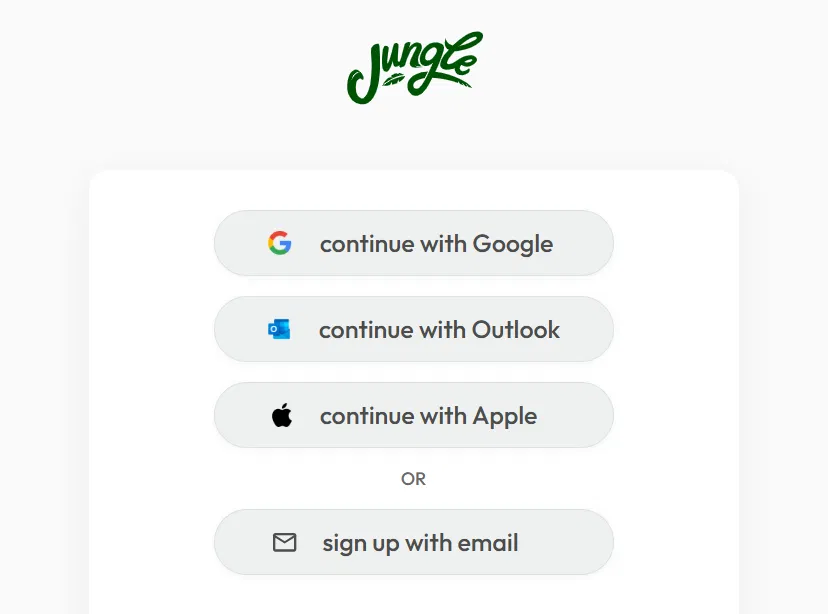
Head to the site and hit sign up. Jungle offers four routes: continue with Google, Outlook, or Apple, or sign up with email. I used a single-click social login and was inside in under ten seconds. The signup path lives at app.jungleai.com, so if the marketing homepage feels like a dead end, that is the URL that takes you to the actual app.
Step 2: upload your material
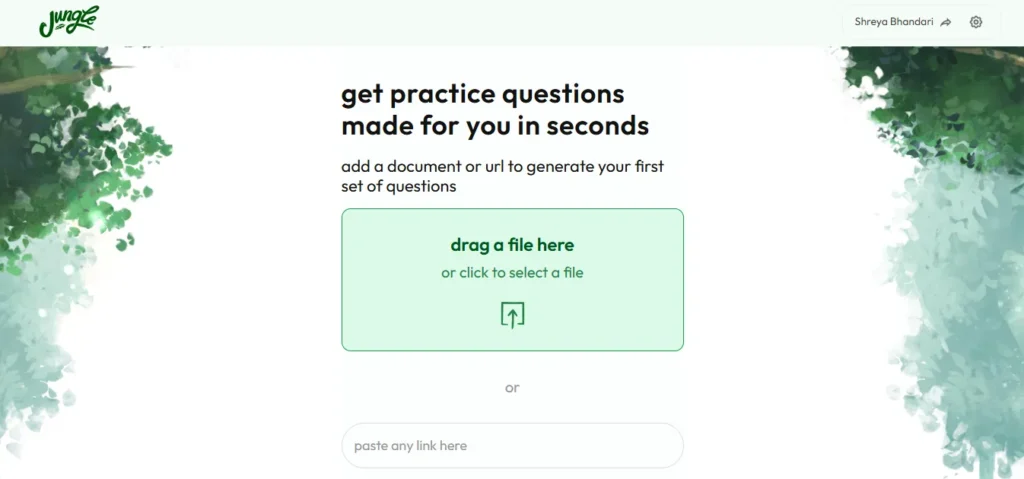
Once logged in, the dashboard swaps the marketing copy for a working prompt: “get practice questions made for you in seconds.” You get a drag-and-drop box that reads “drag a file here or click to select a file,” plus a “paste any link here” field underneath for URLs and YouTube videos.
Supported inputs are broad: PDFs, Word documents, PowerPoints, video and audio files, YouTube videos, Google Drive links, and plain webpage URLs. I dropped in a PDF study document and it accepted it without any format fuss.
Step 3: let it generate your quiz

This is the part that earns the “in seconds” claim. Jungle runs two quick stages. First it shows “reading your document…” with a little lion animation and a progress bar. Then it flips to “generating questions…” with an alligator loader. Both stages together took well under a minute for my six-page upload.
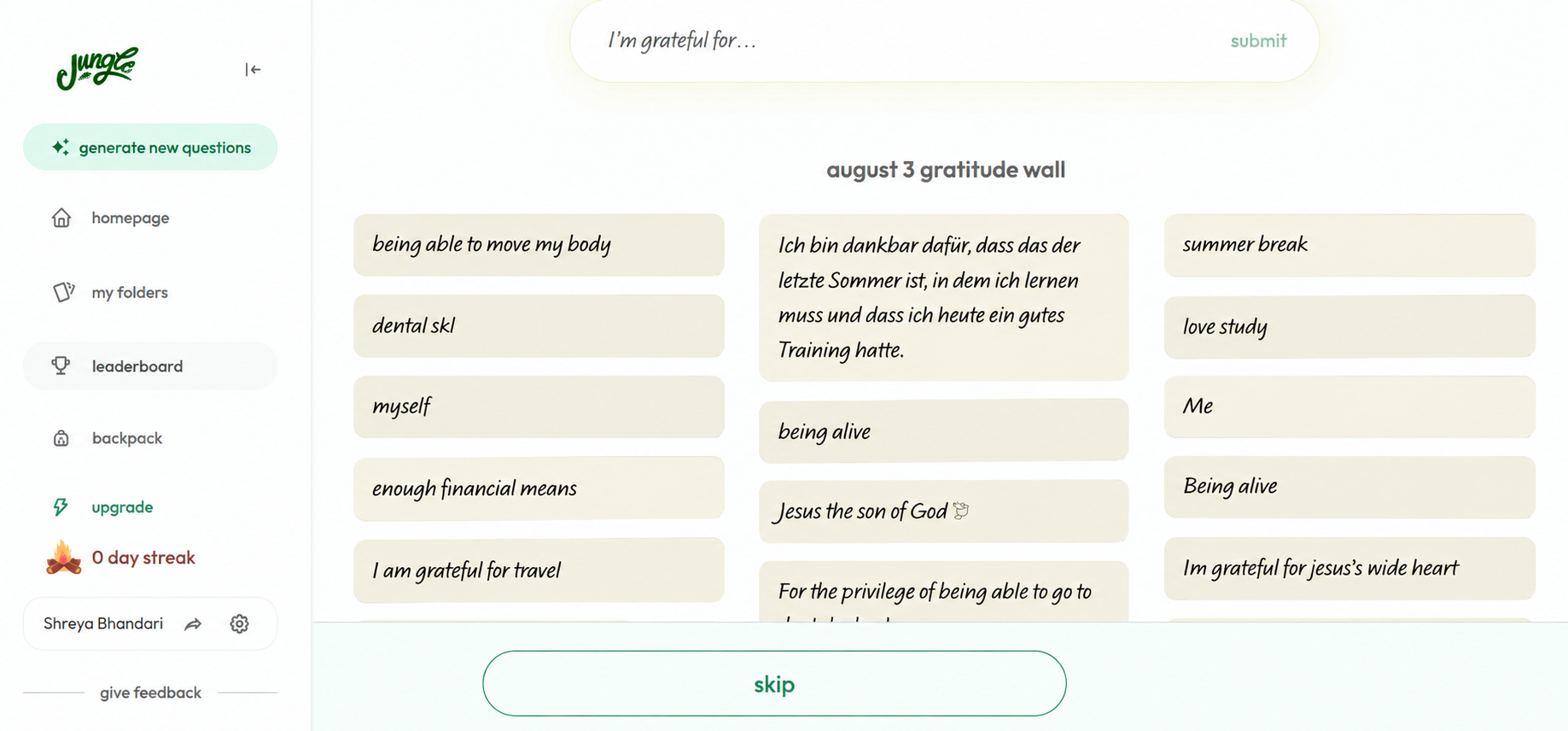
One small surprise before the results: a community “gratitude wall” popped up, a shared board of short notes from other users, with a skip button at the bottom. It is a bit of personality that has nothing to do with studying, and you can skip straight past it. Worth knowing so it does not throw you.
Step 4: keep the questions you need, cut the rest
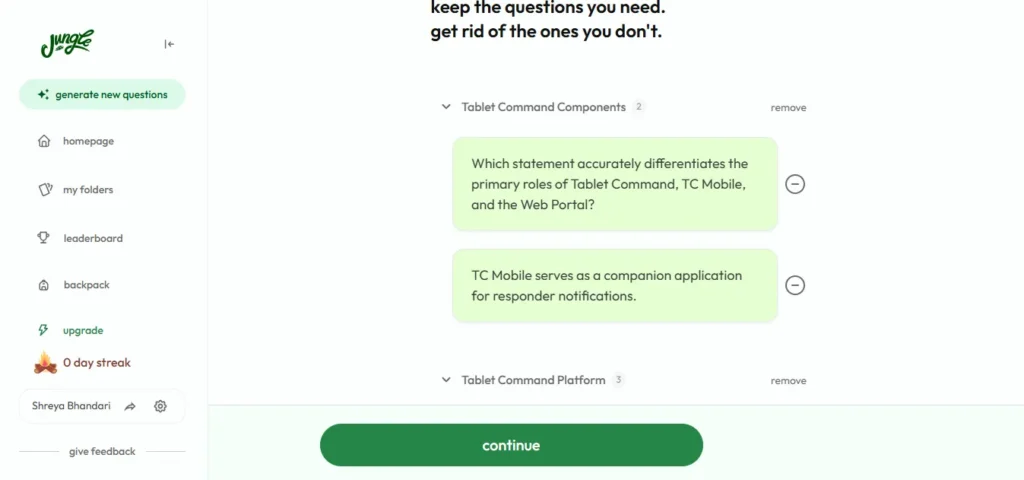
Before you study, Jungle drops you on a review screen headed “keep the questions you need. get rid of the ones you don’t.” Questions are grouped by topic, in my case clusters like “Tablet Command Components” and “Tablet Command Platform,” each with a count and a remove option. Every individual question has a minus button so you can prune anything off-target.
This curate step is genuinely useful. The AI does not always weight subtopics the way you would, so trimming here means you only study what matters. I cut two questions that felt repetitive and hit continue.
Step 5: start studying, then review or export
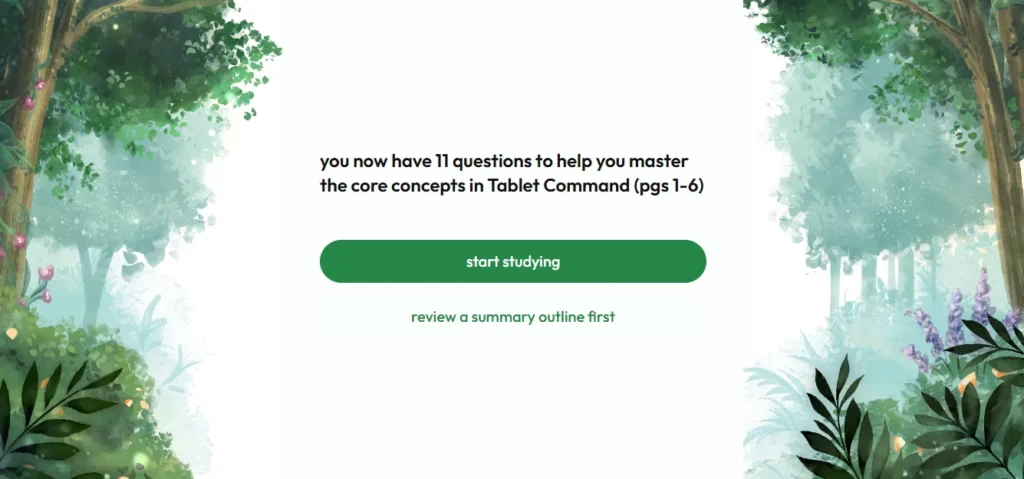
After curating, Jungle confirmed the set: “you now have 11 questions to help you master the core concepts” in my source material, pages 1 to 6. From here you get two buttons, “start studying” or “review a summary outline first.” The summary outline is a smart touch if you want the big picture before drilling questions.
Studying itself is the standard loop: answer a question, see whether you got it right, and read the feedback. On the free plan you get 8 AI explanations and chats per hour, so you can ask the tool to explain a mistake rather than just marking it wrong. If you already run spaced repetition in Anki, the paid Super Learner plan adds a one-click export so your Jungle cards drop into your existing deck. That export is the single feature most likely to justify the upgrade for serious Anki users.
The left sidebar also carries the retention hooks: a folders system, a leaderboard, a “backpack,” and a daily streak counter. Mine sat at “0 day streak,” which is Jungle’s gentle way of telling you to come back tomorrow.
What Jungle AI is good at (and where it falls short)
Jungle AI is strongest as a fast, low-friction quiz generator and weakest as a sole source of truth. That balance held up in my test and matches what real users report.
What it does well:
- Speed is real. From upload to a ready question set took under a minute on a short document.
- The “explain my mistake” feedback loop turns a wrong answer into a quick lesson instead of a dead end.
- Input range is wide: slides, PDFs, docs, audio, video, and YouTube all work from one box.
- Support is responsive. One Play Store reviewer hit a bug where their decks and uploads stopped working, emailed the team, and had it fixed within a day.
Where it falls short:
- Accuracy is not perfect. A common thread in reviews is that some answer choices or marked answers are occasionally wrong. One user keeps a separate app for core study and uses Jungle only for quick-fire testing on their phone. The upside they flagged: you can report a bad question instantly and earn XP for it.
- Free-tier caps run out fast in a busy week, mainly the 3 generations per month.
- Some users note occasional lag or freezing, and questions can get repetitive on the same subtopic.
The honest read: treat Jungle as a supplement that pressure-tests what you have learned, not as the textbook itself. Review its answers with judgment, especially before an exam.
Is Jungle AI safe to use?
Yes, Jungle AI is a real, widely used study app from Mindflow Inc, not a fly-by-night site. It carries strong ratings on both major app stores: about 4.6 out of 5 across roughly 942 ratings on the US App Store, and around 4.1 out of 5 with 100,000+ downloads on Google Play. The company promotes a figure of more than one million students, though independent trackers put active users in the hundreds of thousands, so treat the million as a company claim rather than a verified number.
On safety, the practical points that matter for a parent: your child uploads their own class material, so review the app store privacy disclosures for what Jungle stores, and use normal judgment about uploading anything sensitive. As with any AI tool, the generated answers can occasionally be wrong, so it works best as a study aid that reinforces learning, not a shortcut that replaces it.
The reassuring signal from real use is the responsive human support noted above. A tool that answers a support email and fixes a broken account within a day is behaving like a legitimate operation, not an abandoned one.
Jungle AI alternatives worth knowing
If Jungle AI is not the right fit, six tools cover the same ground from different angles. The fastest way to choose is to decide what you actually want the tool to do: let AI generate questions from your own files (Jungle, Gizmo, RemNote), borrow a library of ready-made sets (Quizlet), have total manual control over a proven review engine (Anki), or focus specifically on language learning with native-speaker video (Memrise). Here is how they compare on the details that decide it.
| Tool | How it builds cards | Free tier | Paid price | Best for |
| Jungle AI | AI generates quizzes from your uploads | 3 generations per month | $12/mo, or $6/mo billed yearly | Fast question sets from any file |
| Anki | You build every card manually | Free (iOS app about $25, one-time) | Free | Total control and the strongest review engine |
| Quizlet | Pre-made library plus some AI tools | Generous but capped | $7.99/mo, or $35.99/yr | Borrowing ready-made study sets |
| RemNote | Notes plus AI-generated cards | Free, limited PDFs and occlusion | Pro from about $8/mo yearly (AI tier near $18/mo) | Studying built into note-taking |
| Gizmo | AI generates from uploads, gamified | Life-based, capped daily | About $14/week, or roughly $3/week yearly | Streak-driven daily study |
| Memrise | Native-speaker video and AI chat | Freemium | Varies by platform, roughly $15 to $25/mo | Language learning specifically |
Alternative pricing verified from public sources in August 2026. App store prices can run higher than web prices, so confirm on each tool’s own page before subscribing.
Anki is the free, open-source benchmark for spaced repetition, and nothing matches its scheduling algorithm or add-on ecosystem. The tradeoff is that you build every card yourself, so it rewards patience over speed. It is free on desktop, web, and Android, while the iOS app is a one-time purchase of around $25. Pick Anki if you want maximum control and plan to study the same material for months.
Quizlet flips Jungle’s model. Instead of generating cards from your files, it hands you a library of more than 500 million user-made sets, so someone has often already built the deck you need. Quizlet Plus runs $7.99 per month or $35.99 per year, and the free tier now caps practice tests and Learn rounds. Pick Quizlet if borrowing beats building for you.
RemNote folds notes, PDFs, and spaced repetition into one workspace, and its paid tiers add AI question generation much like Jungle’s. The free plan is generous on notes but limits you to a few PDF annotations and image occlusion cards. Pro starts around $8 per month billed yearly, with a heavier AI tier closer to $18 per month. Pick RemNote if you want studying built directly into your note-taking.
Gizmo is the closest like-for-like. It also turns PDFs, YouTube, and notes into AI flashcards and quizzes, wrapped in heavy gamification through streaks and levels. Its free tier runs on a “lives” system that locks you out for ten minutes when you run out, which interrupts long cramming sessions. Paid access is billed weekly, roughly $14 per week or about $3 per week on the annual plan, an unusual model worth checking before you commit. Pick Gizmo if a daily streak is what keeps you consistent.
Memrise is the outlier here, built for language learning rather than general study. Its strength is native-speaker video and AI conversation practice, not turning class PDFs into quizzes. Pricing varies by platform and region, generally in the mid-teens to mid-twenties per month for Pro, with cheaper annual and lifetime options. Pick Memrise only if your goal is vocabulary and pronunciation in a new language.
The short version: Gizmo is Jungle’s most direct rival on features, Anki wins on price and depth, Quizlet wins on ready-made content, RemNote wins for note-takers, and Memrise is a different tool for a different job.
Final verdict
Jungle AI is worth a free trial for any student who learns by testing. It is fast, it accepts almost anything you throw at it, and the feedback loop genuinely helps you fix mistakes instead of just spotting them. Its weak point is accuracy, so pair it with your real notes rather than trusting it blindly. Start on the free plan, run a few real documents through it, and only move to the $6 yearly rate if it earns a place in your weekly routine. For Anki users, that one-click export is the feature that seals it.
Frequently asked questions
What is Jungle AI?
Jungle AI is a study app that turns your own material, like lecture slides, PDFs, notes, and YouTube videos, into flashcards and practice quizzes in seconds. It was previously called Wisdolia and is made by Mindflow Inc.
Is Jungle AI free?
Yes, there is a free plan at $0. It allows 3 generations per month with caps on document length and video length. Unlimited use requires the paid Super Learner plan.
How much does Jungle AI cost?
The Super Learner plan is $12 per month, or $6 per month if billed yearly, which works out to $72 for the year. The free plan stays at $0.
What was Jungle AI called before?
Jungle AI was formerly known as Wisdolia. If you used Wisdolia before, your account and Anki export workflow carry over under the new name.
How do you use Jungle AI?
Sign up, upload a file or paste a link, let the AI generate a question set, trim the questions you do not want, then start studying and read the feedback on what you miss.
Can Jungle AI export to Anki?
Yes, Anki export is included on the paid Super Learner plan, which helps if you already run spaced repetition in Anki.
What file types does Jungle AI support?
PDFs, Word documents, PowerPoints, video and audio files, YouTube videos, Google Drive links, and webpage URLs.
Is there a Jungle AI app?
Yes, it is available on the web, iOS, and Android, plus a Mac version.