

The first time I used Insnoop, I had one thought: this is either brilliant or completely broken. I typed in a public username, hit search, and watched three Instagram stories in full, without opening Instagram, without logging in and without my name showing up anywhere near that profile. It worked exactly as advertised.
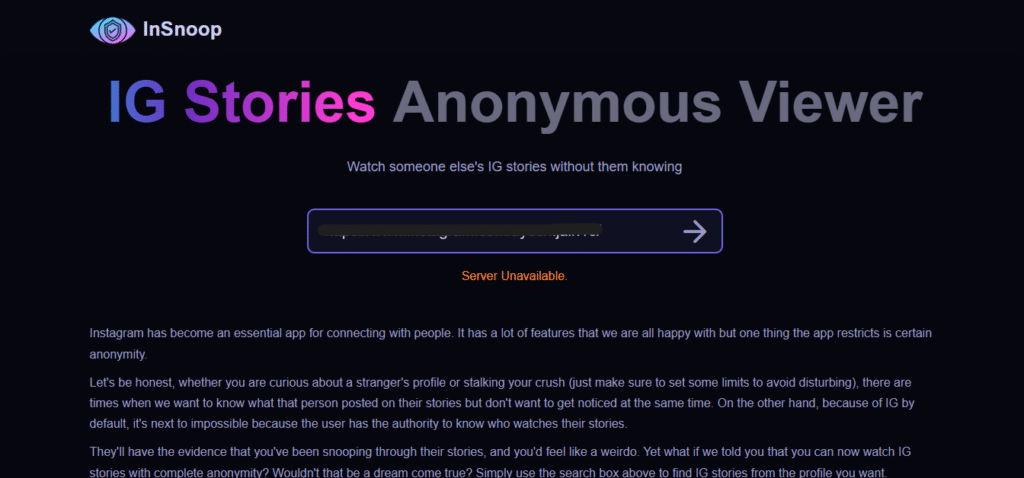
Then I tested it again the next day. Server unavailable.
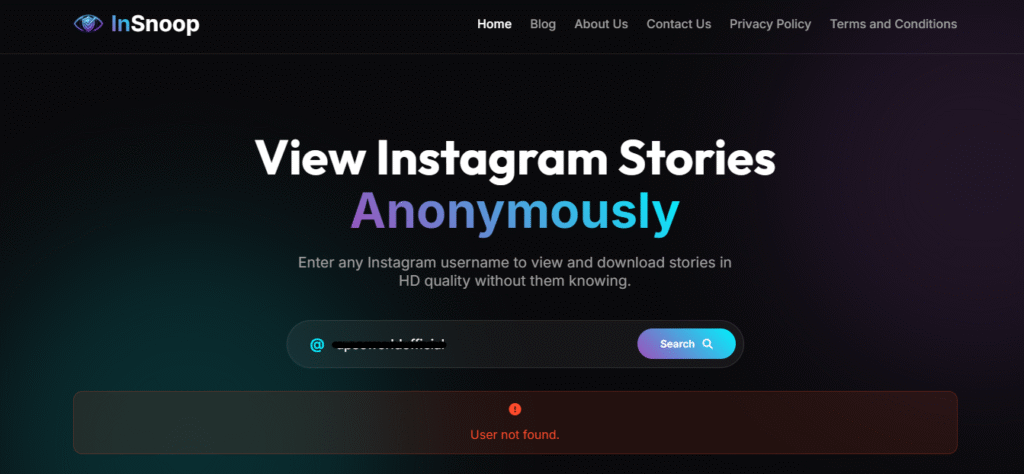
Then I tried insnoop.io as an alternative but it wasn’t any better. I entered the same username and got a “user not found” error for an account I knew existed. That one didn’t work either.
That tension, the tool either works perfectly or not at all, is the honest story of Insnoop. If you’ve been searching for a clear-eyed answer on whether insnoop.com is worth using, whether it genuinely keeps you anonymous, and what to do when it lets you down, this review covers all of it. No promotional fluff, no inflated feature lists, just what the tool actually does in 2026.
What Is Insnoop? What It Actually Does
Insnoop is a free, browser-based tool that lets you view public Instagram Stories and Highlights without logging into an Instagram account. You go to insnoop.com (or insnoop.io, both are active domains for the same service), type in a public profile’s username, and the tool fetches and displays available stories. No app download. No account creation. No password needed.
That last point is what makes it genuinely useful for a specific group of people: those who want to observe public Instagram content without leaving a trace in the account owner’s viewer list.
But here’s what it does not do, and what most review sites skim over: Insnoop cannot access private accounts. If someone has locked their profile, no third-party viewer, including Insnoop, can bypass that. Anyone who tells you otherwise is selling something.
There is also a Firefox browser extension under the Insnoop name (hosted at insnoop.pro), which functions similarly as a theme/shortcut for reaching the web tool. It carries zero user reviews as of May 2026 and can be safely ignored unless you specifically prefer browser extension shortcuts.
How to Use Insnoop (Step by Step)
The process is genuinely that simple. Three steps, no friction:
Step 1: Visit insnoop.com or insnoop.io in any browser on any device. No download, no account.
Step 2: Enter the Instagram username of the public account you want to view. You can also paste the full Instagram profile URL instead of just the username.
Step 3: The tool retrieves available stories and highlights. You can watch them directly in your browser, and optionally download photos as JPEG files or videos as MP4 files.
That’s it. No pop-ups demanding you sign up. No credit card. The entire experience is designed to be invisible, which is, of course, the whole point.
One practical tip: if the tool returns an error or blank results on the first attempt, wait a few minutes and try again. Server availability is Insnoop’s biggest weakness (more on that shortly).
The Anonymity Question (Why It Sometimes Fails)
This is the part every other review glosses over, and it’s the most important thing to understand before you use the tool.
Insnoop works as a proxy server. When you enter a username, your request doesn’t go directly from your browser to Instagram. Instead, it travels from your browser to Insnoop’s servers, which then fetch the content from Instagram on your behalf. From Instagram’s perspective, the request comes from Insnoop’s IP address, not yours.
This is why your name doesn’t show up in the story viewer list. You never actually “viewed” anything from Instagram’s point of view. Insnoop’s server did.
So why do some users still report their name appearing in the viewer list? There are a few likely explanations:
You were already logged in elsewhere. If you were signed into Instagram in another browser tab or on the same device, Instagram may have attributed the view to your active session through shared cookies or device signals.
Instagram’s detection has improved. Instagram regularly updates its backend to identify and block automated or unusual access patterns. When Insnoop’s server IPs get flagged or rotated, the anonymity mechanism can break temporarily, and during that window, requests may route differently.
You used a linked device. If your device is persistently associated with your Instagram account (common on mobile), some signal bleed is possible even through a proxy.Bottom line: Insnoop provides meaningful anonymity for casual use, but it is not technically bulletproof. Think of it as very good privacy, not perfect invisibility.
Everything Insnoop Can and Cannot Do
Here’s an honest feature breakdown. Not from the marketing page, but from actual use:
What works reliably:
- Viewing public Instagram Stories anonymously
- Viewing saved Instagram Highlights
- Downloading story photos (JPEG) and videos (MP4)
- Cross-device access via any browser (desktop, tablet, mobile)
- No account or login required at any point
What is inconsistent:
- Server availability: “Server Unavailable” is the single most common complaint across Reddit threads and user reviews. High traffic and Instagram’s periodic blocking of Insnoop’s access method cause genuine downtime
- Highlight loading: Some users report highlights showing a story ring but content not appearing
What doesn’t work at all:
- Private accounts: This is a hard technical limit, not a bug
- Instagram Reels or feed posts: Insnoop is specifically a story and highlight viewer, not a full Instagram proxy
- Direct messages: no third-party tool can access these, and Insnoop doesn’t claim to
No mobile app exists. Insnoop is a website only. If you see an “Insnoop app” listed somewhere, it is either a clone site or a browser shortcut wrapper, not an official product.
Is Insnoop Safe to Use in 2026?
The safety question has two distinct parts that most reviews conflate: your Instagram account safety and your device/data safety.
Your Instagram account is not at risk. Insnoop never asks for your Instagram credentials, your email, or your password. You’re not connecting your account to anything. That risk simply doesn’t exist with this tool.
Your device is likely safe from malware. The main insnoop.com site does not carry the aggressive malware payloads associated with shadier download sites. It uses SSL encryption, and direct malware infections from using the site are not documented in user reports.
The legitimate concern is different: Insnoop is opaque about who runs it. There is no published team, no privacy policy that’s been independently verified, and no ownership information. When you use the tool, your IP address, browsing patterns, and search queries (i.e., which Instagram accounts you looked up) may be logged by Insnoop’s servers. You are trusting an unknown entity with that data.
For casual & occasional use, checking a competitor’s story, satisfying a one-time curiosity, that’s a small and manageable risk. For regular professional use where discretion about which accounts you monitor matters, that’s a legitimate concern worth taking seriously.
ScamAdviser flags the domain for limited transparency and hidden ownership. That doesn’t mean it’s malicious; it means it’s unverified. Treat it accordingly.
Is Insnoop Legal?
Using Insnoop to view public Instagram content is not a criminal offense. Public content is, by definition, content the account holder chose to make publicly accessible. Viewing it through a third-party tool doesn’t change that.
However, it does put you in a policy gray area with Instagram’s Terms of Service. Instagram’s terms prohibit automated access, scraping, and the use of unauthorized third-party tools to access its platform. Insnoop almost certainly uses methods that fall under that prohibition.
What does this mean in practice? Instagram won’t sue you for watching a public story through Insnoop. But Instagram can and periodically does block Insnoop’s server access, which is why the downtime happens. Your personal account isn’t targeted. The tool’s infrastructure is.
If you’re doing commercial research at scale, you should be using Instagram’s official Graph API or a licensed social monitoring platform. For occasional personal use, the legal risk to you individually is effectively zero.
Who Should Actually Use Insnoop
Not everyone who searches for Insnoop has the same goal. Here’s where it genuinely earns its place:
Marketers doing occasional competitor checks. If you want to see how a competitor brand structures their story campaigns without alerting them that you’re paying attention, Insnoop is a fast, zero-cost solution. It’s not a replacement for a proper social listening tool, but for a quick check? It works.
Researchers and journalists. Viewing public social content without creating a logged engagement signal is legitimately useful for anyone documenting public behavior or public figures’ communications. Insnoop is a reasonable tool for this use case.
Users without Instagram accounts. A meaningful segment of people who want to follow public content (businesses, public figures, news accounts) simply don’t want an Instagram account. Insnoop gives them access without forcing them into the ecosystem.
Anyone who’s been blocked. Yes, this is a real use case. Blocked users can’t view content on Instagram itself, but a public account’s stories remain technically accessible through a proxy viewer. Whether that’s appropriate is a personal judgment call; the tool doesn’t discriminate.
When Insnoop Falls Short And What to Use Instead
Insnoop goes down. Not rarely, regularly. When it does, here are the next best options that serve the same purpose:
StoriesIG (storiesig.info): The most stable alternative in the category. Similar workflow, no login required, supports downloads. If Insnoop is unavailable, this is the first place to check.
AnonyIG (anonyig.com): Uses a proxy architecture similar to Insnoop. Marginally cleaner interface. A solid backup option.
Inflact: A premium paid tool that goes well beyond stories. If you need reliable, consistent access for professional monitoring with analytics, tracking, and proper accountability, Inflact is worth the investment. It’s not a free alternative; it’s a different category entirely.
One honest note on all these tools: independent analyses found that Insnoop, StoriesIG, and competing viewers all score roughly 6/10 on anonymity confidence when tested rigorously. This isn’t a category where any tool offers perfect, guaranteed invisibility. They all work the same way, with the same underlying limits. Picking the “best” one is mostly about which one is up when you need it.
How to Protect Yourself While Using Insnoop
If you use Insnoop regularly, a few simple steps meaningfully reduce whatever risk does exist:
Use an ad blocker (uBlock Origin is free and excellent). This eliminates any exposure from ad network scripts on the page.
Browse in incognito mode. This prevents persistent cookies and keeps your Insnoop session separated from your logged-in accounts.
Consider a VPN if the accounts you’re monitoring are professionally sensitive and you don’t want your ISP or network logging that activity.
Never enter any personal information anywhere on the site. Insnoop asks only for a username. If any version of the site ever asks for your Instagram password, email, or payment information, leave immediately. That is a clone or phishing site.
Always access through insnoop.com or insnoop.io. The insnoop.pro domain is a separate extension project; keep that distinction clear.
Conclusion
Insnoop does what it says, most of the time. For viewing public Instagram Stories without leaving a digital footprint, it works. It’s free, fast, and requires nothing from you except a username. Those are genuinely good qualities.
The honest limits are just as real: it’s unreliable when Instagram’s backend blocks its access, the anonymity isn’t technically absolute, and the people running it are unknown. For occasional use with those trade-offs in mind, it’s a reasonable tool. For anything ongoing or professionally critical, it’s not the right foundation.
FAQs
Does Insnoop work on private Instagram accounts?
No. Insnoop only works with public Instagram profiles. Private account content is technically inaccessible without an approved follow request, and no third-party tool can legitimately bypass Instagram’s privacy settings. If you see a tool claiming otherwise, it is either misleading you or asking for credentials it has no business having.
Is Insnoop truly anonymous? Will the person ever find out?
In most cases, no, your name will not appear in their story viewer list. Insnoop works as a proxy server, so the viewing request comes from Insnoop’s servers, not from your account or IP address. However, anonymity is not 100% guaranteed. Users who are simultaneously logged into Instagram on the same device have reported occasional viewer list appearances, likely due to shared cookies or session signals.
Is Insnoop safe to use?
For the average user, yes, with caveats. Insnoop never asks for your Instagram credentials, so your account is not at risk. The site uses SSL encryption and malware infections from using it are not documented. The real concern is opacity: Insnoop’s ownership and data practices are unpublished, so what happens to your browsing data (including which accounts you searched) is unknown. Use an ad blocker and incognito mode for safer sessions.
Insnoop vs. StoriesIG (which is better)?
StoriesIG is generally considered more reliable for consistent uptime, while Insnoop has a broader name recognition and comparable features. Both work the same way, both are free, and both carry similar anonymity limitations. Independent testing found both tools score roughly 6/10 on anonymity confidence. The practical advice: bookmark both and use whichever is currently working.
Does Insnoop have a mobile app?
No official Insnoop app exists as of 2026. Insnoop is a web-only tool accessible through any browser on any device, desktop, tablet, or smartphone. A Firefox browser extension exists under the Insnoop name (at insnoop.pro) but it is a third-party shortcut, not an official app, and has zero user reviews. Any mobile app claiming to be Insnoop on the App Store or Play Store is an unofficial clone.
When was Insnoop launched and who runs it?
Insnoop was launched on February 2, 2024, making it just over two years old as of 2026. The team behind it is not publicly disclosed. No ownership information, founding team, or company registration is listed anywhere on the site. This opacity is the tool’s most significant trust issue, though it doesn’t appear to indicate active malice based on available user reports.
Can I download Instagram stories using Insnoop?
Yes. Insnoop supports downloading story photos as JPEG files and videos as MP4 files from public accounts. The download option appears after the stories load. Note that downloading content for redistribution or commercial use without the creator’s permission raises separate copyright considerations. Insnoop’s technical capability doesn’t resolve those questions.