
Search “Tablet Command” and you get scattered results. Login help. Android questions. A job listing. Nothing ties them together.
So I went through Tablet Command’s own site, page by page, on September 3, 2026. Everything below is verified directly against the source, not pieced together from review aggregators.
Tablet Command is incident command software built for fire departments and EMS agencies. It runs on the iPad as a digital command board. It syncs with CAD. It extends to iPhone and Android through a companion app called TC Mobile.
This guide covers the login system, what separates the core app from TC Mobile, what TC 2 Way replaces on a fire truck, and why departments are moving away from legacy MDTs.
How do I log in to Tablet Command?
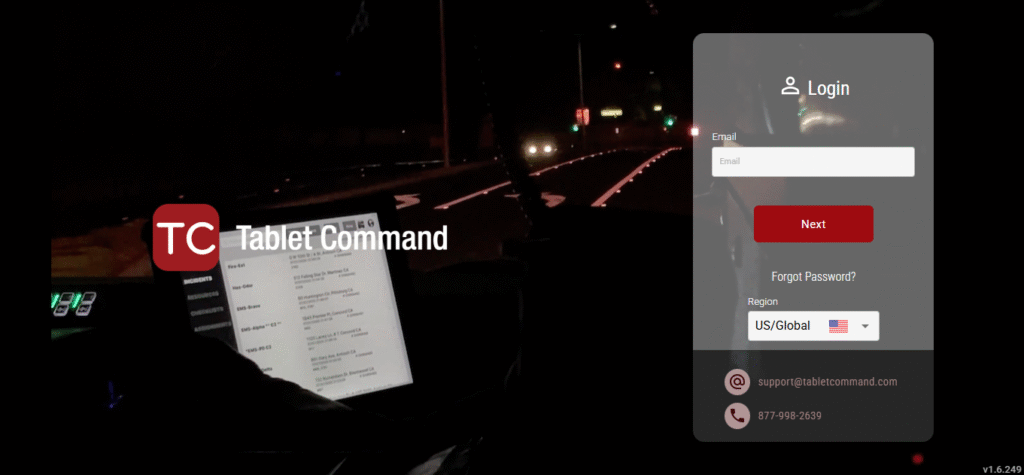
Log in at portal.tabletcommand.com. That’s the current address. It’s what the site’s own header navigation points to as of today.
But there’s a catch the site hasn’t cleaned up yet. Its footer still lists an older login link: api.tabletcommand.com/ang/#/login. I checked this directly on September 3, 2026. That old link is still live in the footer, sitting right below the current one in the header.
If you’ve had a login page bookmarked for a while, or clicked an old search result, that’s likely why it looks outdated. Trust the header link, not the footer one.
The portal itself isn’t just a login screen. According to the company’s own 2 Way product page, it’s a full administrative backend. An account administrator configures checklists and resource settings from a desk computer. Updates push instantly to every connected device in the department.
So if your login works but the app looks different from a colleague’s, that’s usually a configuration difference. Not a bug.
What is Tablet Command, exactly?
Tablet Command is a tablet-based incident command platform, originally built for the iPad. An incident commander drags and drops responding units onto a live map. Progress gets tracked against checklists. Every action gets time-stamped.
The company states its software is used by more than 71,000 emergency responders and has managed over 250,000 incidents. Both figures are self-reported on the current homepage, not independently audited.
The app is designed to keep working without an internet connection. Every change gets written locally to the device the moment it happens. The company specifically notes the core app runs fine “100 feet deep in a cave.” That detail tells you how seriously offline reliability factors into the design.
What separates Tablet Command, TC Mobile, and the Web Portal?
Three different products, three different jobs. All three show up as separate entries under the site’s “Products” menu, and that’s where most people get confused.
- Tablet Command is the core app, built for the iPad. This is where the actual incident command board runs.
- TC Mobile is the companion app for iPhone and Android. Per the official FAQ, it requires Tablet Command Enterprise integration, plus either TC Pro or TC Mobile-specific credentials. It’s not the same login as the tablet app by default.
- Web Portal is the administrative backend. It’s for account-wide configuration, not for running an incident in the field.
There’s no separate “Tablet Command for Android tablets” product on the official site. The iPad is still the primary hardware target for the full command board. Android support comes through TC Mobile on phones, alongside iOS.
One hardware detail from the FAQ: Tablet Command recommends a WiFi-plus-cellular iPad. Not for the cellular service itself. Those models include built-in GPS, and the app relies on that GPS chip for accurate map positioning. You don’t need to activate the cellular plan at all.
What is TC 2 Way, and what does it replace?
TC 2 Way is Tablet Command’s two-way mobile data terminal. It replaces the separate PC-based unit mounted in the cab that traditionally handles CAD statusing. Instead, two-way CAD communication runs inside the same app as the incident command board.
Here’s what it adds on top of the base product, straight from the company’s own comparison table:
- Two-way CAD statusing, letting a unit change status like “Responding” or “On Scene” with a single tap, confirmed visually back to CAD
- Complex statusing support, covering hospital destination, patient count, and response priority
- Incident details pushed automatically the moment a unit is dispatched
- Real Time Sync, syncing every action across all connected devices roughly every six seconds
- AES 256-bit encryption on data moving between devices and CAD
The company states departments switching from legacy MDTs to TC 2 Way see implementation costs at least 60% lower. That claim comes directly from the 2 Way product page. It’s specific enough to verify against your own department’s current MDT contract.
There’s a deeper argument for this in a company blog post from December 23, 2025, written by co-founder William Pigeon. His point: traditional MDTs were built as an extension of the dispatch center. They’re optimized for what CAD needs from the field, not for how a responder actually operates while rolling out the door and transitioning into command. Tablet Command’s pitch flips that. CAD stays the system of record for resource status and unit recommendations. The field interface gets built around responder workflow instead.
Why are departments choosing iPads over ruggedized laptops?
Lower cost and a familiar interface. That’s the company’s own answer, laid out in that same December 2025 blog post.
Departments are reevaluating ruggedized laptop MDTs for three reasons: refresh cycles are expensive, mounting hardware is complex, and the interface tends to feel dated. iPads solve for lower hardware cost, an interface responders already know from their personal devices, and easier management through modern mobile device systems.
There’s a real example behind this. In September 2023, Tablet Command won the Orange County Fire Authority’s Mobile Computer Assisted Dispatch Program through an RFP process. One requirement was acknowledgement workflows: dispatchers needed to flag specific incident comments and trigger required responses from field units.
Most legacy systems handle this with a fixed set of canned buttons. Tablet Command built something more flexible instead, working with CentralSquare CAD, letting dispatchers flag text using a simple convention and trigger both canned and dynamic messages.
That’s a documented, named-customer detail most competitor writeups on this software don’t include at all.
How does mapping actually work?
Tablet Command’s mapping runs on Esri’s ArcGIS platform. Not Google Maps.
A department’s own GIS staff create web maps with custom layers, according to the FAQ. Hydrants, pre-plans, flood zones, wildland boundaries. Those layers sync down to every device through ArcGIS Online. Offline support runs through Mobile Map Packages for areas without connectivity.
A fire captain who reviewed the product on Capterra in 2024 rated it highly for usability. But he specifically noted the ArcGIS-based mapping feels different from Google Maps. His department actually runs Tablet Command alongside a second platform, not as a total standalone replacement.
That’s a useful reality check if you’re expecting one tool to cover every mapping need without any adjustment period.
For turn-by-turn navigation specifically, separate from the tactical GIS layers, the app supports Google Maps, Apple Maps, or Waze.
How much does Tablet Command cost?
There’s no public pricing table. What is public is the tier structure, and it’s more layered than most third-party listings show.
| Tier | What’s included |
| Tablet Command (base, free) | Incident command board, navigation, map annotation, exportable activity records, checklists |
| TC Basic (Enterprise) | Adds web portal, multi-user support, Esri map integration, pre-plan integration, Real Time Sync, TC Mobile access, device-based AVL |
| TC Pro (Enterprise) | Adds CAD integration, CAD-based AVL, incident sharing, early incident notification |
| Pro 2 Way (Enterprise) | Adds full MDT replacement functionality, unit status to CAD, comments to CAD, location to CAD |
Capterra lists a starting price of $30 per month. That figure reflects only the entry tier, not Pro or Pro 2 Way pricing, which Tablet Command keeps quote-based. If your department needs CAD integration or the full 2 Way MDT functionality, a demo request is the actual next step. Not a listed price.
TC Academy and getting a demo
Request a demo through the “Get a Demo” or “Enterprise Demo” links on the homepage. I didn’t find a self-serve free trial documented anywhere on the site. A demo request is the real starting point, not downloading and testing independently.
Training now runs through a consolidated hub called TC Academy. As of this check, it has absorbed what used to be separate “How to Videos” and “TC 3.4 Videos” navigation links into one destination.
A fire officer reviewing the app on the App Store back in 2020 praised how little training it took to get moving. He specifically noted the setup didn’t require department IT involvement. The core interface, based on what’s shown across the current site, hasn’t fundamentally changed shape since that review.
Careers at Tablet Command
The company is based in Walnut Creek, California, at 1212 Broadway Plaza, Suite 2100. That’s confirmed directly through its own Contact Us and Privacy Policy pages, not a third-party estimate.
It’s privately held. Independent business databases place headcount somewhere between roughly 20 and 25 employees.
Open roles get posted on the company’s own hiring page, linked from the site’s “About” menu. Given the team size, openings tend to be occasional rather than constant. Checking directly on their site is more reliable than a job board that might be showing a stale listing.
What real users say
Reviews aren’t uniformly glowing. That’s useful signal, not a warning sign.
One App Store review from 2018 described a CAD integration that reportedly didn’t perform as promised, with no resolution offered at the time. That’s not a small complaint for a product whose core value depends on reliable CAD sync. Confirming compatibility directly with your specific CAD vendor before signing anything is worth the extra step.
On the positive side, a fire officer reviewing the app in 2020 highlighted how quickly new users got comfortable with it, without needing IT involvement for setup. The 2024 Capterra review mentioned earlier praised the tool’s usability and the company’s responsiveness. He was also honest that ArcGIS-based mapping takes some adjustment if your team is used to consumer map apps.
FAQs
How do I log in to Tablet Command?
Log in through portal.tabletcommand.com, the address listed in the site’s header navigation. An older link, api.tabletcommand.com, still appears in the site’s footer, so don’t be surprised if you come across it elsewhere.
Does Tablet Command work on Android?
TC Mobile, the companion phone app, supports both iOS and Android and requires Enterprise integration with TC Pro or TC Mobile credentials. There’s no separate Android tablet version of the core Tablet Command app; the primary command board is built for iPad.
Is Tablet Command free?
A free base tier exists with the core incident command board. Features like CAD integration, AVL, and web portal access require moving up to an Enterprise tier, which isn’t priced publicly.
Tablet Command vs TC Mobile: what’s the real difference?
Tablet Command is the full incident command board, built for iPad, used by the incident commander to manage an active scene. TC Mobile is a lighter phone companion app that pushes notifications, CAD details, and navigation to every responder’s pocket.
What is TC 2 Way, and how much cheaper is it than a legacy MDT?
TC 2 Way is Tablet Command’s two-way MDT replacement, adding CAD statusing, complex status options, and real-time sync on top of the core app. The company states departments see at least 60% lower implementation cost compared to legacy PC-based MDT systems.
How do I request a Tablet Command demo?
Request one directly through the “Get a Demo” or “Enterprise Demo” links on the official homepage. No self-serve trial is documented publicly.
Where is Tablet Command based, and how big is the company?
Tablet Command is headquartered in Walnut Creek, California, confirmed through the company’s own contact and privacy pages. Independent business databases place the team at roughly 20 to 25 employees.