

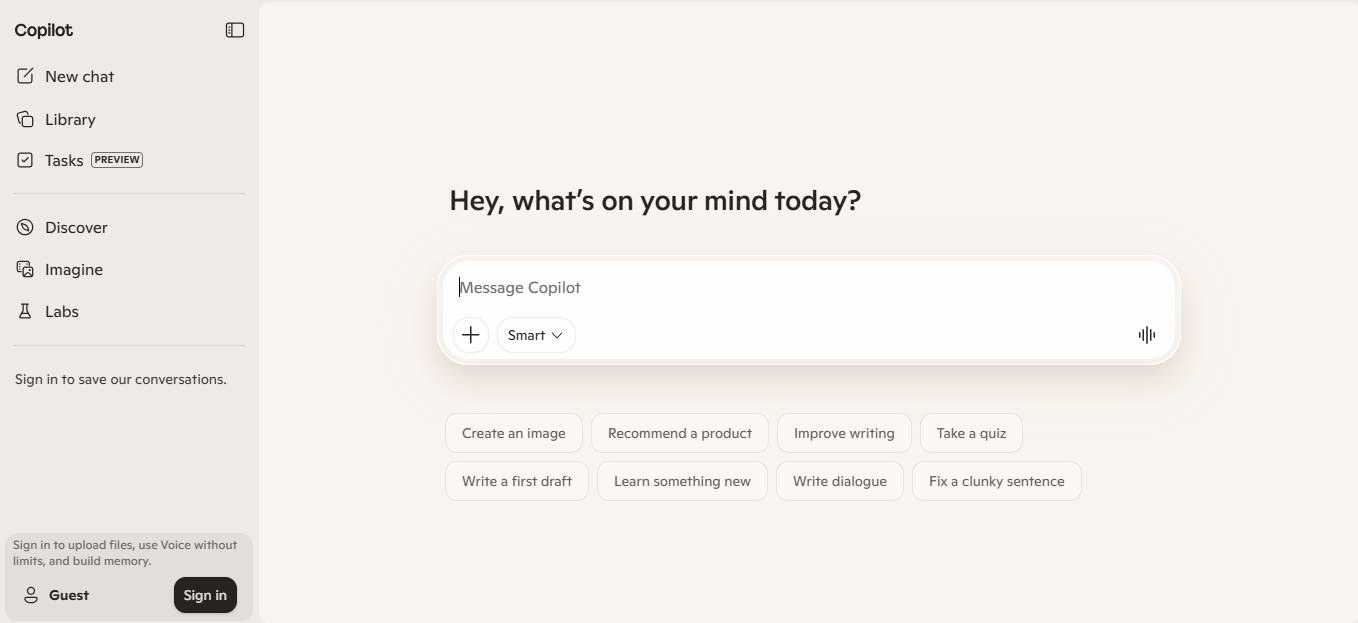
Microsoft Copilot is an AI assistant built into Microsoft products like Word, Excel, PowerPoint, Outlook, Teams, and Windows. It helps users generate content, analyze data, summarize information, and automate routine tasks. The tool works within existing workflows, using context from documents, emails, and meetings to provide relevant outputs. It is used by individuals, teams, and organizations to reduce manual work and speed up everyday tasks. Some capabilities and availability depend on the Microsoft 365 plan and environment.
Key Features
- AI assistance inside Word, Excel, PowerPoint, Outlook, and Teams
- Content generation for documents, emails, and presentations
- Data analysis and formula suggestions in Excel
- Meeting summaries and action item extraction in Teams
- Chat-based assistant for general queries and task execution
- Integration with Microsoft Graph for contextual responses
- Image generation and editing through Microsoft Designer and Copilot tools
Pricing
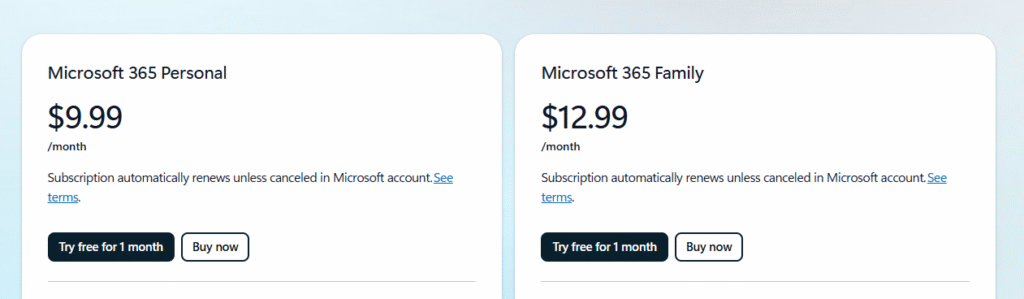
Microsoft Copilot follows a layered pricing model. A free version is available with limited capabilities through Copilot Chat. Paid access is included with Microsoft 365 subscriptions such as Personal ($9.99/month) and Family ($12.99/month), with higher usage limits. Business plans start around $25.20 per user/month, and enterprise plans are priced around $30 per user/month (annual commitment). Pricing varies based on plan type and region. For updated pricing, refer to the official website.
How People Actually Use It
A user typically starts inside a Microsoft app like Word or Excel. They provide a prompt such as drafting a document, summarizing content, or analyzing data. Copilot processes the request using the document context and Microsoft Graph data. It generates a draft, summary, or data output. The user reviews and edits the result, then continues refining through follow-up prompts. In Teams or Outlook, Copilot can summarize meetings, draft replies, or extract action items. The output is then used directly in work tasks such as reports, presentations, or communication.
Pros & Cons
Pros
Works directly inside widely used Microsoft apps
Reduces time spent on writing, analysis, and summaries
Uses existing documents and emails as context
Supports multiple workflows across departments
Available across desktop, web, and mobile environments
Cons
Full functionality requires Microsoft 365 subscription
Feature availability varies across plans and regions
Requires familiarity with Microsoft ecosystem
Outputs may require manual verification
Pricing can increase at business and enterprise levels
Who It’s For
Microsoft Copilot is suited for professionals, teams, and organizations already using Microsoft 365. It is commonly used by marketers, analysts, managers, and administrative roles who work with documents, spreadsheets, and communication tools daily. Small to large businesses benefit from its integration across workflows. It may be less suitable for users outside the Microsoft ecosystem or those looking for a standalone AI tool without subscription dependencies.
Is It Worth It?
Microsoft Copilot becomes useful when it replaces repetitive work across documents, emails, and meetings. For teams already using Microsoft 365, it fits into existing workflows without requiring new tools. The value depends on how frequently users create content, analyze data, or manage communication. For businesses, the cost can be justified if it reduces manual effort and improves productivity across multiple roles. For occasional users, the free version or basic plans may be sufficient without upgrading to higher tiers.
Alternatives
- ChatGPT (OpenAI) – General-purpose AI assistant with broader standalone usage outside specific ecosystems
- Google Gemini – Integrated with Google Workspace for documents, email, and collaboration workflows
- Notion AI – Focused on document creation, note-taking, and internal knowledge management
- Jasper AI – Content-focused tool for marketing and copywriting use cases
- Claude (Anthropic) – AI assistant designed for long-form reasoning and document-based tasks
FAQs
Is Microsoft Copilot free?
A limited version is available for free. Full features require a Microsoft 365 subscription.
Does Copilot work outside Microsoft apps?
It is primarily designed to work within Microsoft products and services.
Can Copilot access my documents and emails?
It can use data within your Microsoft 365 environment, depending on permissions.
Is Copilot available for businesses?
Yes, business and enterprise plans are available with additional features.
Does Copilot replace manual work completely?
No. Outputs often require review and editing before final use.