
You’ve been staring at the blank page for twenty minutes. Or maybe you’ve sent out sixty applications this month and heard back from three. If you’re reading this, you already know the feeling: that mix of hope and exhaustion that comes with trying to compress years of your work into something a stranger will glance at for eight seconds.
That feeling is exactly why AI resume tools exist, and exactly why so much of what’s written about them is marketing, not help.
Here’s the direct answer: The AI resume tools worth your time in 2026, based on real pricing pages checked directly, not each tool’s own blog, are Rezi, Teal, Kickresume, Zety, and Resume.io. Each one solves a different problem; none of them solves every problem. A free AI assistant like Claude can genuinely replace a couple of them if all you need is help with wording.
Quick tip before you start: Don’t try all five. Pick the one problem that’s actually slowing you down, ATS rejection, disorganization, a blank page, or design, and test only the tool built for that problem. Testing all five in one weekend is how people end up more confused than when they started.
What is an AI resume tool?
An AI resume tool uses artificial intelligence to help you write, format, or optimize your resume for both human recruiters and the software that screens resumes before a human ever sees them. Most combine a template editor with a writing assistant, and the better ones check your resume against Applicant Tracking System (ATS) requirements, the filters that reject a large share of resumes before anyone reads them.
How this list was actually built
Here’s the thing nobody says out loud: most “best AI resume tool” articles are written by companies selling one of the tools on the list. Rezi ranks Rezi first; Kickresume ranks Kickresume first. You can check this yourself, it’s not an accusation, it’s just how the search results currently look.
So instead of trusting any single tool’s own comparison, I went and visited every pricing page myself this week to confirm the numbers firsthand rather than repeating what other blogs claim. Screenshots from that session are below, all dated the same day, so you can see exactly what each page showed at the time of checking. That’s a slower way to build a list. It’s also the only way it means anything.
1. Rezi
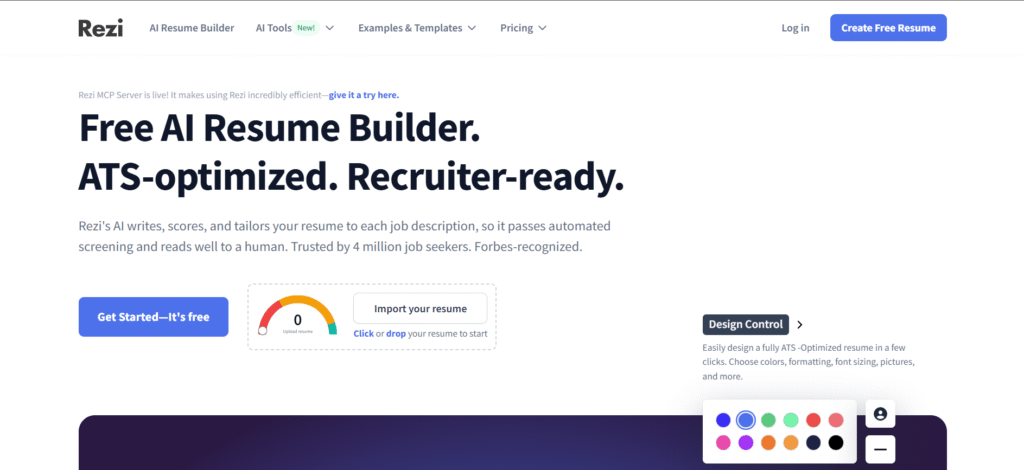
If you’ve ever wondered why a job you’re perfectly qualified for never even calls you back, Rezi is built around that exact anxiety. It runs your resume against a job description and gives you a score, then tells you which keywords are missing.
Rezi’s whole pitch centers on a resume score that checks your content and keywords against a job description before you ever submit it. The ad copy leans hard on how much time and stress the tool saves, worth keeping in mind since that promise is bigger than what the free plan alone delivers.
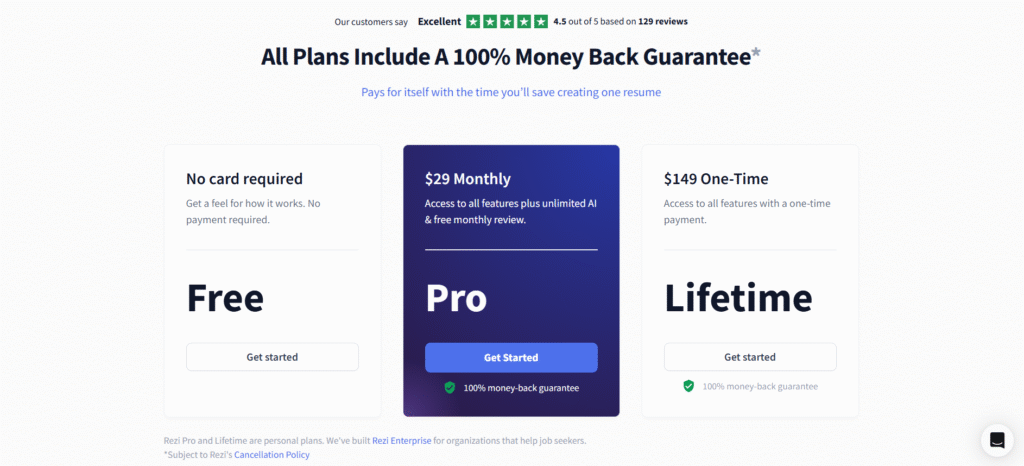
I checked Rezi’s pricing page myself. Every plan carries a 100% money-back guarantee, and the free tier requires no card to get started.
Best for: dedicated ATS scoring and keyword targeting.
Pros
- Keyword and ATS scoring built into every plan, including the free tier
- Lifetime plan ($149) pays for itself in about 5 months versus the $29 monthly plan
- 100% money-back guarantee on every paid plan, stated plainly on the pricing page itself
Cons
- Free plan requires no card but gives only a feel for the tool, not a full working resume
- The free plan gives you a feel for the scoring, not a usable finished resume
- The ad copy promises more time and stress saved than the free plan alone can deliver
2. Teal
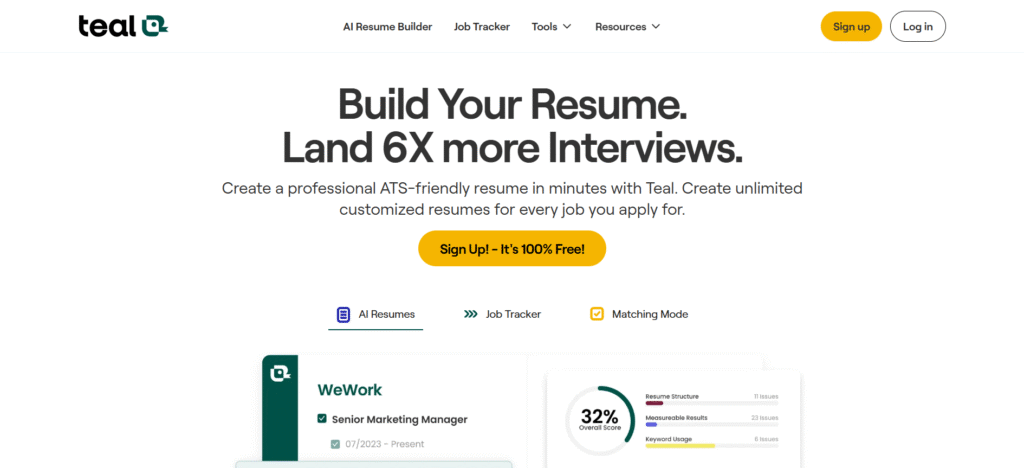
There’s a specific kind of dread that comes from opening your inbox and not remembering which version of your resume you sent where. Teal exists to kill that feeling. It’s less a resume builder and more a job-search command center, with a kanban board tracking every application by stage.
Teal’s templates use a clean, single-column layout, generally easier for ATS software to read correctly than a two-column design. Its own marketing leans heavily on the job tracker and matching mode rather than deep AI writing, positioning the product as an organizer first and a writing assistant second.
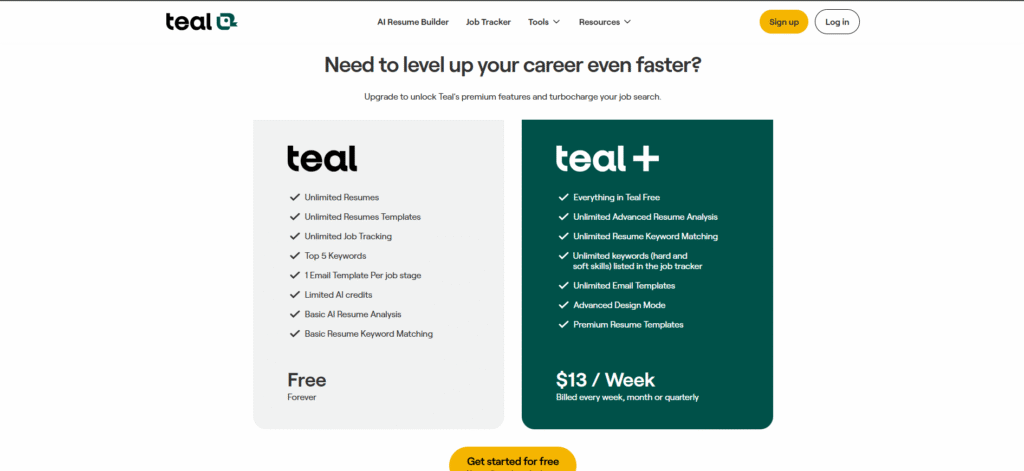
I pulled up Teal’s actual pricing page the same day. The free plan includes unlimited resumes, unlimited templates, and unlimited job tracking, but AI credits, keyword matching, and design mode are capped until you upgrade.
Best for: keeping a high-volume job search organized without losing track.
Pros
- Clean, single-column templates, a layout that tends to parse more reliably through ATS software than multi-column designs
- Free plan genuinely includes unlimited resumes and unlimited job tracking, not a demo
- Job tracker and Chrome extension reduce the mental load of applying to many roles
Cons
- AI writing quality gets less attention from Teal’s own marketing than the tracker and matching features do
- Teal+ bills at $13 per week by default, which adds up to more than a flat monthly rate if you don’t switch billing cycles
- Advanced resume analysis and keyword matching sit entirely behind the paywall
3. Kickresume
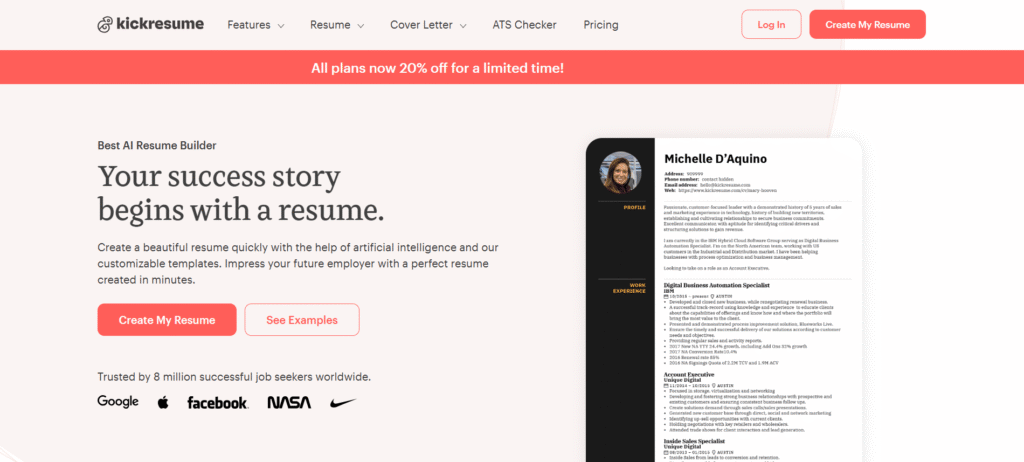
Sometimes you don’t need optimization. You need something, anything, on the page so you can stop staring at nothing. Kickresume can generate a full resume from just a job title, which its own product pages position as one of the fastest ways to get a working first draft in this category.
Best for: getting a usable first draft in minutes.
Pros
- Fastest first draft in this group, built from just a job title
- 40+ resume templates and 40+ cover letter templates once you’re on a paid plan
- 14-day money-back guarantee on every paid tier
Cons
- Free plan limits you to basic templates with no AI writer at all
- Pricing runs on a rotating discount model, so the number you see changes based on the promo running that week
- The generated first draft still needs heavy personalizing before it sounds like you
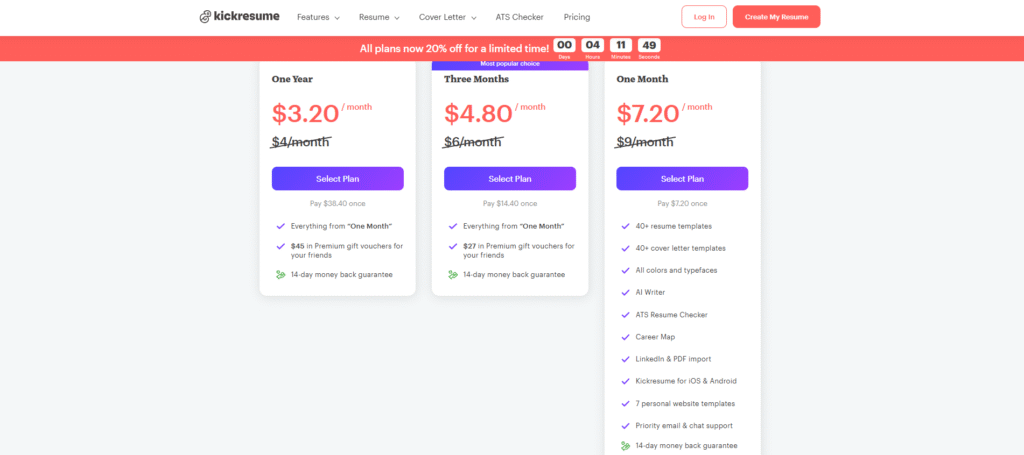
Here’s where checking the live page mattered. Kickresume’s standard pricing runs $9 per month, $6 per month on the three-month plan ($18 billed upfront), or $4 per month on the annual plan ($48 billed upfront). At the time I checked, a site-wide 20% discount was also active, temporarily bringing those same plans to $7.20, $4.80, and $3.20 per month. Countdown-timer discounts like this one are common on pricing pages and are not always genuinely time-limited, so treat the discounted number as a possible bonus, not a guarantee, and check the live page for whichever price is showing when you visit. Some other review sites quote different figures entirely, like $19 or $24 monthly, which is another reason to check the current page yourself rather than trust an older screenshot, including this one.
4. Zety
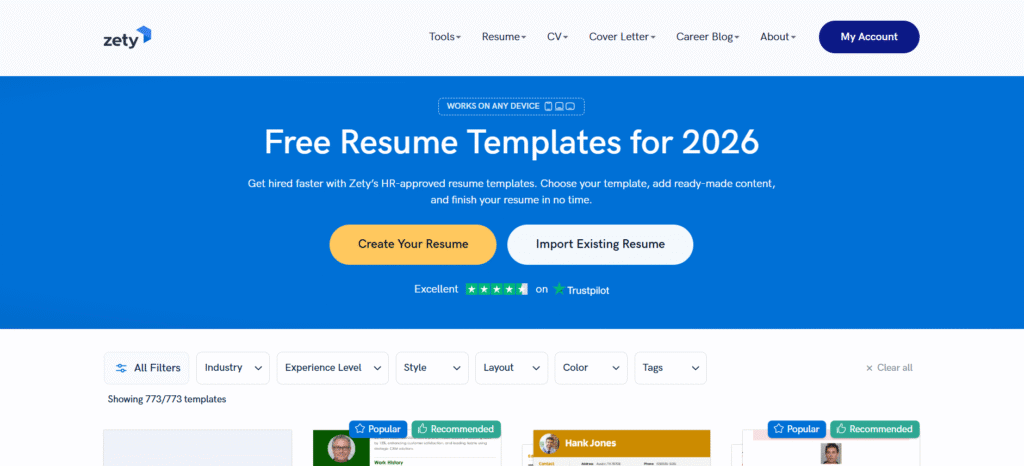
If you’re in a field where the resume itself needs to look considered, design, marketing, anything visual, Zety’s template library is one of its strongest selling points, built around HR-approved designs according to its own site. Here’s the honest limitation: Zety’s own marketing centers on templates, formatting, and general writing suggestions, not job-specific keyword tailoring the way a dedicated ATS-scoring tool does.
Best for: a polished, professional-looking document, fast.
Pros
- Wide template library, positioned by Zety’s own site as HR-approved and ATS-friendly by design
- Fast, simple building process without a steep learning curve
- Strong fit for design-conscious fields where visual polish matters
Cons
- No job-specific keyword optimization; content quality depends entirely on what you write
- Uses a trial-then-autorenew billing structure, so read the renewal terms before entering payment details
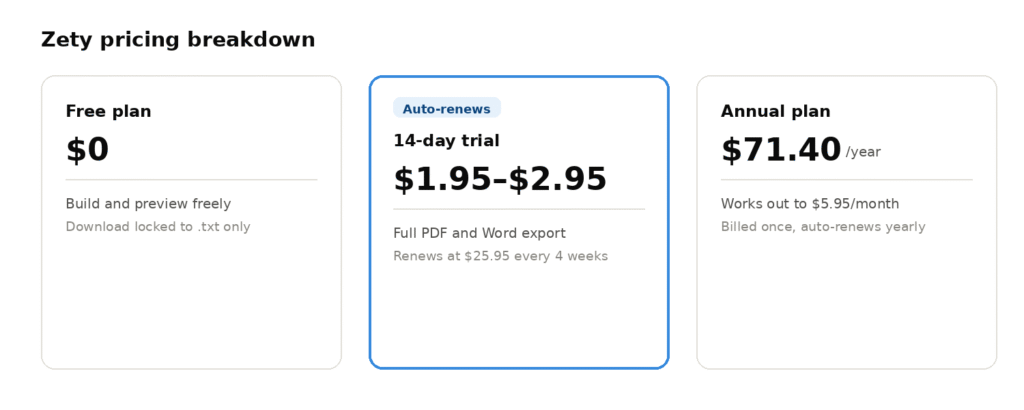
The free plan on Zety’s pricing page shows “Download in TXT Format” as the only export option, with PDF, unlimited downloads, resume checking, and instant job matches all locked. Zety runs a low-cost 14-day trial, commonly priced around $1.95 to $2.95 depending on current promotions, which auto-renews into a $25.95 charge every four weeks if you don’t cancel in time. The annual plan runs $71.40 billed once a year, working out to about $5.95 a month, a considerably better deal if you already know you’ll use the tool long-term.
5. Resume.io
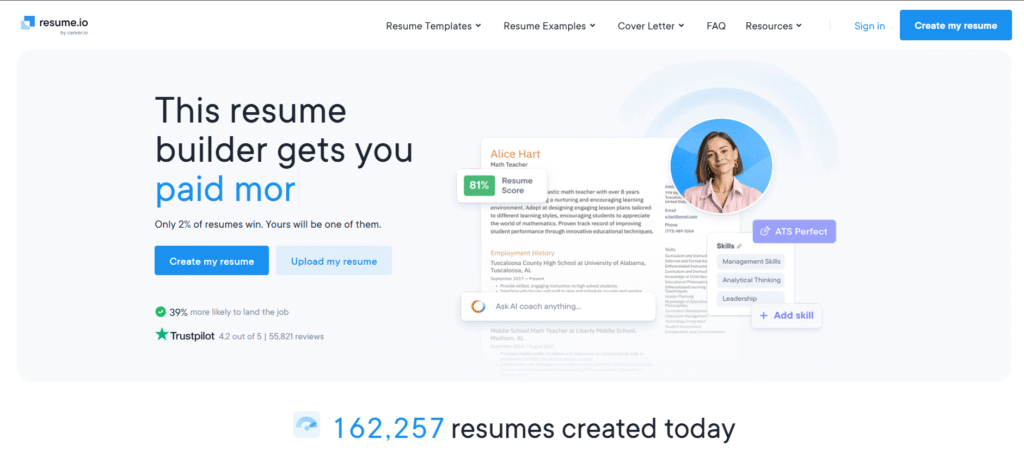
Resume.io shows up on nearly every independent “best of” list because the builder itself is genuinely fast and the templates are attractive. What doesn’t show up as often: the free plan only exports as a TXT file, no formatted PDF, and the low-cost trial auto-renews into a full monthly charge if you forget to cancel within seven days.
I opened Resume.io’s homepage myself. It showed a live counter of over 162,257 resumes created that day alone, useful context for how large and active the platform is.
Best for: a fast, well-designed document, if you’re ready to pay and watch the calendar.
Pros
- Fast, polished output, with templates built around common recruiter and ATS expectations, according to Resume.io’s own site
- AI-suggested phrasing helps overcome writer’s block
- Large, active platform, backed by a high volume of resumes created daily according to its own site
Cons
- Trial auto-renews into a recurring monthly charge without a clear email confirmation for many users
- Billing and cancellation difficulty is a frequent complaint reported by users online
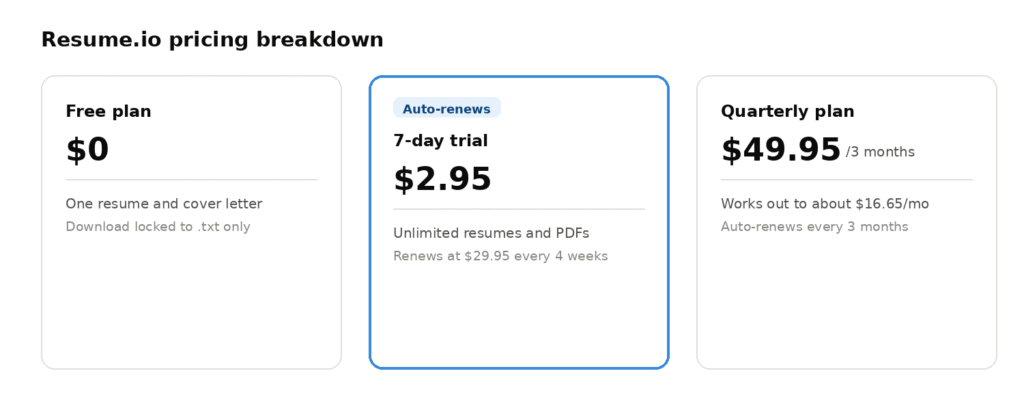
Resume.io runs three tiers: a free plan limited to one resume and cover letter with TXT-only downloads, a 7-day trial at $2.95 that auto-renews into a $29.95 charge every four weeks, and a quarterly plan at $49.95 that works out to about $16.65 a month, the better deal if you know you’ll need more than one round of edits.
At a glance
| Tool | Free tier reality | Paid pricing | Best for |
| Rezi | No card needed, limited to a feel for the tool | $29/month or $149 lifetime | ATS scoring |
| Teal | Unlimited resumes and tracking, capped AI credits | $13/week (billed weekly, monthly, or quarterly) | Staying organized |
| Kickresume | Basic templates, no AI writer | $9/month standard, $6/month quarterly, $4/month yearly; a 20% site-wide discount was active at time of writing | Fast first draft |
| Zety | TXT download only | $1.95 to $2.95 trial, auto-renews at $25.95/4 weeks, or $71.40/year | Visual design |
| Resume.io | TXT download only | $2.95 trial, auto-renews at $29.95/4 weeks, or $49.95/quarter | Fast, polished output |
Two of these five, Zety and Resume.io, restrict free downloads to plain text only. That’s not a coincidence worth glossing over: if a “free” resume builder won’t give you a usable file without paying, that’s the actual product decision, not a footnote.
What if you’re not ready to pay for any of this?
Not everyone can justify a subscription for a job they don’t have yet. If that’s you, a free AI assistant like Claude or ChatGPT can genuinely help with the wording, rewriting a weak bullet point, tightening a summary, tailoring language to a specific posting. For pure writing help, it holds up fine, at no cost.
What it won’t do is run an ATS-parsing simulation or hand you a pre-formatted, exportable template. Use it for the words; use one of the five tools above if you specifically need the formatting or the scoring.
The part that matters more than any tool
“Okay, but will this actually work?” No tool fully answers that. The most consistent warning across job-search communities in 2026 isn’t about which tool to use, it’s about letting AI write too much of it. People say the same thing over and over: AI-generated resumes start to sound generic, inflate what you actually did, or use phrases you can’t defend when someone asks about them in an interview.
You’re allowed to use these tools. Just don’t let them speak for you in a room you’re not in yet. The job search is hard enough without walking into an interview holding words that aren’t really yours.
Common mistakes people make in this category
- Trusting a “best of” list without checking who owns which tool
- Letting AI write final wording instead of editing it into your own voice
- Signing up for a cheap trial without setting a cancellation reminder
- Assuming “free” means the same thing across every tool
- Picking based on design alone when ATS filtering matters for your field
- Skipping a final grammar pass, run the finished resume through Grammarly before you submit anything, since AI-written wording still needs a human-grade proofread.
FAQs
What is the best AI resume tool in 2026?
It depends on what’s actually slowing you down. Rezi leads on ATS scoring, Teal leads on staying organized across applications, and a free tool like Claude works well if you just need help with wording.
Can I use Claude or ChatGPT instead of paying for a resume tool?
Yes, for wording and tailoring. What you won’t get is an ATS-parsing check or a ready-to-export formatted template; that’s still the job of a dedicated builder.
Do employers know if a resume was written with AI?
Most employers aren’t actively checking, but recruiters do notice generic, repetitive phrasing. The risk isn’t the tool, it’s sounding templated.
Is Zety’s or Resume.io’s free plan actually free?
Technically yes, but both restrict free downloads to plain text only. A formatted, recruiter-ready PDF requires a paid plan on either platform.
Zety vs. Rezi, which one actually optimizes for ATS?
Rezi does; it runs keyword matching and scoring against a job description. Zety is a template builder, its design is clean, but it doesn’t tailor content to a specific posting.