

Most patients find out their provider uses Valant when a text arrives with an access code and zero instructions. Most clinicians evaluating it land on a feature list that tells them what Valant does but nothing about what using it actually feels like.
This article covers both. Patients will know exactly how to get into MYIO inside five minutes. Practice owners get a full product breakdown and a direct answer on whether Valant fits their size.
Valant.io is a cloud-based behavioral health EHR and practice management platform built exclusively for mental health professionals, including psychiatrists, PMHNPs, therapists, and counselors. It combines clinical documentation, billing, scheduling, telehealth, and patient engagement in one system, with a patient-facing portal called MYIO that handles appointments, forms, payments, and secure messaging.
Quick Facts
| Type | Behavioral health EHR and practice management |
| Built for | Psychiatrists, PMHNPs, therapists, counselors, group practices |
| Founded | 2005, Seattle, WA |
| Ownership | Acquired by Resurgens Technology Partners, December 2023 |
| Employees | 137 as of May 2026 |
| Total funding | $28.9M across 10 rounds |
| Patient portal | MYIO (app and browser) |
| Provider login | ehr.valant.io/io/ |
| Pricing | Custom quote only |
| Free trial | No |
| Patient mobile app | Yes. iOS 15+ and Android |
| Provider mobile app | No. Browser-based only |
| Capterra rating | 4.2 out of 5 (339 reviews, July 2026) |
| MYIO Google Play rating | 4.8 out of 5 (4,890+ reviews, June 2026) |
| Support phone | 888.774.0532 |
| Support email | info@valant.com |
| Compliance | HIPAA compliant. HITRUST i1 certified |
What Valant.io Is
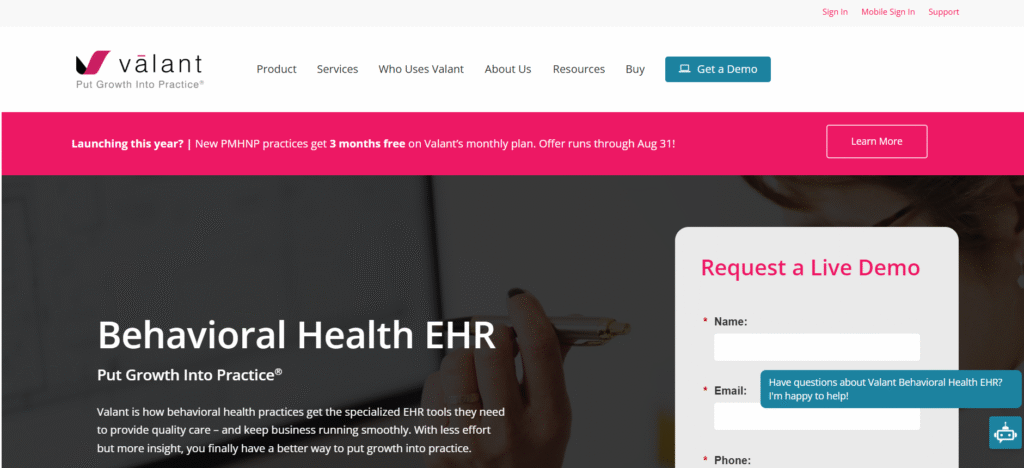
Valant.io is not a general medical EHR that mental health practices can configure to fit. Every template, billing rule, and workflow inside it assumes the user runs a behavioral health practice specifically.
It serves six user types: psychiatry clinicians, PMHNPs, therapy clinicians, practice managers, practice owners, and billing managers. Program support covers standard outpatient, Intensive Outpatient Programs (IOP), and Partial Hospitalization Programs (PHP), with IOP/PHP added as a named platform focus in October 2025.
What the Platform Actually Does: Three Product Pillars
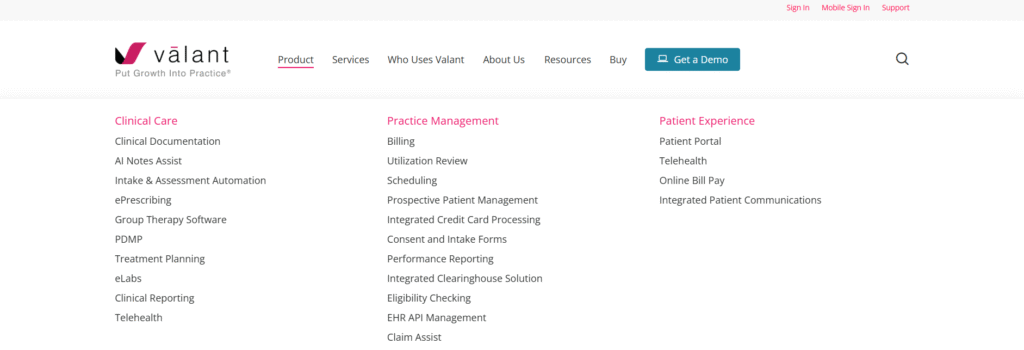
Valant organizes its platform into three pillars: Clinical Care, Practice Management, and Patient Experience. Understanding which pillar a feature belongs to helps evaluate whether the platform depth matches what your practice actually needs.
Pillar 1: Clinical Care
Clinical Documentation gives clinicians 100-plus note templates for behavioral health workflows: SOAP, DAP, BIRP, GIRP, psychiatric progress notes, therapy progress notes, CBT, DBT, MFT, EMDR, and custom formats. Notes auto-generate narrative from session data. Prior content carries forward so clinicians are not retyping the same information every session.
AI Notes Assist launched September 2025 and expanded February 25, 2026 via PR Newswire announcement. It listens during in-person, group, or telehealth sessions and generates a structured draft note using whichever template the clinician selected before starting. It surfaces CPT code and modifier suggestions based on what was actually documented. Clinicians review, edit, and sign. They stay in full control.
Two details worth knowing: audio recordings and transcripts are deleted automatically after the note is signed. No patient data trains the AI model. The tool never sends information outside Valant’s HIPAA-compliant system.
According to Valant’s internal data, providers can save up to 30 hours per month in documentation time. Dr. Georgina Rotzler, PMHNP and CEO of Mindful Choice Institute, described the benefit directly: the template flexibility goes well beyond what SOAP notes alone provide, since SOAP only covers four areas.
Intake and Assessment Automation sends intake packets through MYIO before the first appointment. Patients complete forms on their own time. Data ports directly into the chart with no manual re-entry. Valant states this saves up to 20 minutes per new patient.
ePrescribing integrates with DrFirst. Clinicians prescribe and check medications without leaving the EHR. PDMP access is built in for controlled substance monitoring.
Treatment Planning includes configurable templates for outpatient and IOP/PHP programs. Wiley PracticePlanners are integrated, giving access to 32 planners and thousands of pre-built goals and objectives. Automated review reminders prevent plans from expiring. Supervisors can review and annotate supervisee plans inside the platform.
Group Therapy Software handles recurring group sessions end to end. One action documents attendance, generates group notes, and submits billing for all enrolled patients. For IOP programs running multiple groups daily, this saves measurable hours per week.
Telehealth is built in. No third-party platform required. Whiteboard and screenshare included. Patients join through MYIO on any device.
Clinical Reporting includes 80-plus outcome measures that send automatically before appointments and graph patient progress over time.
Pillar 2: Practice Management
Scheduling handles individual, recurring, group, and telehealth appointments from one calendar. Attendance, clinical notes, and payments all initiate from the same screen without module switching.
Billing auto-generates billing components per appointment and color-codes unbilled, overdue, and in-process claims so nothing falls through unnoticed.
Claim Assist runs payer-specific rule checks before submission, auto-fixes what it can, and flags the rest for human review. Catching errors before a denial saves the entire resubmission cycle.
Prospective Patient Management covers the full new patient pipeline: inquiry form, patient database, and a provider match algorithm that pairs each new patient with the right clinician based on criteria the practice defines. Valant states this saves up to 75% of the work typically spent on new client intake.
Performance Reporting shows revenue gaps, payment aging, and referral source performance through visual dashboards without a separate analytics tool. Eligibility checking runs at 94% average accuracy according to Valant’s billing page.
Integrated Clearinghouse routes claims directly. External lab integrations confirmed with Labcorp and Quest Diagnostics.
Pillar 3: Patient Experience (MYIO)
MYIO is the patient-facing layer. It handles appointments, forms, billing, telehealth access, secure messaging, outcome questionnaires, and guardian accounts for parents managing a minor’s care. The full walkthrough is in the sections below.
Services: Managed Revenue Cycle Management
Launched March 26, 2026, Valant’s fully managed RCM service assigns a dedicated behavioral health billing team to handle claim submissions, denial management, and financial reporting on the practice’s behalf. This is an outsourced service on top of the software, aimed at practices that want billing handled entirely by specialists rather than trained in-house.
Do Providers and Patients Log In the Same Way?
No. There are two completely separate systems.
| Who you are | Where you log in | Mobile app? |
| Provider or staff | ehr.valant.io/io/ | No app. Browser only. |
| Patient | MYIO app or practice-specific portal URL | Yes. iOS 15+ and Android. |
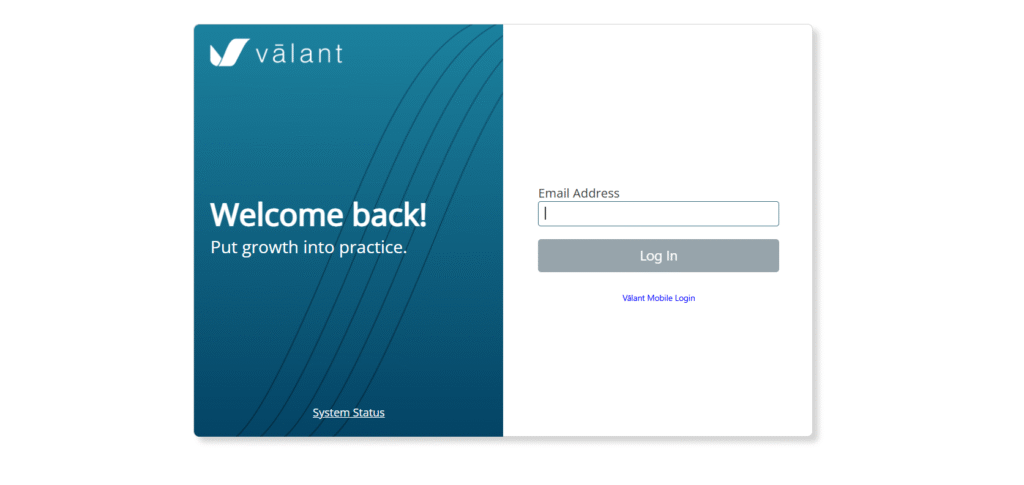
I checked the provider login page at ehr.valant.io/io/ directly while researching this article. The screen shows a “Welcome back” header, an email address field, a standard Log In button, and a separate “Valant Mobile Login” link below it. There is no app download prompt anywhere on that page. Mobile access for providers runs through that browser link, not a native app.
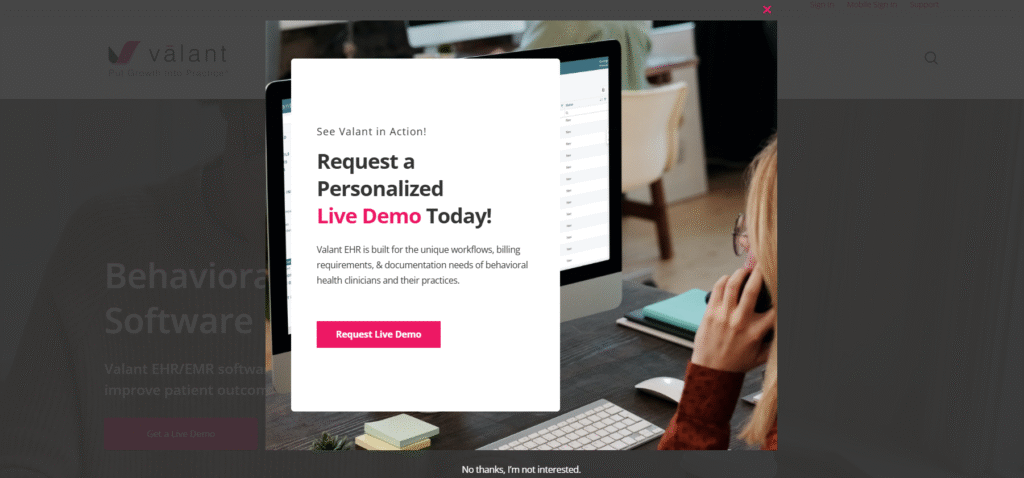
The main valant.io homepage shows only demo request forms aimed at practice evaluators. When you first visit, a ‘Request a Personalized Live Demo’ overlay appears immediately, as shown in the screenshot below. It is a lead capture form for practices evaluating the software, not a patient login page. Dismiss it and it does not reappear on future visits. They stop after the first visit and do not reappear. If you are a patient who landed there looking for your portal, ask your provider for your specific MYIO URL or download the MYIO app directly.
One detail no competing page mentions: MYIO browser access does not work on Safari. Use Google Chrome, Microsoft Edge, or Mozilla Firefox.
Why Can’t I Sign Up for MYIO on My Own?
There is no self-registration path in MYIO. No “Sign Up Free” button exists anywhere on the app or website for patients. Your practice has to invite you first, and that invite is the only way in.
When your provider adds you to Valant, an invitation is sent to your email or phone from no-reply@valant.io. It contains an access code that expires in 7 days. If yours expired before you set up your account, call your provider’s office and ask them to resend it. Do not call Valant. Patient access is handled entirely at the practice level.
Setting Up Your MYIO Account: Step by Step
- Find the invite email or text from no-reply@valant.io and copy the access code.
- Download the MYIO app from the App Store (iOS 15+) or Google Play, or open your practice’s portal URL in Chrome, Edge, or Firefox.
- Tap “Create Account” and enter the access code.
- Enter your date of birth when prompted.
- Complete the “Tell us about yourself” screen with your personal details.
- Add your email address and tap “Verify My Email.” Enter the 6-digit code that arrives in your inbox.
- Set a password: 8 or more characters, one uppercase letter, one lowercase letter, one number or special character.
Do not log out before completing the email verification step. If you exit early, you may lose access to the setup flow and need your practice to issue a fresh access code.
Three Ways to Sign Into MYIO on Mobile
Standard login: Username and password. The app has no “stay signed in” option and logs you out after inactivity.
Magic link: Your practice sends a secure link to your email. Click it and you are in, no password needed. The same link stays active for 24 hours.
Biometric login: Added in the April 2026 app update. Face ID and fingerprint now prompt automatically when you open the app. This is the most effective current fix for the forced-logout problem that appears repeatedly across user reviews.
What Can You Actually Do Inside MYIO?
Inside the app or browser, patients can:
- View and request appointments
- Join telehealth sessions without a third-party app
- Complete intake forms and outcome questionnaires
- Pay balances and view billing statements
- Upload insurance card photos, including HEIC files from modern iPhones
- Send and receive secure messages with the practice
- Access documents shared from the clinical chart
- View current medications and request refills (rolling out to supported practices as of June 2026)
- Manage a minor’s care through a guardian account
Two things MYIO does not yet support: patients cannot cancel their own appointments (confirmed in Valant’s official FAQ), and browser access does not work in Safari.
What Real Users Say About MYIO and Valant
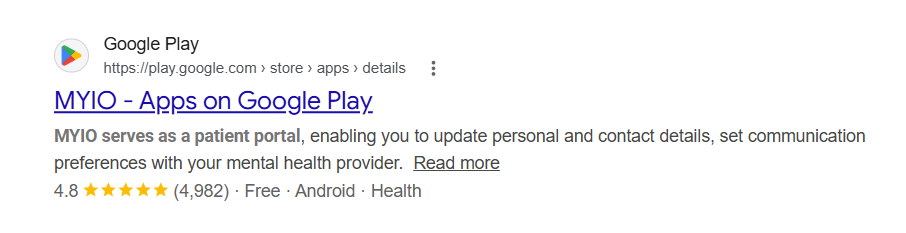
The MYIO app holds a 4.8 out of 5 on Google Play from nearly 4,982 reviews, last updated June 2026. Four specific complaints appear consistently enough across App Store and Google Play reviews to flag before relying on the app for telehealth appointments.
Forced logout with no session persistence. No “stay signed in” option exists. Biometric login reduces the friction but does not fix the timeout itself.
Telehealth mic and camera reset mid-session. Leaving MYIO and returning during a video call resets the microphone and camera to OFF. You must re-enable them manually before your provider can see or hear you.
Appointment widget only shows today by default. Tomorrow’s sessions do not appear in the standard “Upcoming Appointments” view. Tap “View all” to see anything beyond the current day.
Intake forms display in desktop mode on mobile. A Google Play reviewer noted that forms cannot be zoomed and the text is too small to read on a phone screen. This has been a reported issue for approximately two years with no fix confirmed yet.
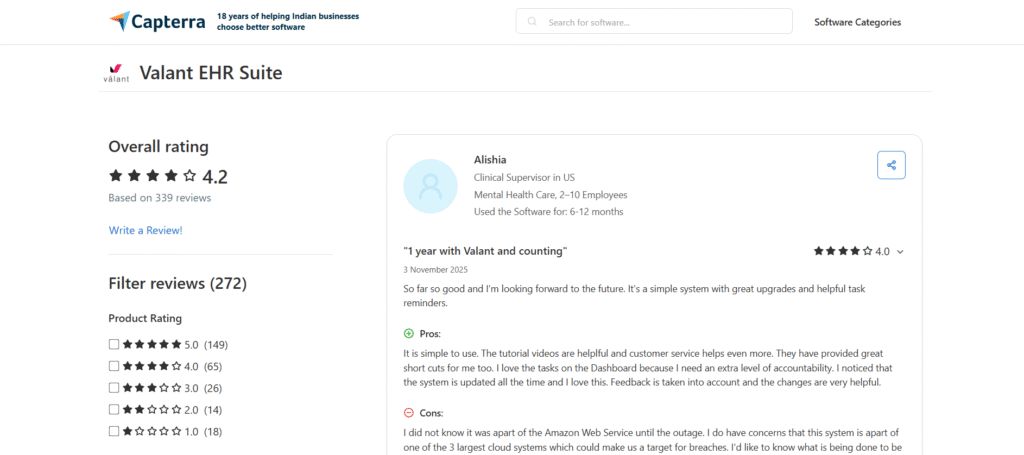
On the practice side, Capterra shows a 4.2 out of 5 based on 339 verified reviews as of July 2026. Of those, 149 are five-star and 18 are one-star. A November 2025 review from a clinical supervisor at a small mental health practice described the system as simple to use, with helpful tutorial videos, responsive customer service, and frequent useful updates. A January 2026 review described implementation support as strong and ongoing help desk support as responsive. On the other side, a CEO at a larger organization (51-200 employees, under 6 months of use) flagged note templates as outdated and patient portal setup as an administrative burden. A nurse comparing Valant to Epic found it significantly easier to navigate from day one.
One infrastructure point worth knowing: a confirmed AWS outage in October 2025 caused platform downtime. Valant responded directly in Capterra comments, citing triple-redundancy backup infrastructure and stating it was the first similar outage in four years. At least one reviewer raised concerns about cloud dependency as an ongoing security exposure, which Valant also addressed by confirming patient data and backups were not affected.
How Does Valant Customer Service Work?
Phone: 888.774.0532. Email: info@valant.com.
Valant describes its support as a live, local behavioral health team. Some Capterra reviewers confirm that experience. A 7-year G2 reviewer described near-impossible phone access and roughly two-day average ticket resolution. Both are real reported experiences from the same support operation.
Valant’s support team serves subscribing practices, not individual patients. If you cannot log into MYIO, your provider’s office is the correct first call. They control your account. Valant cannot reset patient access without the practice initiating it on their end.
What Does Valant Cost?
No public pricing exists. Valant quotes based on provider license count and selected add-ons. No free trial. No free plan. Third-party pricing estimates vary widely and none come from Valant directly, so none should be treated as reliable.
One confirmed current offer: new PMHNP practices get 3 months free on the monthly plan through August 31, 2026, per the banner on the official Valant homepage verified July 8, 2026.
Who Is Valant Actually Built For?
| Practice type | Honest fit |
| Mid to large group practice billing insurance | Strong fit |
| IOP or PHP program | Strong fit. Named platform focus since October 2025. |
| Practice wanting to outsource billing | Strong fit. Managed RCM launched March 26, 2026. |
| Solo therapist, low patient volume | Likely overbuilt and expensive |
| Practice needing upfront pricing before committing | Poor fit. Quote-only model requires a sales call. |
| Patients accessing MYIO via Safari browser | Not compatible. Switch to Chrome, Edge, or Firefox. |
The solo therapist point deserves a direct statement. Multiple independent practitioner reviews from 2025 and 2026 describe Valant as overbuilt for low-volume solo practices. The platform depth that makes it valuable for a 10-provider group can feel like unnecessary complexity when you are one clinician seeing 25 patients a week.
Bottom Line: Is Valant.io Worth It?
Valant earns its reputation among behavioral health group practices because it was genuinely built for that workflow. The three-pillar product structure, AI-assisted documentation, managed RCM service, and IOP/PHP-specific tools are not features bolted onto a general EHR. They were designed for this specialty from the start.
The patient experience through MYIO is functional but has real friction points, particularly around session persistence, mobile form readability, and telehealth stability. These are not dealbreakers for most practices but are worth testing in a demo before committing.
If your practice bills insurance, manages multiple providers, and needs documentation, scheduling, and billing in one place, Valant is one of the strongest purpose-built options available in 2026. If you are a solo therapist or need transparent pricing before a conversation, look at lighter alternatives first.
Frequently Asked Questions
How do I log into Valant.io as a patient?
Patients log in through the MYIO app or their practice-specific browser portal URL. The valant.io homepage only shows demo request forms for practices evaluating the software. There is no patient login there.
Can I create a MYIO account without an invite from my provider?
No. Your practice must send you an access code first. The code expires in 7 days. If yours expired, ask your provider’s office to resend the invite. Valant’s support team cannot issue patient access codes directly.
Is the MYIO patient portal free to use?
Yes. Patients pay nothing to access MYIO. Access is included in the practice’s Valant subscription. You only need the invite code from your provider to get started.
Which browsers work with the MYIO patient portal?
Google Chrome, Microsoft Edge, and Mozilla Firefox. Safari is not supported for browser-based MYIO access. The mobile app runs on iOS 15 or later and Android.
Why does the MYIO app keep logging me out?
No persistent session option currently exists. Enable biometric login from the April 2026 app update. Face ID and fingerprint now prompt automatically when you open the app, which is the fastest current workaround.
How do I reach Valant customer service?
Phone: 888.774.0532. Email: info@valant.com. Patients with portal access issues should contact their provider’s office first, not Valant directly.
Is patient data safe with AI Notes Assist?
Yes. Audio recordings and transcripts are deleted automatically after the clinician signs the note. No patient data is used to train the AI model. All processing stays inside Valant’s HIPAA-compliant system.
Is Valant.io a good fit for solo therapists?
Generally not. Multiple independent practitioner reviews from 2025 and 2026 describe it as overbuilt and expensive for low-volume solo practices. The current 3-month free PMHNP promo through August 31, 2026 makes it worth one demo call for new prescribing practitioners planning to scale.