
Most people who search “Midjourney vs Adobe Firefly” want one thing: tell me which one to buy and let me get back to work. That answer exists. But in 2026, the real comparison is not about which tool makes prettier images. It is about choosing between creative output quality and commercial defensibility, two things that matter in completely different ways depending on what you are building.
The short answer: Midjourney (now on V8.2) is the stronger creative tool. Adobe Firefly is the safer commercial choice. And a growing number of working professionals use both in sequence. This article breaks down exactly when each tool wins, what each one fails at, what the copyright picture actually looks like right now, and how the “use both” workflow plays out in practice.
What are Midjourney and Adobe Firefly?
Midjourney is a text-to-image AI generator known for producing some of the most visually detailed and artistically distinct images available from any AI model. It runs through a web interface (and historically through Discord), has no free tier, and is subscription-only starting at $10 per month. As of August, Midjourney V8.2 is the default model.
Adobe Firefly is Adobe’s generative AI platform, integrated natively into Photoshop, Illustrator, and Premiere Pro. It offers text-to-image generation, Generative Fill, video generation, and since 2025, a growing library of partner AI models from Google, OpenAI, Runway, Kling AI, and others, all accessible from one workspace. Firefly has a free tier and paid plans starting at $9.99 per month.
Quick verdict: which one wins at a glance?
| Midjourney V8.2 | Adobe Firefly (Image Model 4 / 4 Ultra) | |
| Image quality (complex scenes) | Best in class | Moderate |
| Product shots and clean commercial images | Good | Excellent |
| Free plan | None (removed March 2023) | Yes, daily free generations |
| Starting price | $10/month | $9.99/month |
| Adobe CC integration | None | Native (Photoshop, Illustrator, Premiere) |
| Commercial IP indemnity | None | Yes, on paid plans |
| Partner AI models | None | 30+ (Google, OpenAI, Runway, Kling, and more) |
| Video generation | Yes | Yes (native and partner models) |
| Default interface | Web app and Discord | Web app and Adobe desktop apps |
| Best for | Creative ideation, concept art, cinematic images | Commercial production, brand assets, workflow-integrated editing |
When Midjourney is the right pick
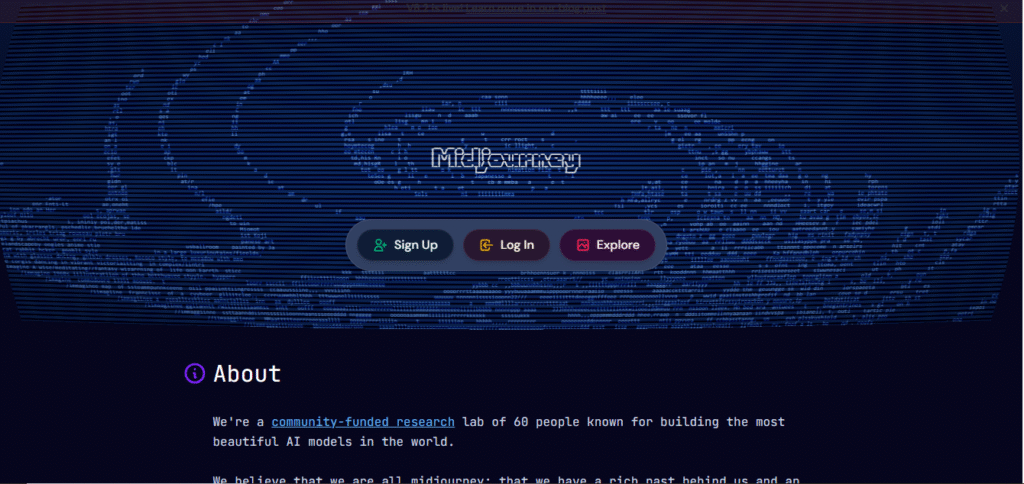
Midjourney earns its reputation on one thing: the images look genuinely exceptional. For complex lighting, atmospheric depth, and photorealistic detail in creative scenes, V8.2 produces output that Firefly’s native Image Model 4 does not match.
Use Midjourney when:
- You are building mood boards, pitch decks, or concept art where visual quality is the deciding factor. Agencies and creative directors routinely use it in early ideation phases precisely because clients react to the images.
- You need cinematic, painterly, or highly stylized images. Midjourney renders atmospheric scenes, detailed textures, and dramatic lighting in ways that feel intentional, not algorithmic.
- You are a solo creator, illustrator, or visual storyteller who is comfortable managing your own commercial risk and who does not need Photoshop integration for the final production step.
- You want style and character consistency across a project. The –sref (style reference) and –cref (character reference) parameters in V8.2 give you meaningful creative control once you understand the syntax.
Do not use Midjourney as your primary commercial production tool if your company earns more than $1 million in annual revenue. Midjourney’s terms of service require you to be on the Pro ($60/month) or Mega ($120/month) plan in that case. And unlike Firefly, Midjourney provides no IP indemnification whatsoever. If a lawsuit over training data ever reaches end-users, there is no legal safety net.
Also worth noting: all images generated on the Basic and Standard plans are public by default. If you are working on client concepts you cannot have visible in Midjourney’s public gallery, Stealth Mode requires the Pro plan at minimum.
When Adobe Firefly is the right pick
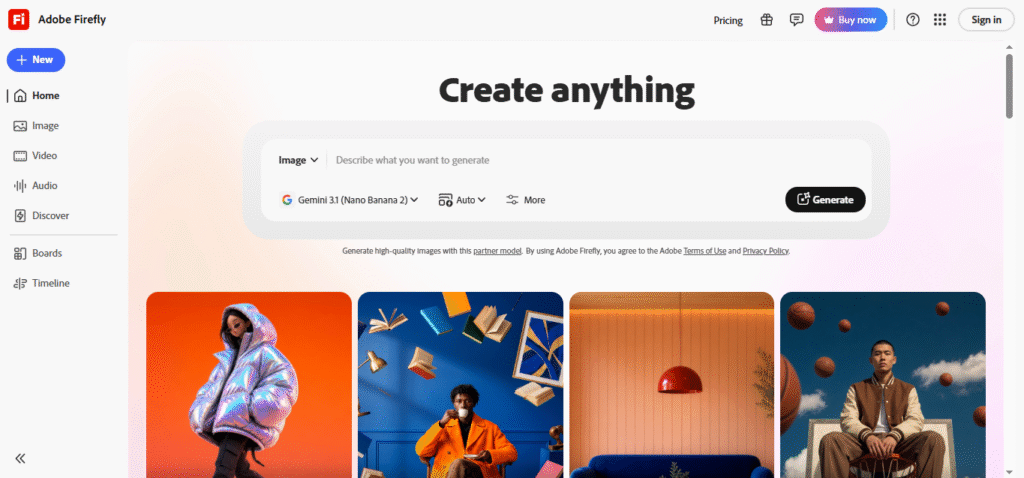
Here is the thing nobody tells you plainly: Firefly is not trying to compete with Midjourney on peak creative quality. It is competing on something different, and in that lane, it is hard to beat.
Use Adobe Firefly when:
- You or your team already works inside Photoshop, Illustrator, or Premiere Pro daily. Generative Fill and Generative Expand are baked directly into the tools you are already using. There is no export-reimport step, no Discord workflow, no switching apps.
- You work at an agency or in-house studio where client brand assets need to be commercially defensible. Firefly’s paid plans include IP indemnification, meaning Adobe stands behind the commercial use of generated images in a way Midjourney simply does not.
- You need a free starting point before committing budget. Firefly offers daily free generations across image, video, and audio with no credit card required. Midjourney has had no equivalent since eliminating its free trial in March 2023.
- You operate in a regulated industry such as healthcare, financial services, or pharma, where image provenance and auditability matter. Firefly’s Content Credentials feature (C2PA standard) embeds metadata about how an image was created, which some compliance teams now require.
- You want access to multiple AI models from a single workspace. As of 2026, Firefly hosts partner models including Google’s Gemini 3 with Nano Banana, OpenAI’s GPT Image 2, Runway, Kling AI, and more, all available through one subscription.
The free tier has real limits. Daily free generations reset each day but are capped at lower quantities, and premium features like text-to-video consume generative credits, not free allowances. The $9.99/month Standard plan gives you 2,000 credits per month, which goes faster than you expect if you add video generation or upscaling to your workflow.
Midjourney vs Adobe Firefly pricing: what you actually pay
Midjourney (all plans are monthly subscriptions; 20% discount for annual billing):
- Basic: $10/month ($8/month annual) | 3.3 fast GPU hours, roughly 200 images | SD video only | no Stealth Mode
- Standard: $30/month ($24/month annual) | 15 fast GPU hours | unlimited relaxed images | SD and HD video
- Pro: $60/month ($48/month annual) | 30 fast GPU hours | Stealth Mode included | required for companies over $1M annual revenue
- Mega: $120/month ($96/month annual) | 60 fast GPU hours | up to 12 concurrent video prompts
Extra GPU time can be purchased at $4/hour on any plan.
Adobe Firefly (standalone plans, verified July 30, 2026 from adobe.com):
- Free: daily free generations across image, video, and audio | no credit card required | quantities refresh daily
- Standard: $9.99/month | 2,000 generative credits/month | Firefly web and mobile | Photoshop on web
- Pro: $19.99/month | 4,000 credits | adds Adobe Express Premium
- Pro Plus: $49.99/month (currently $34.97/month through August 26, 2026) | 10,000 credits | unlimited image model access at 1K/2K resolution for the first year
- Premium: $199.99/month (currently $139.91/month through August 26, 2026) | 50,000 credits | unlimited Veo 3.1 Fast, Kling 3.0, and all image models at up to 4K
Firefly is also included in Creative Cloud All Apps at $54.99/month. If your team is already on Creative Cloud, the standalone Firefly plans are likely redundant.
“Which plan is actually enough for day-to-day use?” The Standard plan at $9.99 covers most individual creators who are primarily generating images. The credit ceiling becomes the real constraint the moment you add video generation to your workflow.
The 2026 copyright picture: what commercial users need to know
This is the section every competing comparison article skips. Here is what the situation actually looks like.
Midjourney’s legal exposure
By mid-2025, Disney, Universal, and Warner Bros. had filed separate lawsuits against Midjourney over character mimicry from copyrighted IP. These are active litigations with no final judgment as of this writing.
Midjourney offers no IP indemnification. If a generated image is challenged because it resembles a copyrighted character or artistic style, you are on your own. There is no Adobe-style legal backstop. To date, no end-user brand has been sued simply for using Midjourney-generated images in a campaign, but the absence of any protective mechanism means the risk is entirely yours to absorb.
Firefly’s “ethically sourced” claim has a wrinkle
Adobe has marketed Firefly as trained on licensed content from Adobe Stock. In April 2024, Bloomberg reported that approximately 5% of Firefly’s training images were AI-generated, including some that originated from Midjourney, uploaded to Adobe Stock before Adobe’s AI-content policies were tightened. Adobe confirmed the approximate figure and stated all images were licensed through Adobe Stock. This is not evidence of deliberate wrongdoing, but it does mean the “100% ethically sourced” framing deserves a small asterisk.
Reports from mid-2025 also suggest that a significant portion of Adobe Stock content is now AI-generated, which raises longer-term questions about what “licensed from Adobe Stock” will mean as training data for future Firefly model versions.
What IP indemnification actually means
Firefly’s paid plans include IP indemnification. If a third party claims your Firefly-generated image infringes their copyright and you were using Firefly as intended, Adobe takes on the legal defense and associated costs. This is a meaningful business protection. It is not unlimited, and it does not cover claims unrelated to training data, but for most commercial use cases it provides a layer of cover that Midjourney simply does not offer.
Neither tool is legally bulletproof. But the risk profiles are structurally different. Midjourney gives you better images with zero legal backstop. Firefly gives you a legal backstop with a lower creative ceiling.
Consult a legal professional for advice specific to your commercial use case. This section is informational only.
What each tool actually fails at
Midjourney’s real limitations
Complex or highly specific instructions are where Midjourney starts to break down. I spent time testing detailed scene prompts with multiple compositional requirements, and what you get back is often visually stunning but structurally wrong. Midjourney interprets prompts creatively rather than literally, which is a feature when you are exploring ideas and a problem when you need exact compliance.
Other consistent pain points reported by verified users (Product Hunt, pulled July 2026):
- The tool can ignore detailed instructions entirely, requiring multiple regenerations to approach what you described
- Anatomy failures in hands and complex poses persisted into V7 and V8; V8.2 improves on this but does not eliminate it
- No public API, which rules out programmatic workflows and automated pipelines
- No native editing inside the tool, Midjourney generates but does not let you refine a specific region without regenerating the whole image
- All images on Basic and Standard plans are public by default, which is a non-starter for client work requiring confidentiality
- Customer support is widely reported as inadequate for business users
Firefly’s real limitations
Firefly’s creative ceiling is genuinely lower than Midjourney’s for complex scenes. When I tested both tools with the same atmospheric scene prompt, Firefly’s output looked like competent stock imagery. Midjourney’s looked like a film still. That gap is real and has not closed with the 2026 model updates.
Specific failure points worth knowing before you commit:
- Rendering specific text inside images, signs, labels, on-screen copy is a documented failure point. Verified G2 reviewers note that Firefly frequently produces unreadable or incorrect text within generated images even on straightforward prompts.
- Complex backgrounds with integrated, realistic lighting tend toward the generic in Firefly’s native model.
- The daily free generations feel like a reasonable trial, but they run out quickly when you are exploring concepts iteratively.
- The credit model is confusing for new users. Standard text-to-image is unlimited on paid plans; credits apply only to premium operations. Most users do not understand this until they run out mid-project.
What users in both communities actually say
On G2 (reviewed July 2026), the split between the two communities is telling. Firefly users consistently highlight how the tool catches desired results with fewer prompting words and point to Photoshop and Premiere Pro integration as the feature they would not give up. Midjourney users describe the level of detail, lighting, and texture as unmatched for creative work, while flagging limited customer support and the steeper learning curve as persistent frustrations.
A community synthesis from May 2026, aggregating Reddit discussions around Midjourney, captured its unique position well: one user described Midjourney as producing “one-off pieces of art” versus competitors’ “stock imagery.” That distinction matters enormously depending on what you are trying to make.
Markus Brinsa, a strategy firm CEO and long-time power user of both tools, writing in December 2025, described Midjourney as roughly 80% of the way to production-ready on complex backgrounds and lighting, compared to Firefly’s 40 to 50% on the same scenes. He uses Midjourney as his primary creative engine and Firefly for client-facing commercial workflows where legal defensibility matters more than peak visual quality. That framing is close to where most experienced professionals seem to be landing in 2026.
The workflow most experienced professionals actually use
No comparison article on page one of Google covers this, but it is the actual answer for anyone doing serious creative work commercially.
The emerging professional standard is: Midjourney for ideation, Firefly for production.
Here is how it plays out in practice:
- Use Midjourney to explore creative directions. Generate 20 to 30 images across different moods, lighting styles, and compositions. The visual quality gives clients or stakeholders something compelling to react to at the concept stage. Use –sref to lock in a style direction once you find it.
- When the concept is approved and the asset needs to enter a paid campaign or client deliverable, rebuild it in Firefly. Use Firefly’s text-to-image with the approved visual direction as a reference, or use Generative Fill inside Photoshop to reconstruct specific elements with commercially defensible outputs.
- Refine in the Adobe ecosystem. Generative Expand, background replacement, and object removal inside Photoshop are the steps that bring Firefly-generated images to final production standard.
This workflow costs more than using either tool alone. It also removes the creative compromise you make when you use Firefly exclusively and the commercial risk you carry when you use Midjourney exclusively. For freelancers with agency clients or in-house teams producing brand assets at scale, that tradeoff is increasingly standard.
Firefly’s 2026 platform shift: it is not just one model anymore
This is the most underreported story in the Midjourney vs Firefly comparison, and it changes the value proposition significantly.
As of 2026, Adobe Firefly is no longer just Adobe’s native image model. It is a workspace hosting 30+ partner AI models, including Google’s Gemini 3 with Nano Banana, OpenAI’s GPT Image 2, Runway for video, Kling AI, Black Forest Labs Flux.2, and ElevenLabs for audio. You access all of them through a single Firefly subscription.
Firefly AI Assistant, launched April 27, 2026, adds conversational guidance within the workspace. Enterprise subscribers can train Custom Models on their own brand assets, which is meaningful for large teams managing consistent visual identity at scale.
Comparing “Midjourney vs Firefly” in 2026 is not quite the same question it was in 2024. Firefly is now a platform that includes access to Runway Gen-4.5, Google’s Veo, and OpenAI’s image generation alongside Adobe’s own model. Midjourney is a single-model creative tool with no equivalent ecosystem.
The bottom line
The question of Midjourney or Adobe Firefly has a clean answer once you know what you are optimizing for. If peak creative quality is the priority and you are comfortable managing commercial risk independently, Midjourney is the stronger AI image generator. If you work inside the Adobe ecosystem, need commercially defensible assets, or want a single platform that gives you access to 30+ AI models from Google, OpenAI, Runway, and others, Firefly is the more practical long-term choice.
If you are doing commercial creative work at any meaningful scale in 2026, the honest answer is to use both: Midjourney at the concept stage, Firefly at the production stage. That is not a hedge. It is what experienced professionals are actually doing.
Read the full tool profiles for Midjourney and Adobe Firefly on TheDiscoverAI to get the complete picture on features, pros, cons, and who each tool is really built for before you commit to a plan.
Frequently asked questions
Is Adobe Firefly free?
Yes. Firefly offers daily free generations across image, video, and audio without requiring a credit card. The free allowance refreshes daily, with access to popular models including Nano Banana and Luma Ray3.14. Paid standalone plans start at $9.99 per month (Standard, with 2,000 generative credits per month). Firefly is also included in Creative Cloud subscriptions, so if you are already an Adobe subscriber, you may already have access.
Does Midjourney have a free trial?
No. Midjourney removed its free trial in March 2023. The only way to use it is through a paid subscription starting at $10 per month on the Basic plan, or $8 per month billed annually. There is no workaround.
Is Midjourney safe for commercial use in 2026?
Paid Midjourney subscribers can use generated images commercially. Companies earning over $1 million in gross annual revenue must be on the Pro ($60/month) or Mega ($120/month) plan per Midjourney’s terms of service. However, Midjourney provides no IP indemnification. Its training data is under active legal challenge from Disney, Universal, and Warner Bros. (lawsuits filed mid-2025, no final judgment as of July 2026). No end-user brand has been sued simply for using Midjourney-generated images to date, but the risk sits entirely with the user. Consult a legal professional for your specific situation.
Which is better for image quality — Midjourney or Adobe Firefly?
For artistic, cinematic, and photorealistic detail in complex scenes, Midjourney V8.2 consistently outperforms Firefly’s native Image Model 4. Firefly is stronger for product shots, clean commercial illustrations, and brand-safe imagery where Midjourney’s tendency to add creative interpretation works against precision. For high-detail creative work, Midjourney is the better tool. For workflow-integrated commercial output, Firefly wins.
Can Adobe Firefly replace Midjourney?
Not fully. The two tools serve different needs. Firefly cannot match Midjourney’s creative ceiling for complex scenes and atmospheric detail. Midjourney cannot match Firefly’s Photoshop integration, IP indemnification, or multi-model flexibility. For many commercial creators in 2026, the more useful question is whether your workflow requires both.
Does Adobe Firefly work with Photoshop?
Yes. Firefly is natively integrated into Photoshop through Generative Fill, which lets you add, remove, or replace image content using text prompts directly inside Photoshop. Generative Expand extends images beyond their original edges. It also integrates with Illustrator via Generative Recolor and text-to-vector generation, and with Premiere Pro for generative video features.
Which AI image generator is better for beginners?
Adobe Firefly is significantly more beginner-friendly. The web interface requires no Discord setup, no command syntax, and no understanding of parameters like –ar or –sref. Firefly’s free tier also means you can experiment with no financial commitment. Midjourney has a steeper entry ramp, though its Discord community is an active learning resource once you are subscribed.